English
21
5
Pressthe"DOWN"buttonuntilthe"WATERMENU"
option is selected.
55
Machine Menu
General Menu
Display Menu
Water Menu
555
Press the "OK" button to enter.
55
Water Menu
Hardness
FILTER (0/8)
Water Net
555
Pressthe"DOWN"buttonuntilyouselectthe
"WATER MAINS" option.
55
Water Menu
Hardness
FILTER (0/8)
Water Net
555
Pressthe"OK"button.Select"ON"andpressthe
"OK"button.Exitthemachineprogrammingby
pressingthe"OK"buttonforafewseconds.The
watermainsiconappearsonthemachineready
screentoindicatethatthemachineissetuptobe
connected to the water mains.
555555
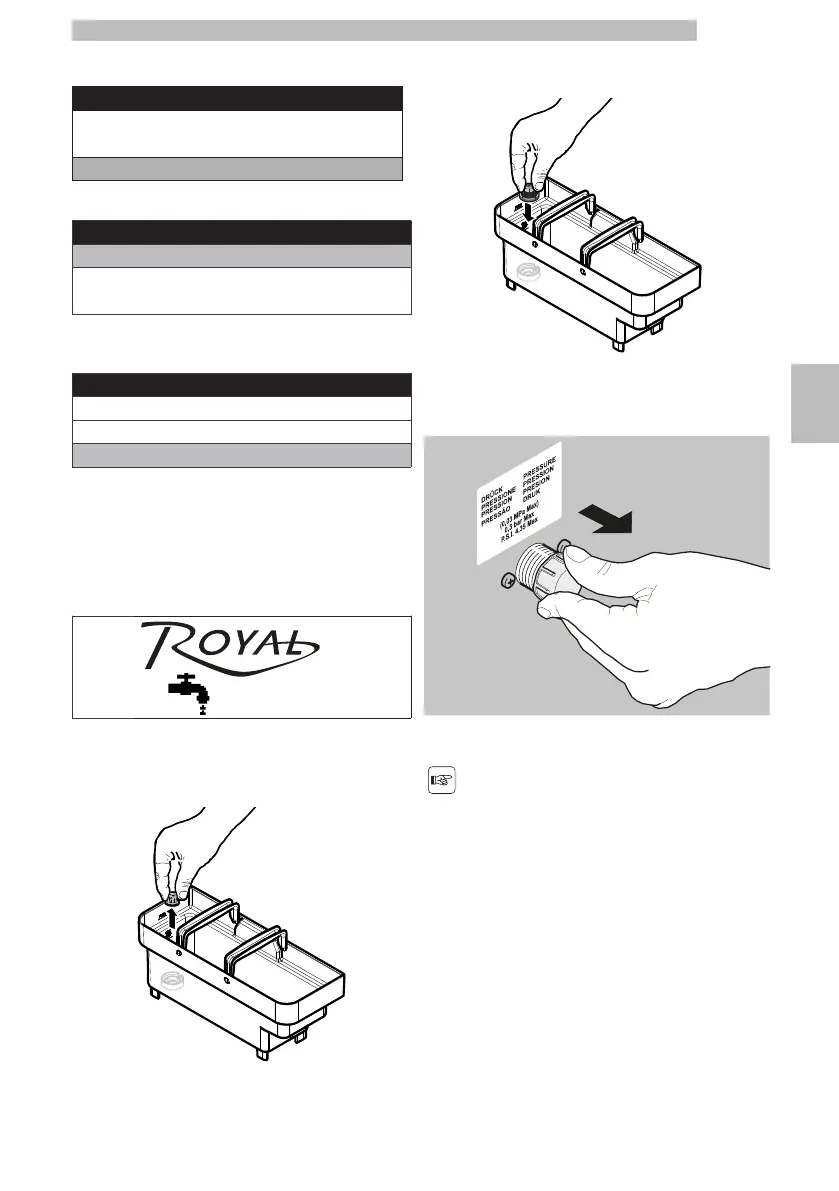
Remove the tank from the machine and empty it.
5
Removethesmallwhitefilterfromthetankandstore
it in a dry place sheltered from dust.
5555
Inserttheredwatertankclosingcapintotheempty
tank. Press it to its limit stop.
5555
Put the water tank back into the machine.
5
Removethecapfromthecouplingontheappliance
rear part.
5555
Connectthewatermainshosetotheappliance's3/8"
gas coupling.
5
Thewatermainshoseisto
becertifiedaccordingto
the IEC 61770 standard.
55



 To Next Page