English
39
8
8.3Technical Programming
8
Thestructureoftheprogrammingmenuisindicatedin
section "Structure of the Programming Menu".
8
Thesection"DescriptionofMessagesinthe
ProgrammingMenu"describesalltheitemsinthe
programming menu.
8
8.3.1
Access to the Technical Menu
8
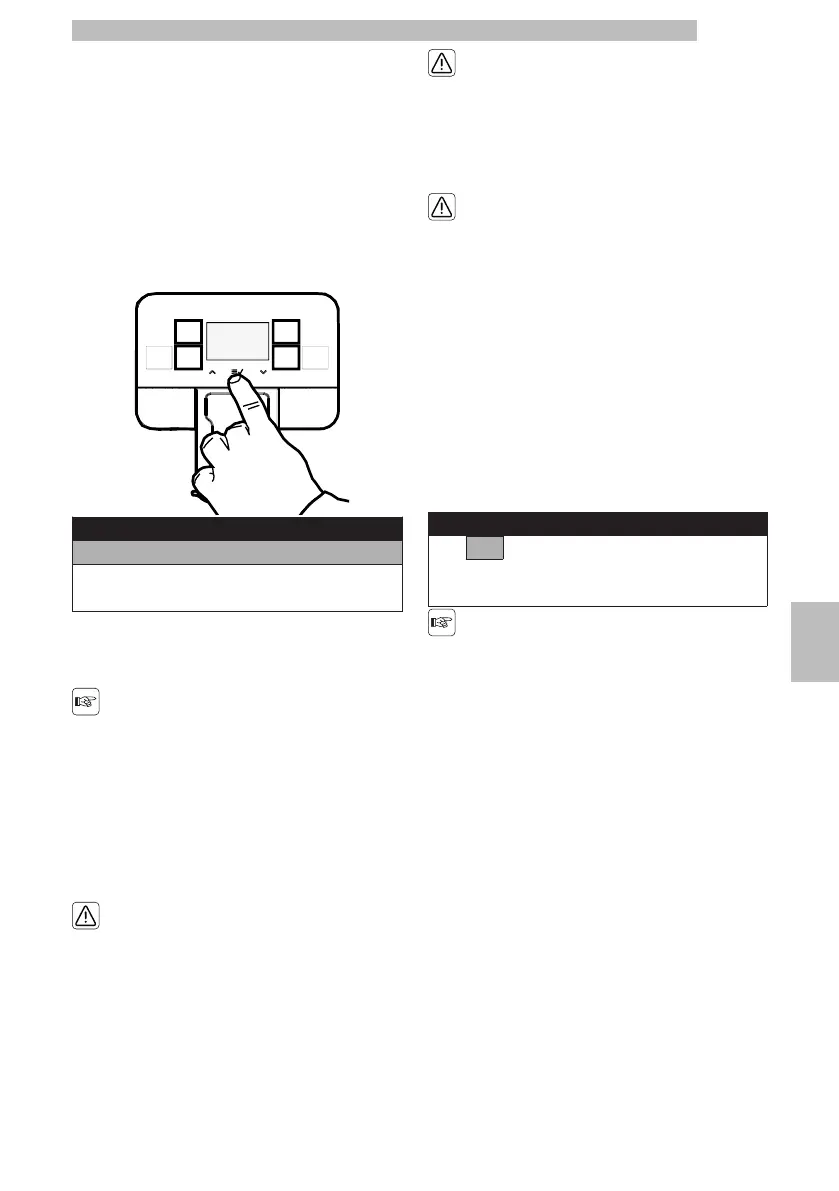
Whenthemachineis"readyforuse",accessthemain
menu by pressing the "OK" button.
8888
Menu
User menu
Tech Menu
Exit
888
•
Scrollthemainmenuuntilyoureachthe"Tech
Menu" option.
8
•
Press the "OK" button.
8
Theabovementioned
procedurecanonlybe
usedtoaccessthe
programmingmenuwhen
themachinehasreached
operating temperature.
8
Themenuscanbe
accessedfreely.However,
theycanbeprotectedvia
PASSWORD.
8
Afterthischange,the
passwordmustbeentered
eachtimethedisplay
shows:
8
ThePASSWORDwillnot
berequestedifsetonthe
defaultvalue(0000).It
shouldbechangedupon
firstusetoprevent
unauthorised access.
88
Insert password
0000
88
Incaseyoudonotenterthe
passwordwithin10
secondsthemachinegoes
back to the previous screen.
8
Refertosection"PasswordSetting"tosetthe
PASSWORD; this section describes how to set it.
8







 To Next Page