English
37
8
8.2User Programming
8
Thestructureoftheusermenuisindicatedinsection
"Structure of the User Menu".
8
Section"DescriptionofMessagesintheUserMenu"
describes all options in the user menu.
88
8.2.1Access to the User Menu
8
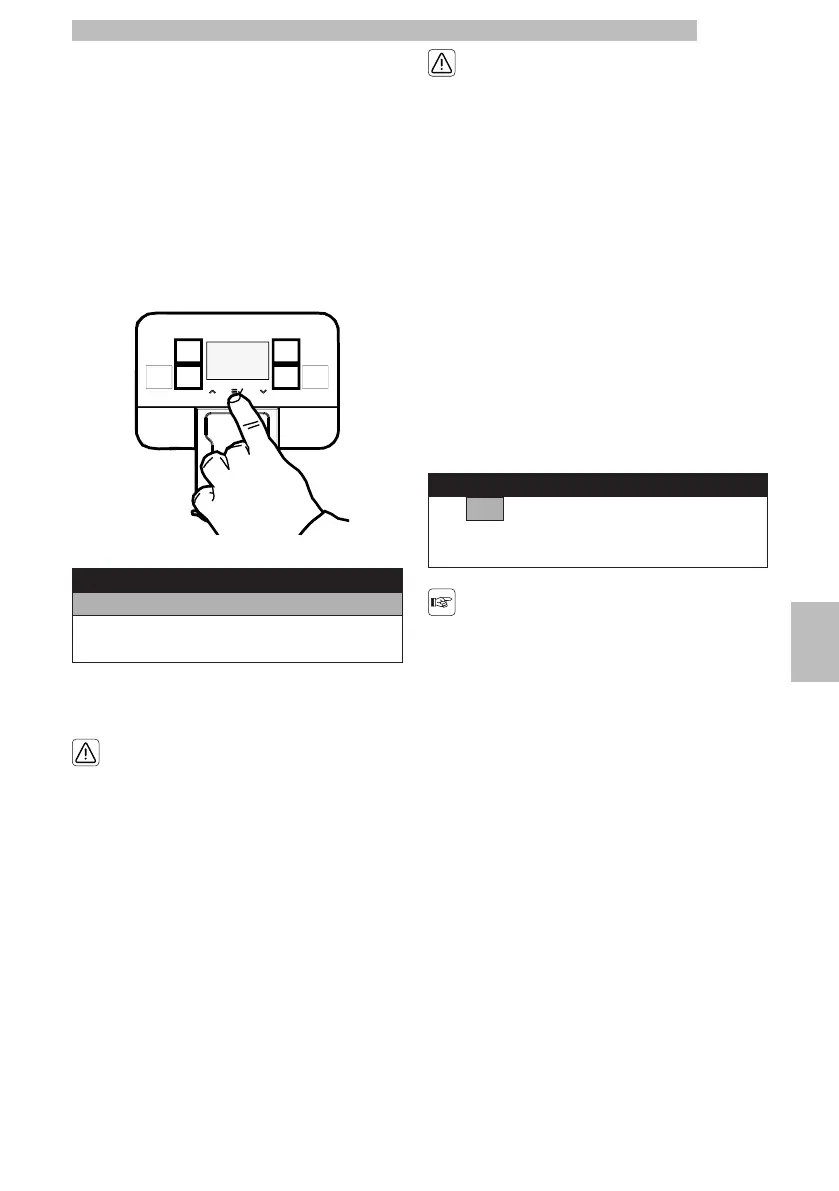
Whenthemachineis"readyforuse",accessthemain
menu by pressing the "OK" button.
8888888
Menu
User menu
Tech Menu
Exit
888
Selectthe"USERMENU"optionandpressthe"OK"
button.
88
Themenuscanbe
accessedfreely.However,
theycanbeprotectedvia
PASSWORD.
88
ThePASSWORDwillnot
berequestedifsetonthe
defaultvalue(0000).It
shouldbechangedupon
firstusetoprevent
unauthorisedaccess.After
thischange,thepassword
mustbeenteredeach
time the display shows:
88
Insert password
0000
888
Incaseyoudonotenterthe
passwordwithin10
secondsthemachinegoes
back to the previous screen.
88
Refertosection"PasswordSetting"tosetthe
PASSWORD; this section describes how to set it.
88







 To Next Page