English
28
7
Press the "OK" button to enter.
77
Machine Menu
General Menu
Display Menu
Water Menu
777
Pressthe"DOWN"buttonuntilthe"WATERMENU"
option is selected.
77
Machine Menu
General Menu
Display Menu
Water Menu
777
Press the "OK" button to enter.
77
Water Menu
Hardness
FILTER (0/8)
Water Net
777
Pressthe"OK"buttontoenterthe"HARDNESS"
menu.
7
Themachineissupplied
withstandardadjustments,
suitable for most uses.
77
Hardness
2
3
4
777
Pressthe"Up"buttontoincreasethevalueorthe
"Down"buttontodecreasethevalue.Pressthe"OK"
buttontoconfirmtheselectedchange.Afteradjusting
thewaterhardness,installtheanti-scalefilteras
described in the following section.
77
7.5Water filter
7
Installthewaterfilterinside
thetankonlyifthe
applianceisusedwithouta
water mains connection.
7
Waterisakeyelementforagoodespressocoffee.
Therefore,itshouldalwaysbefilteredinaprofessional
manner.Thisiswhyallmachinescanbeequippedwith
awaterfilter.Thisfilteriseasytouseandits
sophisticatedtechnologyiseffectiveinpreventing
limescalebuild-up.Thisway,waterwillalwaysbe
perfectandwillgiveamuchmoreintensearomato
your espresso coffee.
7
Measuringwaterhardness
isveryimportantinorder
tocorrectlymanagethe
waterfilterandthe
frequencywithwhichthe
machine must be descaled.
7
Theanti-scalefiltershould
bereplacedwhenever
indicated by the machine.
7
Beforedescaling,remove
theanti-scalefilterfrom
the water tank.
7
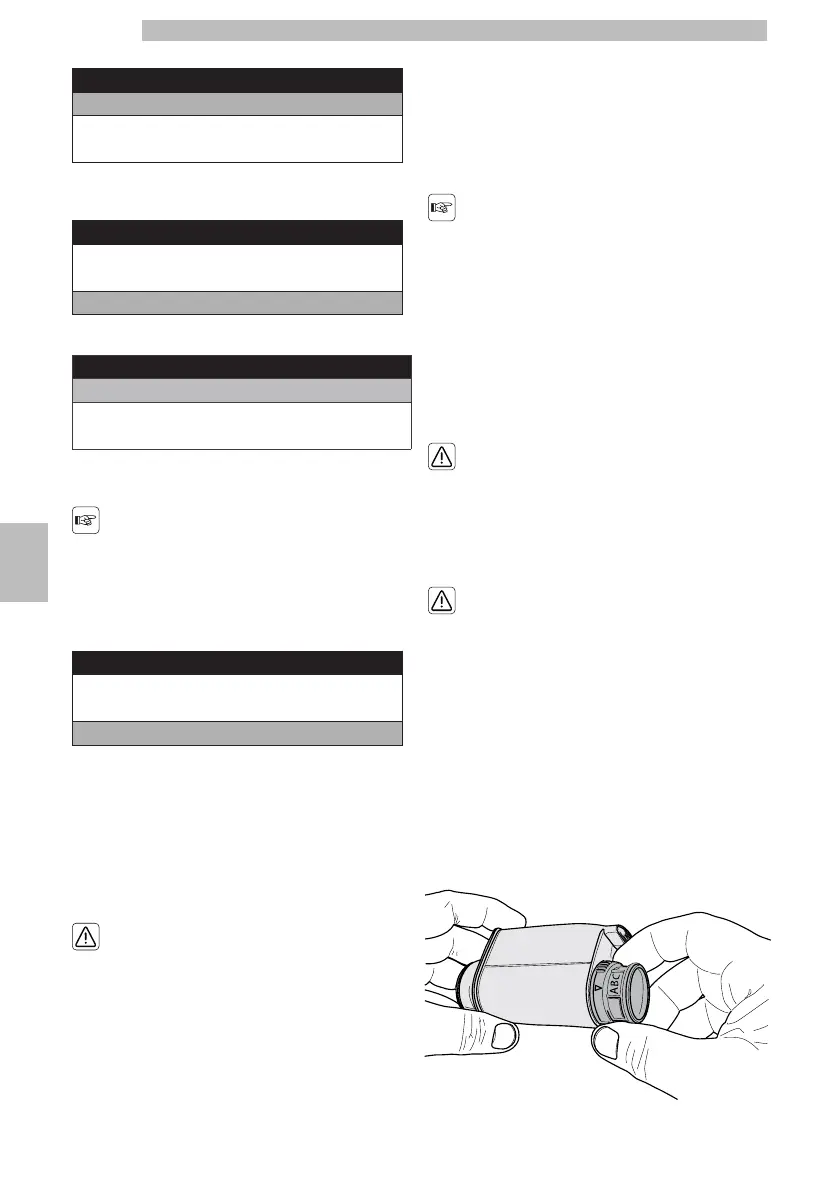
Removethewaterfilterfromitspackaging.Setthe
filterinthestandardpositiononletterB.Usethe
waterhardnessteststrip(notprovidedwiththe
machine).Setthe"IntenzaAromaSystem"asspecified
onthefilterpackage(seesection"Measuringand
Adjusting Water Hardness").
7777







 To Next Page