English
46
8
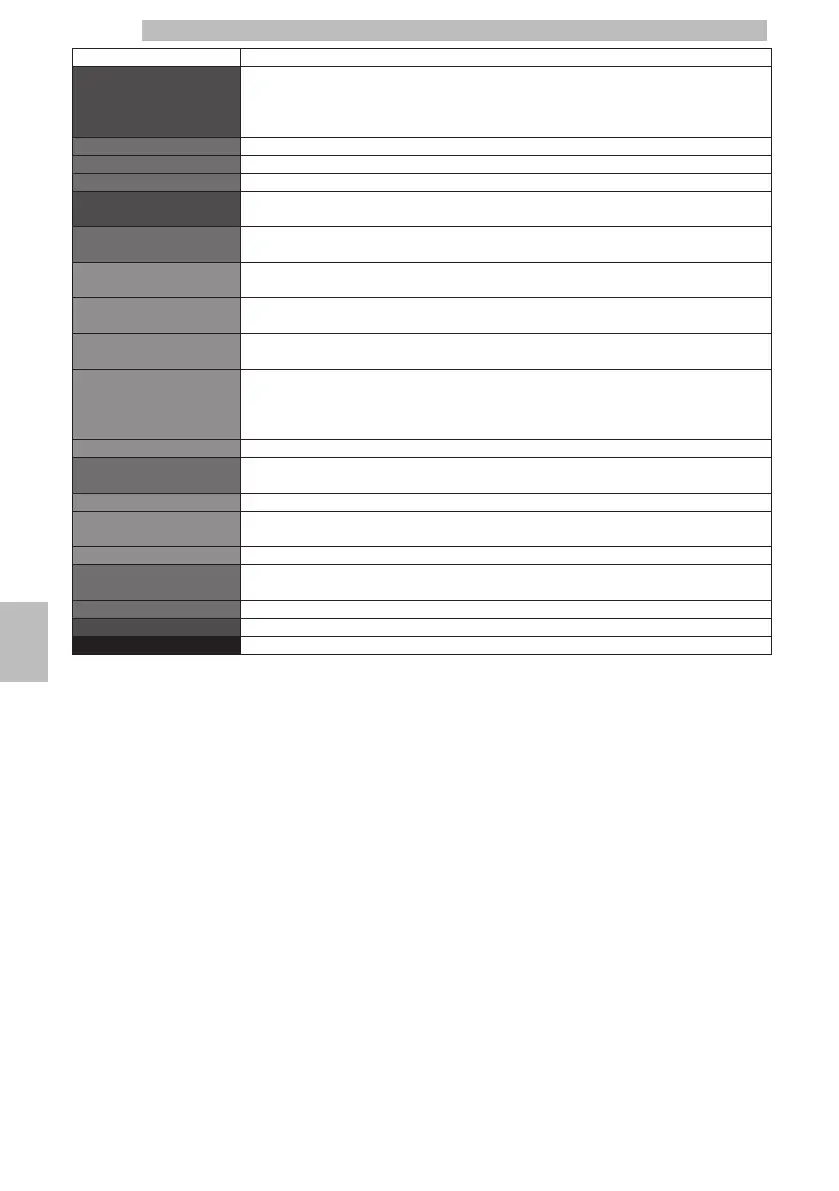
MENU ITEMDescription
ErrorsThis function allows you to manage and view the machine errors:
- LOG
- Reset Errors
LOGThis function allows you to view the machine errors.
Reset errorsThis function resets the error list
ExitThis option allows the user to go back to the menu top level
WaterIn this section you can view information about how to use the machine, including
maintenance operations, and water usage in general
DescalingThis section displays the statistics pertaining to the descaling cycles enabled on the machine
SINCE LASTIt indicates the number of turbine pulses processed since the last time the descaling
washing phase was completed
SINCE SECOND LASTIt indicates the number of turbine pulses processed between the second last and the last
time the descaling washing phase was completed
SINCE THIRD LASTIndicates the number of turbine pulses processed between the third last and the second
last time the descaling washing phase was completed
NUMBER OF
EXECUTIONS
It indicates the total number of descaling cycles performed by the machine.
The number of executions indicates how many descaling cycles were completed.
The descaling cycle is complete when at least the first phase has finished, i.e. washing with
descaling product.
ExitThis option allows the user to go back to the menu top level
BREW GROUP CLEANThis function allows the user to view the counters relating to the brew group washing
cycles performed.
NUMBER OF EXECUTIONS
Indicates the number of brew group washing cycles performed
SINCE LASTThis indicates the number of turbine pulses processed since the last time a full brew group
wash cycle was completed
ExitThis option allows the user to go back to the menu top level
SINCE PRODUCTIONThis indicates the total number of turbine pulses processed by the machine since it was
started up
ExitThis option allows the user to go back to the menu top level
ExitThis option allows the user to go back to the menu top level
ExitThis function takes you back to the main menu
8



 To Next Page