22
English
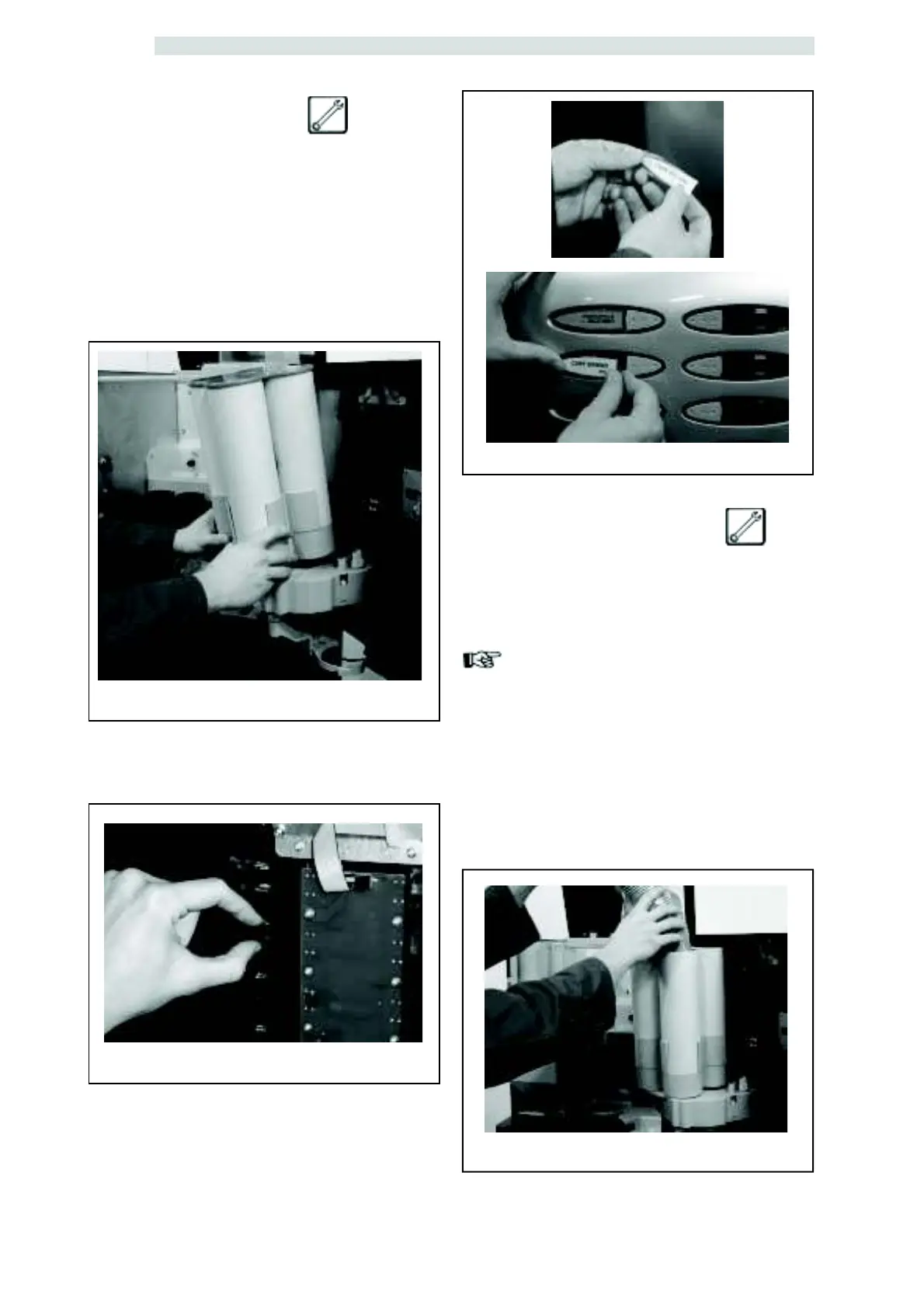
fig.27
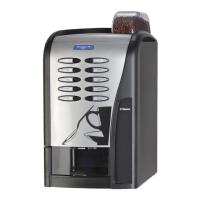
fig.28
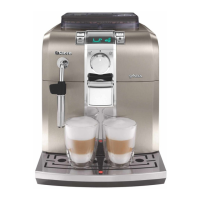
fig.31
6.8.2 Label insertion
- Selection labels are to be placed in the proper
seat, under the transparent plastic plates,
following the order set in the Programming
and Maintenance Menu.
Perform the operation as follows:
- remove the cup holder (fig. 27)
- release the transparent plates from the
internal side of the door by pressing the
retaining tabs (fig.28)
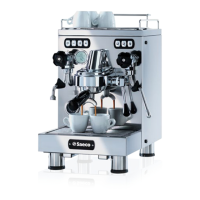
- insert product plates on the external side of
the door in the desired order (fig. 29)
- apply the transparent plates by snapping
them (fig.30)
- reassemble the cup holder
6.8.3 Cup loading
Use only cups suitable for automatic distribution,
having 70-71 mm diameter, without pressing
them while loading.
Important
DO NOT ATTEMPT TO TURN
THE COULUMN MANUALLY.
During installation, with the cup dispenser empty,
proceed as follows:
- before powering up the vending machine, load
the most easy-to-reach columns (fig. 31).
fig.29/30


 To Next Page