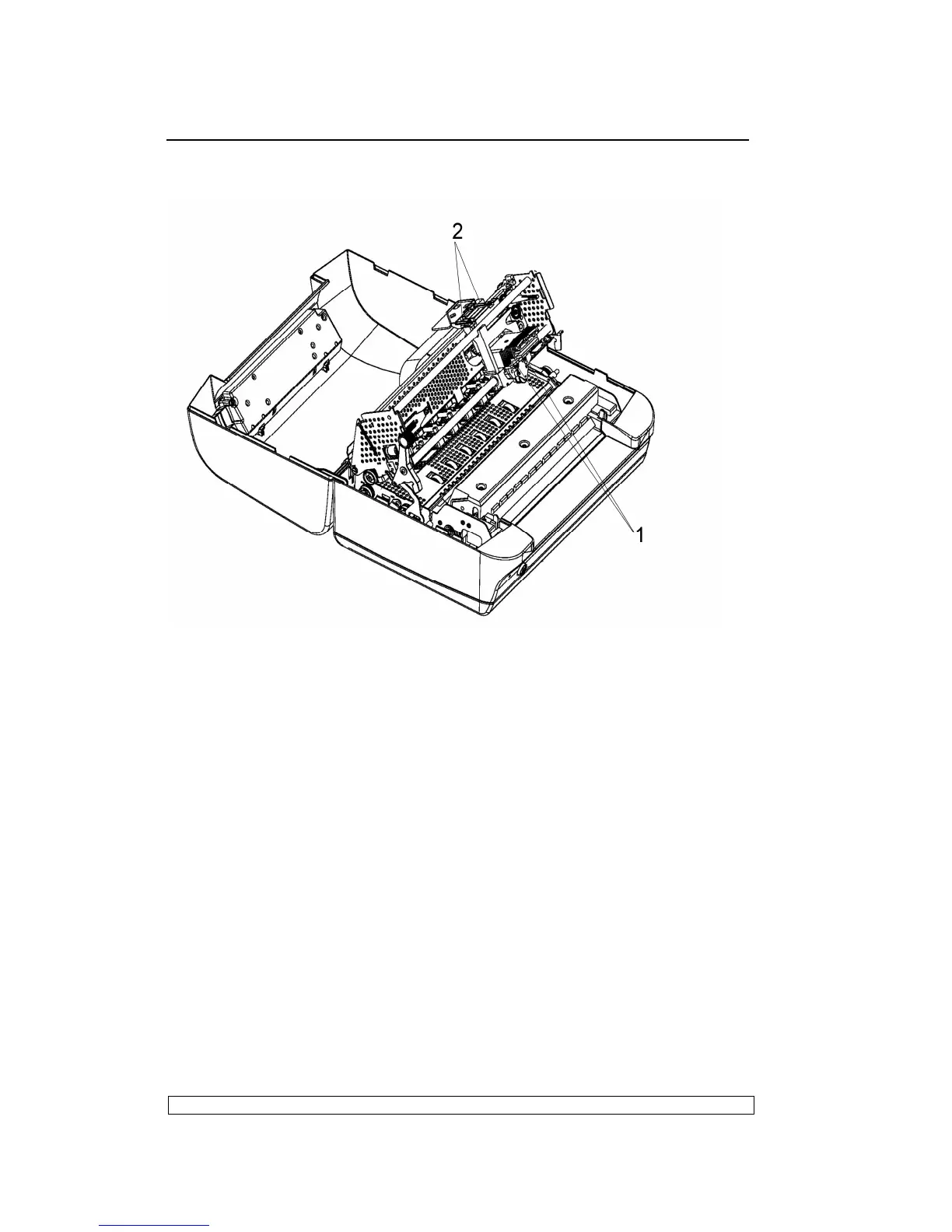
cables (2) from the connectors on the printhead.
Fig. 6-5
6.3.7. PRINTHEAD PHOTOSENSOR DISASSEMBLY/REASSEMBLY
- Remove the printhead (section 6.3.6).
- Remove screw (1) that secures the printhead photosensor and remove
the photosensor from the ribbon protector.
- Unplug the photosensor cable from its connector on the printhead.
6.3.8. PRINTHEAD CABLE DISASSEMBLY/REASSEMBLY
- Remove the printer case (6.3.1)
- Remove the printhead (section 6.3.6).
- Lift the front part of the mechanical and unplug the 2 printhead cables
from the main board.
- Free the 2 rear cable metal fastener and loose screw, then free the
printhead cables gently from underneath the mechanical.
- Remove the printhead cable from the cable support,



 To Next Page