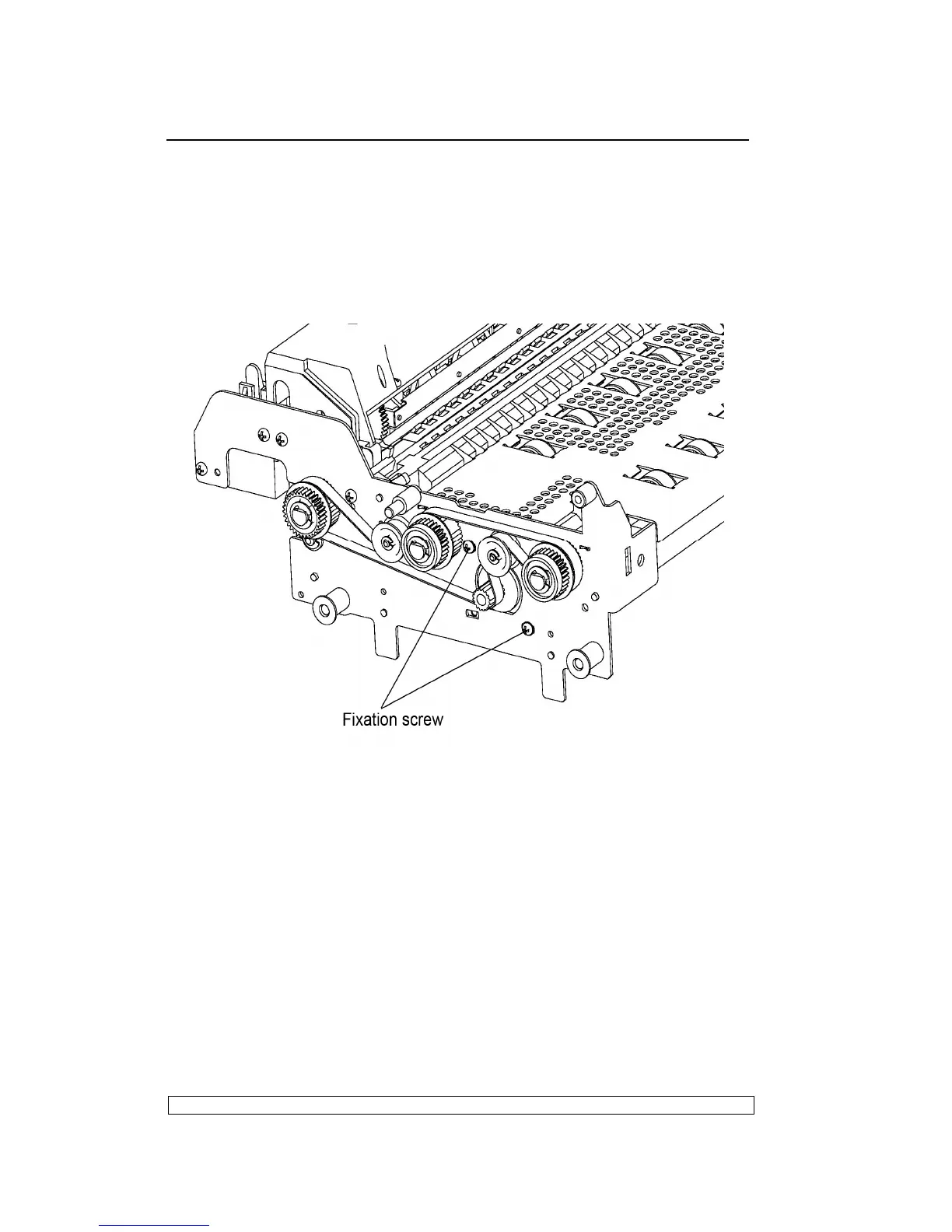
6.3.9. PAPER FEED MOTOR DISASSEMBLY/REASSEMBLY
- Remove the printer case (6.3.1)
- Remove the mechanical assembly.
- Loosen the two nuts that secure the motor and then release the
document feed belt.
- Remove the paper feed motor.
Fig. 6-6
Note:
After reassembly, adjust the tension of the document feed belt.
6.3.10. PRINTHEAD MOVEMENT MOTOR
DISASSEMBLY/REASSEMBLY
- Remove the upper part of the mechanical assembly (6.3.5).
- Loosen the screw (1) that secures the return pulley support and then
release the carriage movement belt from the motor.
- Unscrew the two special securing screws (2) and then remove the
printhead movement motor being careful to avoid damaging the ribbon
feed gears.



 To Next Page