2. Using special downloading board to update:
1) Fit on special downloading board, connect power cable and parallel
cable correctly, make sure that PC has no data being ready to be
transmitted or being transmitting (otherwise please delete data in
PC’s LPT port before updating, for detailed operation pls. refer to
NOTE 1
)
2) Turn on PR9, LCD shows as:
Don’t press any key and wait till LCD shows as:
Now PR9 enters the updating mode and waits for data. In the
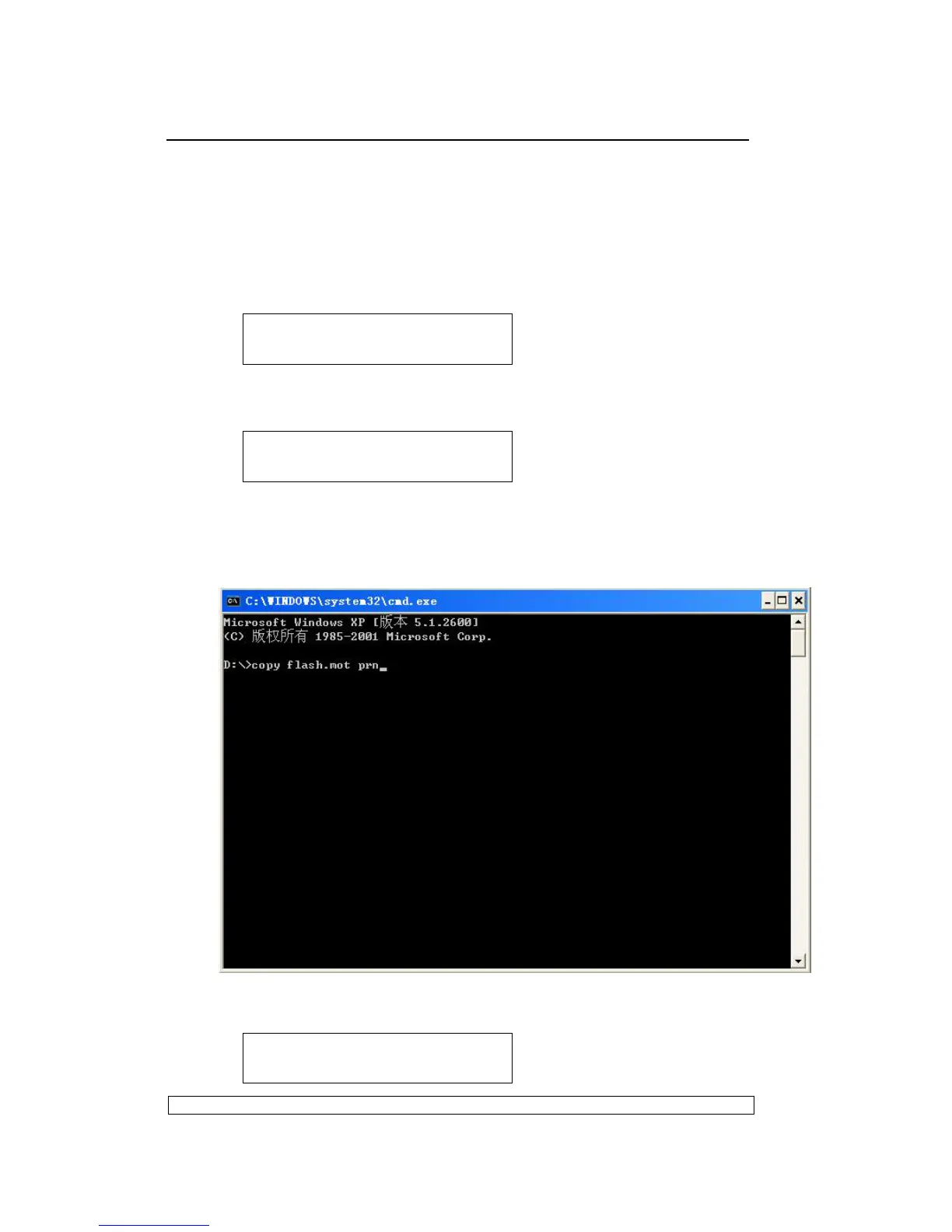
MS-DOS’s COMMAND window type command to copy firmware to
parallel port and type ENTER. For example, firmware is stored in ‘D’
partition. Type the command as showing below:
And LCD shows as:
PRESS LOCAL TO
PROGRAMME PM ITSELF
PROGRAMME CU FLASH
WAITING FOR DATA
UPDATE BUSY



 To Next Page