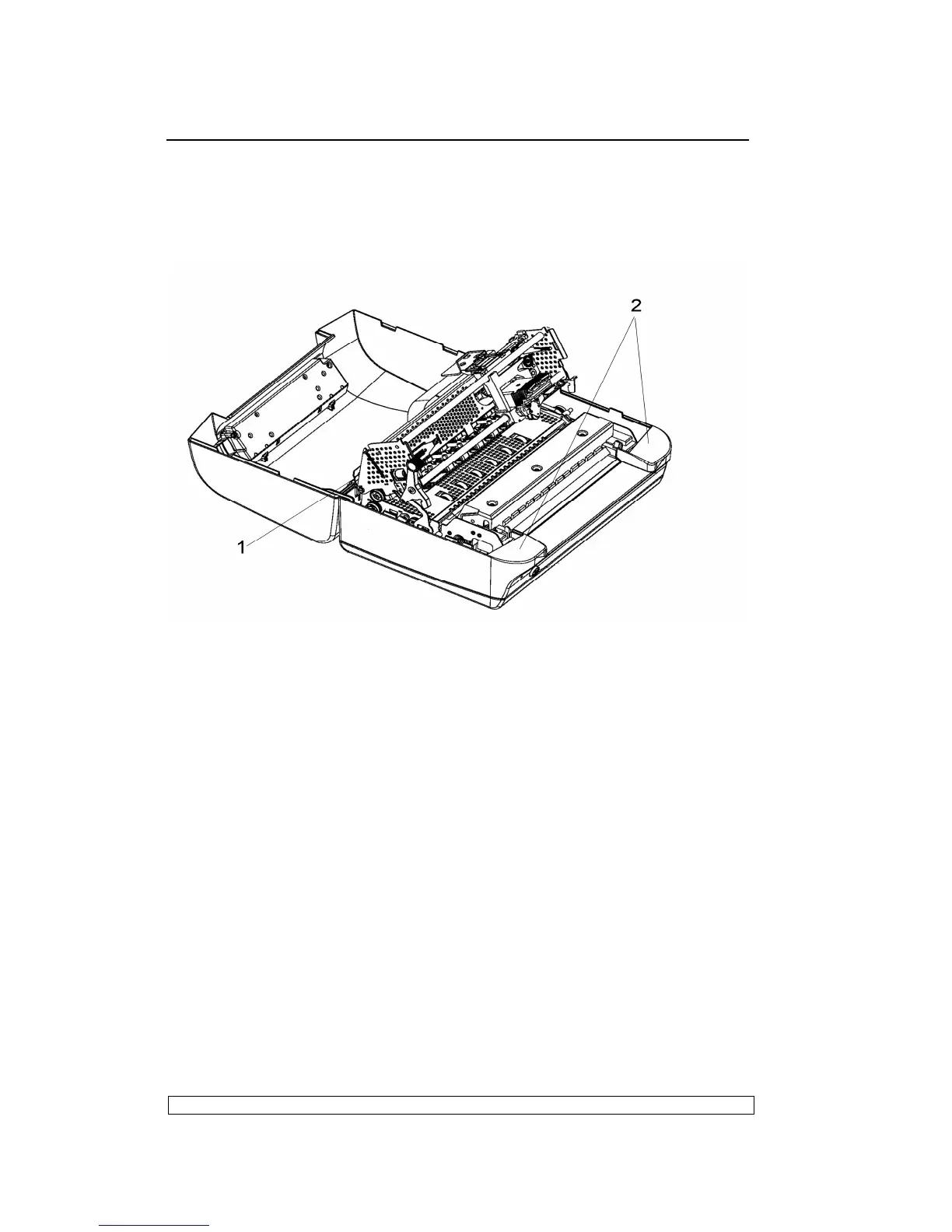
features through inside of the case (2).
- There is 1 snap features inside the case in each side(left and right).
- Insert a pointed object in the holes at the rear right and left sides of the
case and then unclench the 2 rear snap features; partly lift the case off
the base and remove the case from the machine.
Fig. 6-1
6.3.2. DISASSEMBLY/REASSEMBLY the console of liquid crystal
Display (LCD)
- Open the printer’s top cover.
- Unplugging the console cable from its connector (1) in the left rear side
of the frame.
- Release the console connector (2) from the top cover by unplugging it
gently and then remove the console of liquid crystal display from the top
cover by press it lightly.



 To Next Page