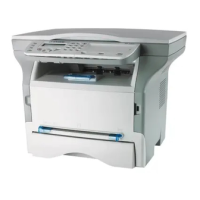
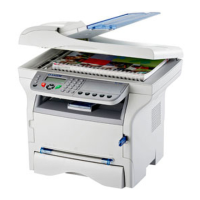
MF 5461 / MF 5481
- 9 -
2 - Installation
Command panel
Accessing terminal menus
All terminal functions and settings are available via the menu and are associated to a specific menu command.
For example, the menu command 51 launches the printing of the functions list (the functions list stores the list of all
terminal menus, sub-menus and their identification number).
Two methods are available to access menu items : the step by step method or the shortcut method.
To print the functions list whitch details the Step by step method:
1 Press .
2 Use the or button to browse the menu and select 5 - P
RINT. Confirm with OK.
3 Use the or button to browse the menu P
RINT and select 51-FUNCTIONS LIST. Confirm with OK.
To print the functions list with with the shortcut method:
1 Press on .
2 Enter 51 with the numerical keypad to directly print the functions list.
COL
12
8101216171819202122
911
1315
14
3
23
24
25
4
5
6
7
32
31
30
29
28
27
26
1. Screen.
2. Digital keypad.
3. Alphabetical keypad.
4. Key
Í
: deletes the character to the left of the cursor.
5. Key : input or line feed.
6. Key : access to special characters.
7. Key
:
Shift.
8. Key SCAN: document analysis to the PC.
9. Key COPY: local copy.
10. Key STOP PRINT: stops the current printing.
11. Key : sending of an SMS (Short Message
Service).
12. Key : sending of a fax.
13. Key :
access to directory and quick dial numbers.
14. Key
:
line manual connection, listen for tone
during fax sending.
15. Key :
multiple contact sending (fax, e-mail or
SMS).
16. Key : Validation.
17. Key OK: confirms the displayed selection.
18. Key : menu access and navigation down the
menus.
19. Key C: back to the previous menu and input
correction.
20. Key : navigation up the menus.
21. Key : stops the current operation.
22. Key ECO: sets up the activation delay.
23. Key : color analysis mode selection.
24. Key : analysis resolution setup.
25. Key : contrast setup.
26. Icon : Superfin resolution.
27. Icon : Photo resolution.
28. Icon : Fin resolution.
29. Icon : colour mode.
30. Icon : activity on the telephone line.
31. Icon : Fax mode.
32. Icon : external answering machine mode.


 To Next Page