Sagemcom F@st 5260
Chapter 3:
USB Sharing
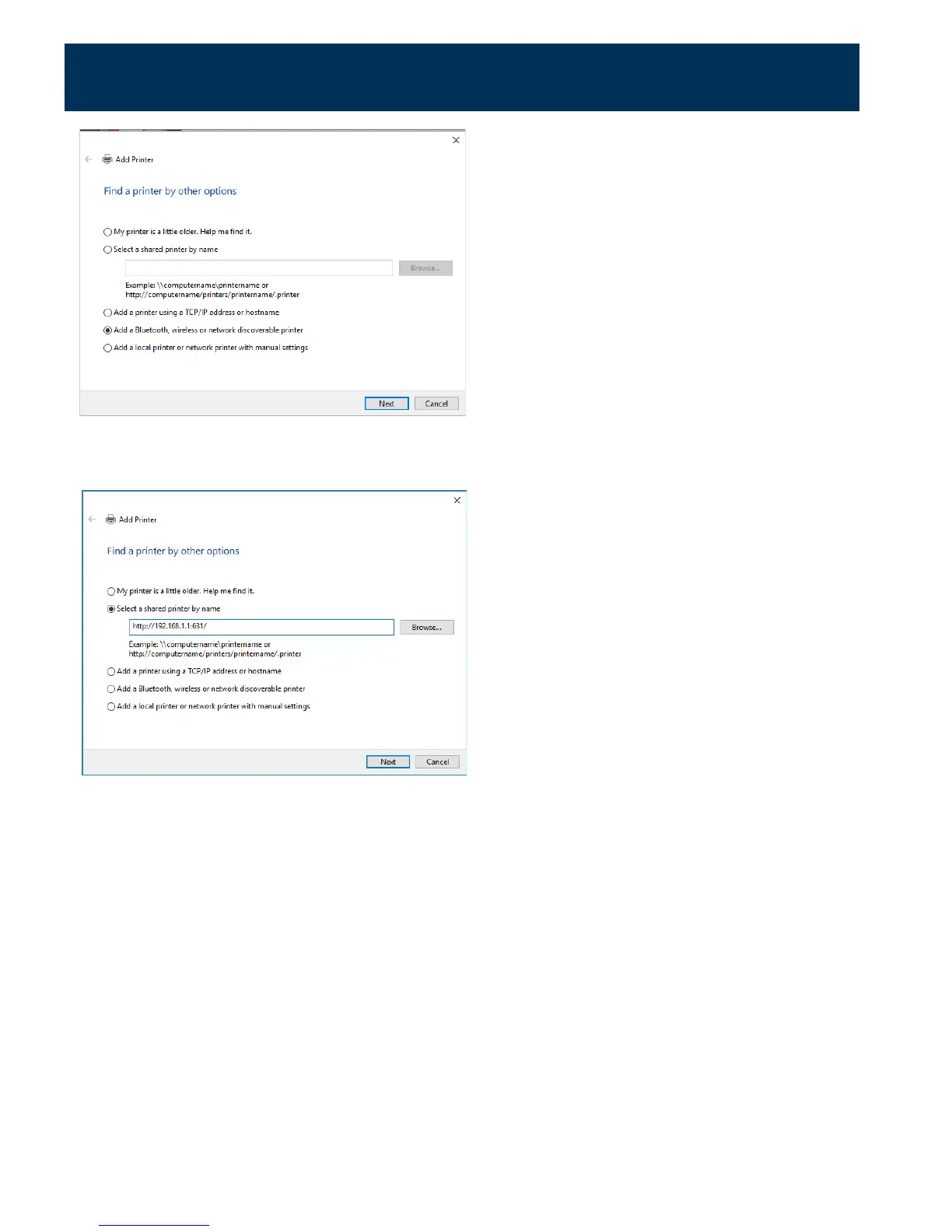
Skip the search by clicking "The printer that I want isn’t listed."
Choose "Select a shared printer by name."
7.
Enter the URL: http://192.168.1.1:631/IPP.
8.
Click Next.
The specific URL may vary for different models of printer. Refer to printer manufacturer's
documentation. Some common printer URLs are:
•
http://192.168.1.1:631/
•
http://192.168.1.1:631/IPP/
•
http:// 192.168.1.1:631/IPP/port1
37



 To Next Page