Sagemcom F@st 5260
Chapter 3:
USB Sharing
12.
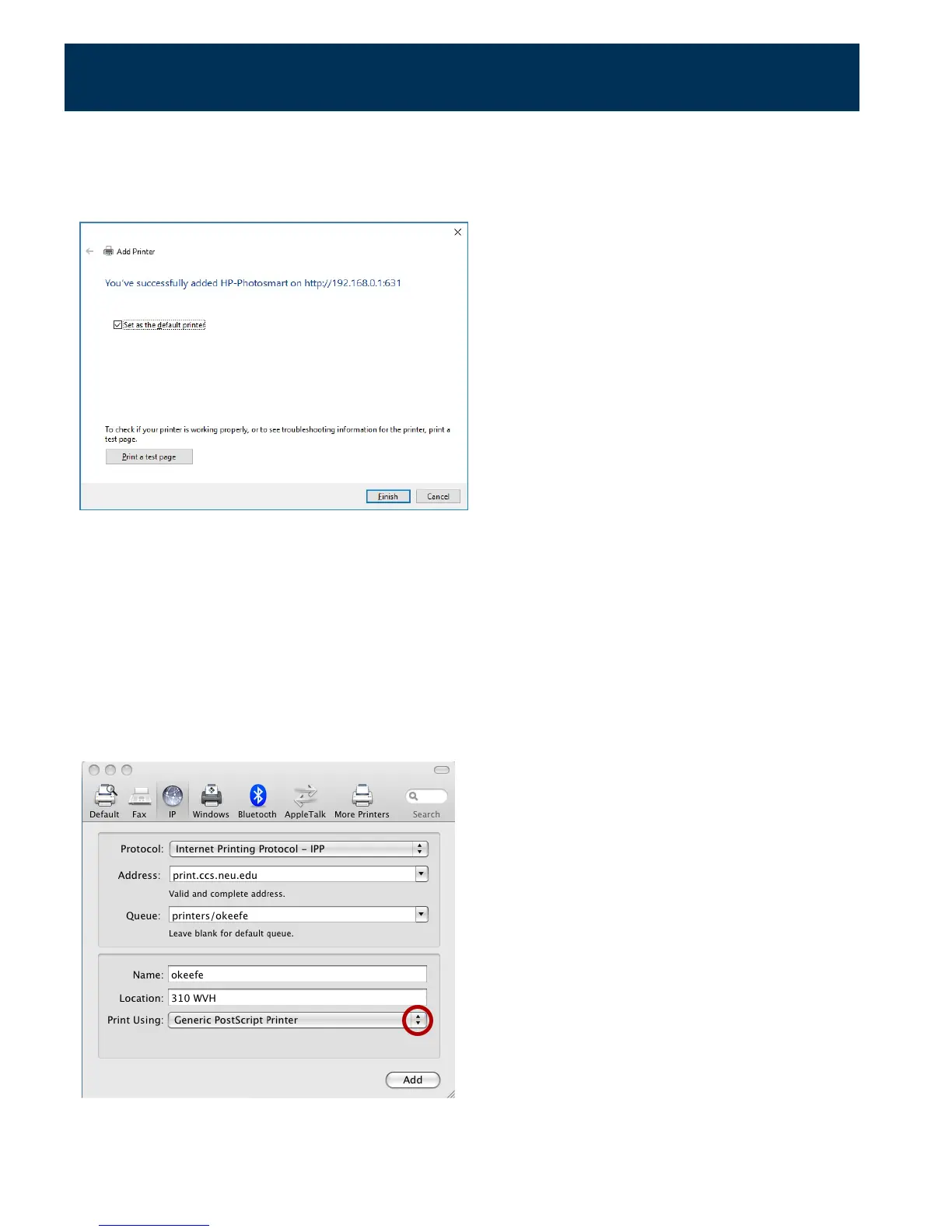
(Optional). You can choose to set this printer as your system Default Printer by selecting
the checkbox next to "Set as the default printer."
13.
Installation can be verified using the Print a test page button. Click Finish to complete.
Configuring a Printer (Mac)
1.
In the "Print & Fax" dialog, click + to add a printer.
2.
Select the IP tab.
3.
Change the protocol to IPP.
4.
Set address to http://192.168.1.1:631/IPP.
5.
Set Queue name to (blank).
6.
Under Print Using, choose "Select a device driver to use."
39



 To Next Page