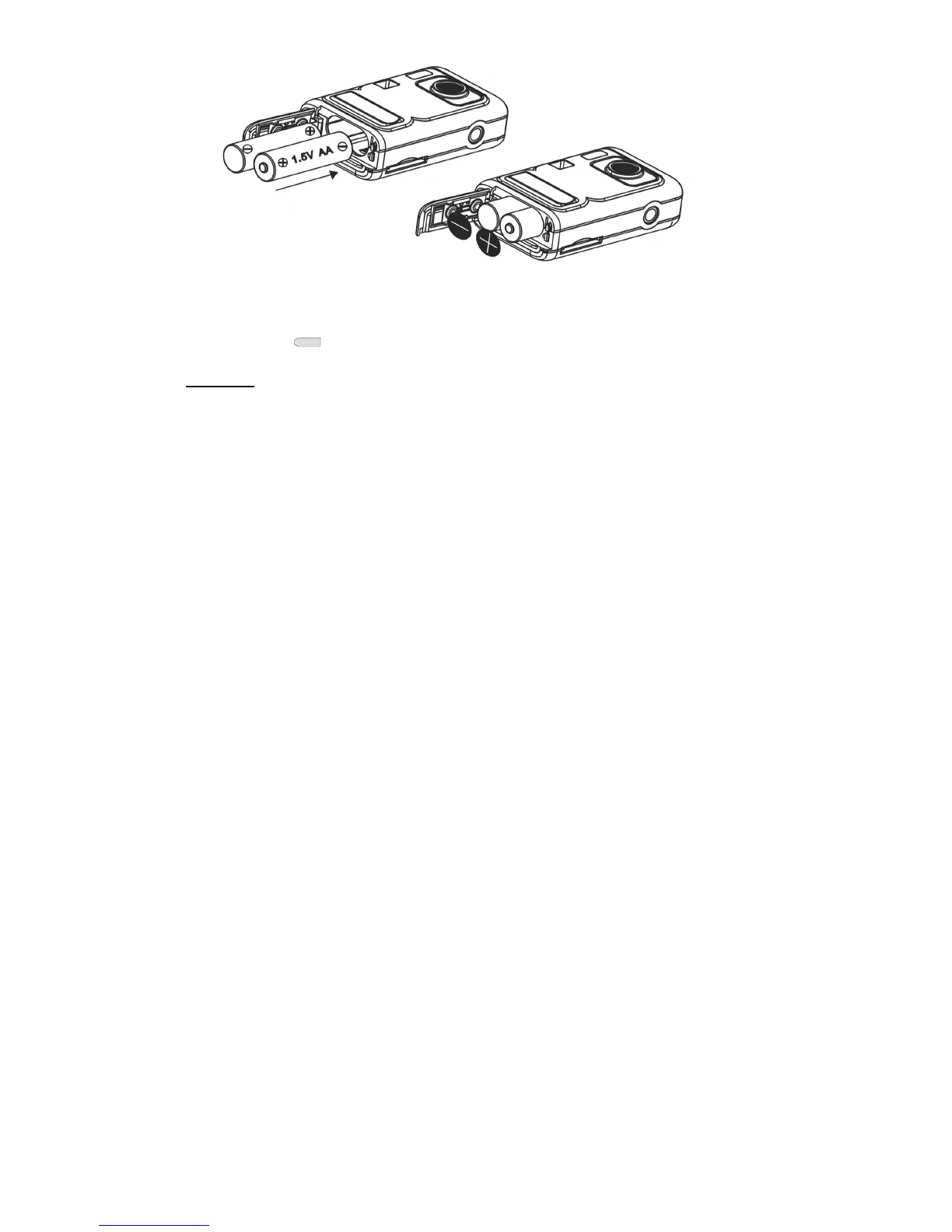
4. Close battery door.
When the Low Battery icon is flashing, you need to replace your camera’s batteries. If you do not have an SD memory card in the camera,
please download any photos you have on the camera before switch off the camera.
WARNING:
Unless you are using an SD memory card, opening the battery compartment and/or
removing the battery will erase the photos currently stored in the camera. Download your photos as
often as possible. Photos will be lost when the camera Auto switch-off or the battery runs low. Do not
open the battery door before switch off the camera.
Note: If you do not intend to use your camera for an extended period, remove the batteries to avoid battery leakage and corrosion.



 To Next Page