English - 41 -
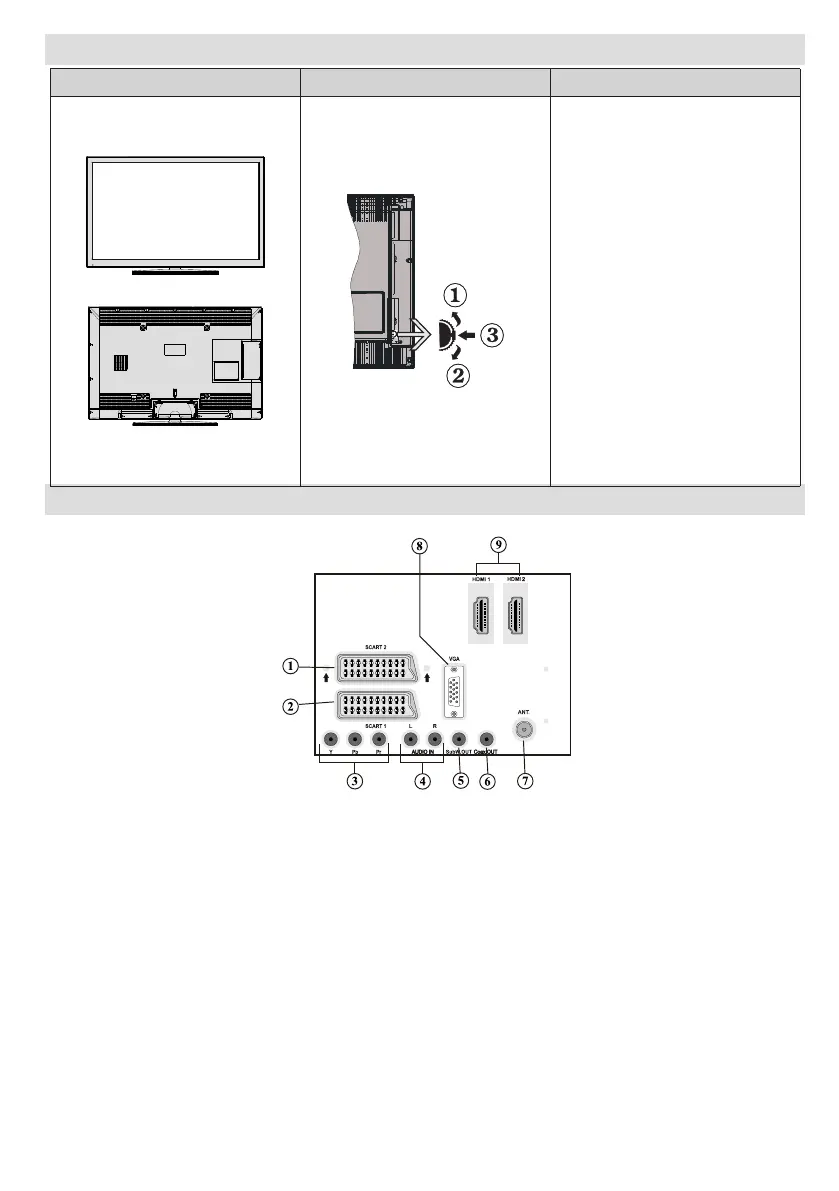
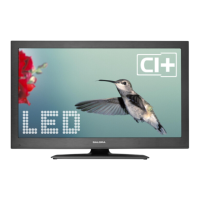
LED TV and Operating Buttons
Up direction1.
Down direction2.
Programme/Volume / AV 3.
/ Standby-On selection
switch
Note:You can move the switch,
upward or downward to change
the volume. If you want to change
channels, press the middle of the
switch once (Position 3) and then
move upward or downward. If you
press the middle of the switch
once more, source OSD will be
displayed. If you press the middle
of the switch and hold about a
few seconds, the TV will switch to
standby mode. Main menu OSD
cannot be displayed via control
buttons.
Viewing the Back side Connections
SCART 21. inputs or outputs for external devices.
SCART 1 2. input or output for external devices. Connect the SCART cable between SCART socket on
TV and SCART socket on your external device (such as a decoder, a VCR or a DVD player).
Note: If an external device is connected via the SCART socket, the TV will automatically switch to AV
mode.
Note: When receiving DTV channels (Mpeg4 H.264) or while in Media Browser mode, output will not
be available via the scart socket.
Component Video Inputs (YPbPr)3. are used for connecting component video.
You can connect the component video and audio sockets with a device that has component output.
Connect the component video cables between the COMPONENT VIDEO INPUTS on on the TV and
the component video outputs of your device. While connecting, be sure that the letters on your TV, “Y”,
“Pb”, “Pr” correspond with your device’s connectors.
PC/YPbPr Audio Inputs4. are used for connecting audio signals of a PC or a device that connects to the
TV via YPbPr. Connect the PC audio cable between the AUDIO INPUTS on the TV and audio output
of your PC to enable PC audio. Connect the audio cable between AUDIO INPUTS on the TV and audio
outputs of your device to enable component audio.


 To Next Page