Desktop Reader Manual V2.1
26/02/2007
3/11
1 Object of this document
This document is the User Manual of two devices:
• Desktop Reader EcxxDR.
• Wall Reader Adaptor WRADAPT.
It covers the functions of the firmware version 02.01.
It is intended to help the PMS and T&A developers to connect their systems to the SALTO access control
system.
2 Desktop Reader: ECxxDR
The purpose of the Desktop Reader is to read some data from the cards and give them in a simple
manner to an external device, usually a Point Of Sale (POS) terminal.
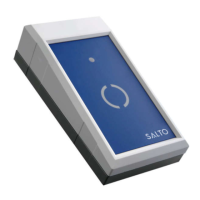
The Desktop Reader has the same aspect of the RS232 Encoder. It has a 9 pins D-type connector
(female) to be connected to the RS232 port of the POS terminal. There are as many Desktop Readers as
technologies (Dallas, Smart Card, Legic Proximity) with references EC20DR, EC50DR and EC80DR.
The interface can be also OMRON and WIEGAND, depending on the dipswitch settings.
2.1 Desktop Reader Setup
The Desktop Reader comes from factory prepared to read Track1 and to give the data through RS232
interface at 19200 bauds, 8 bits and no parity. If other configuration is desired, the case has to be
opened, removing the bottom 4 screws, to have access to the Configuration Dipswitches.
Also, the reader part of the Desktop Reader has been connected and tested in the factory so it is no
necessary to use the CLR button except in Proximity readers when you need to enter a new SAM card.
The CLR button is only accessible opening the case of the Desktop Reader.
2.2 Desktop Reader Connector
The functions of the 9 pins D-type connector are different depending on the selected type of interface:
D-Type connector pins
Interface
2 3 5
RS232 TX RX GND
OMRON DATA CLOCK GND
WIEGAND D1 D0 GND
The Desktop Reader is powered from a plug-in 12V power supply though the jack connector. Central pin
is the positive.
The Desktop Reader is continuously looking for a card and when one is presented it sends the data to
the external device giving simultaneously a valid signal (green led and beep).
3 Wall Reader Adaptor: WRADAP
The purpose of the Wall Reader Adaptor is to read some data from the cards and give them in a simple
manner to an external device, usually a Time and Attendance (T&A) terminal.
The Wall Reader Adaptor is connected by one side to any Salto Wall Reader, WR2000 (WR1000 is not
accepted), WR5000, WR8000, WR7000, WR9000 and by the other side to the external device. There is
only one model of Wall Reader Adaptor (WRADAP) because it is compatible with Wall Readers of
different technologies.
Note: The minimum version of wall readers WR2000 (iButton) and WR5000 (Smart) is V2.20
manufactured from 22/10/2003. Previous versions do not work with Track and Wiegand data. Minimum
version to read ROM code from iButtonROM of the WR2000 is V2.41 manufactured from 25/03/2004.
Proximity readers WR7000, WR8000, WR90000 are compatible from the beginning.



 To Next Page