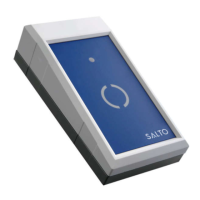
Desktop Reader Manual V2.1
26/02/2007
5/11
The CLR Led lights for a moment each time a card is read with the proper data according to the MODE
dipswitches setting.
5 SAM programming process
Some installations working with Mifare, Desfire, Picopass or Legic cards need to program all the readers
with the SAM card that carries the Custom-Code. To do that follow the corresponding process:
• DeskTop Reader: the CLR button has to be kept pressed until the Encoder accepts the SAM
card. If the CLR button is released before finishing the launching process it will be stopped.
• Wall Reader Adaptor: press and release the CLR button of the WRADAP and the reader will
start a 60 seconds period to enter the SAM card.
SAM cards are accepted in one or two seconds except Legic SAM that lasts around 15 seconds.
6 MODE dip switches table
MODE Notes Data Interface Format
00000001 Track1 RS232 (19200-8-N) (STX, ETX, LRC)
00000010
Track2 RS232 (19200-8-N) (STX, ETX, LRC)
00000011 Track3 RS232 (19200-8-N) (STX, ETX, LRC)
00000100 % + ROM14 + ? RS232 (19200-8-N) (STX, ETX, LRC)
00000101 Track1 RS232 (9600-8-N) (STX, ETX, LRC)
00000110 Track2 RS232 (9600-8-N) (STX, ETX, LRC)
00000111 Track3 RS232 (9600-8-N) (STX, ETX, LRC)
00001000 % + ROM14 + ? RS232 (9600-8-N) (STX, ETX, LRC)
00001001 1 Track1 RS232 (19200-8-N) (PLAIN)
00001010 1 Track2 RS232 (19200-8-N) (PLAIN)
00001011 1 Track3 RS232 (19200-8-N) (PLAIN)
00001100 1 ROM14 RS232 (19200-8-N) (PLAIN)
11000000 3 Track1 OMRON BCD or ALPHA
11000001 3 Track2 OMRON BCD or ALPHA
11000010 3 Track3 OMRON BCD or ALPHA
11000011 3 % + ROM14 + ? OMRON ALPHA
11000100 Track1 WIEGAND BCD or ALPHA
11000101 Track2 WIEGAND BCD or ALPHA
11000110 Track3 WIEGAND BCD or ALPHA
11000111 % + ROM14 + ? WIEGAND ALPHA
11001000 ROM WIEGAND 56-bit



 To Next Page