Backing Up the Program to an SD Card
1. Insert an SD Card formatted as FAT 32 type.
2. Turn the control lock to the S position.
3. To backup the program to SD, enter 1 0 0, press the SUBTOTAL key.
4. Return to the REG mode
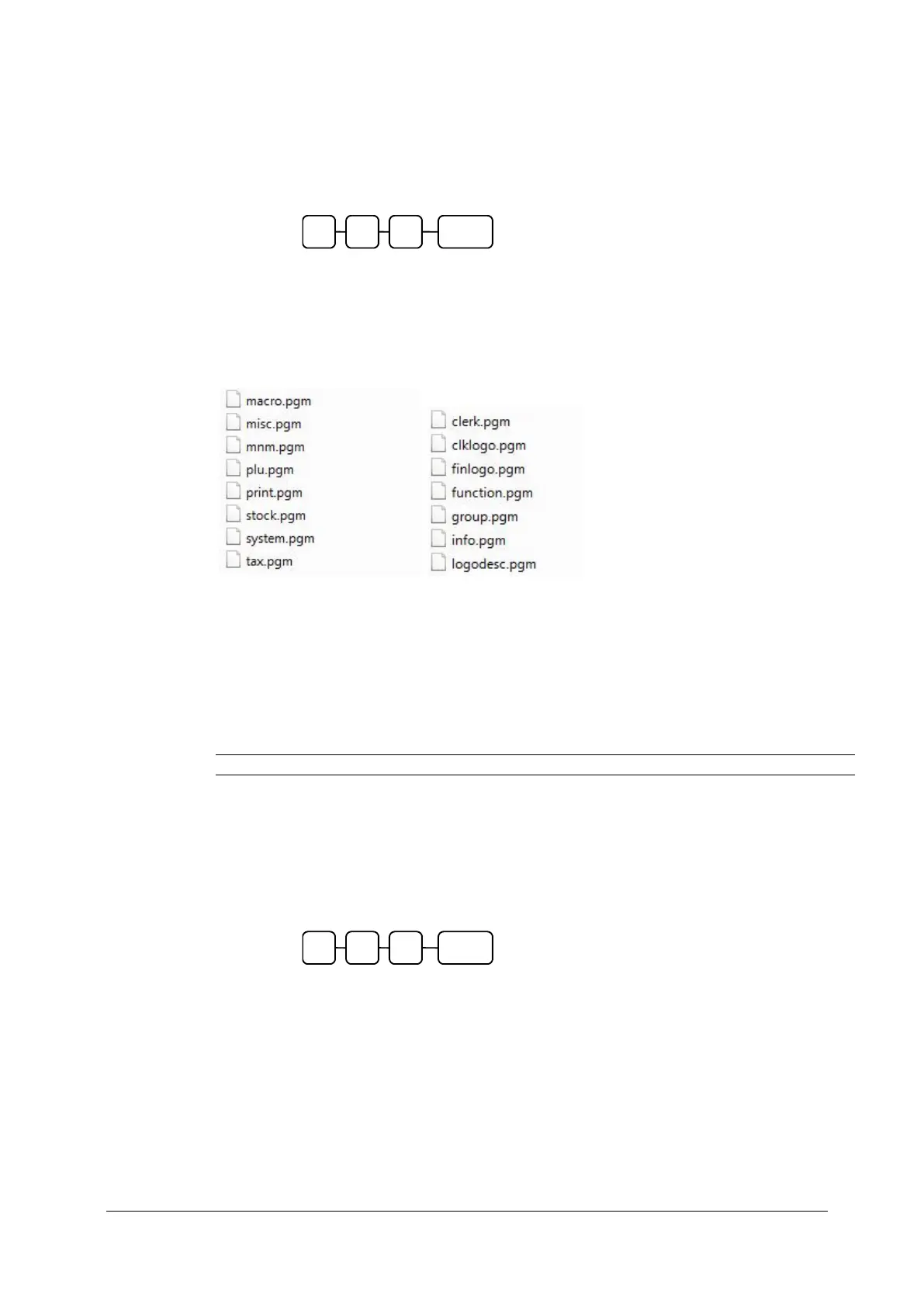
The main program files shown below are backed up to ER900\PGMBACK\*storename
Note : The store name is default to backup, and can be changed using the system options.
Note: The saved files can be read using the Sam4s PC utility. The files would be placed in
the \ER-900PC\*storename. Then the store name would be added as a Store within the
utility to allow viewing of the files.
Restore Program from the SD Card
CAUTION: Memory allocation must be set the same as the saved program.
1. Insert an SD Card formatted as Fat32 type.
(Details of formatting cards can be found in the technical manual)
1. Turn the control lock to the S position.
2. To load the program to the register from the SD card, enter 1 1 0, press
the SUBTOTAL key.
4. Return to the REG mode
Note: The saved files can be read using the Sam4s PC utility. The files would be placed in
the \ER-900PC\*storename. Then the store name would be added as a Store within the
utility to allow viewing of the files.



 To Next Page