SD Card Utilities
You can use an SD flash memory card to backup and restore program and save
reports for both utility and csv view.
Note The data is saved in a separate folder named with the store name in
System Option #30.
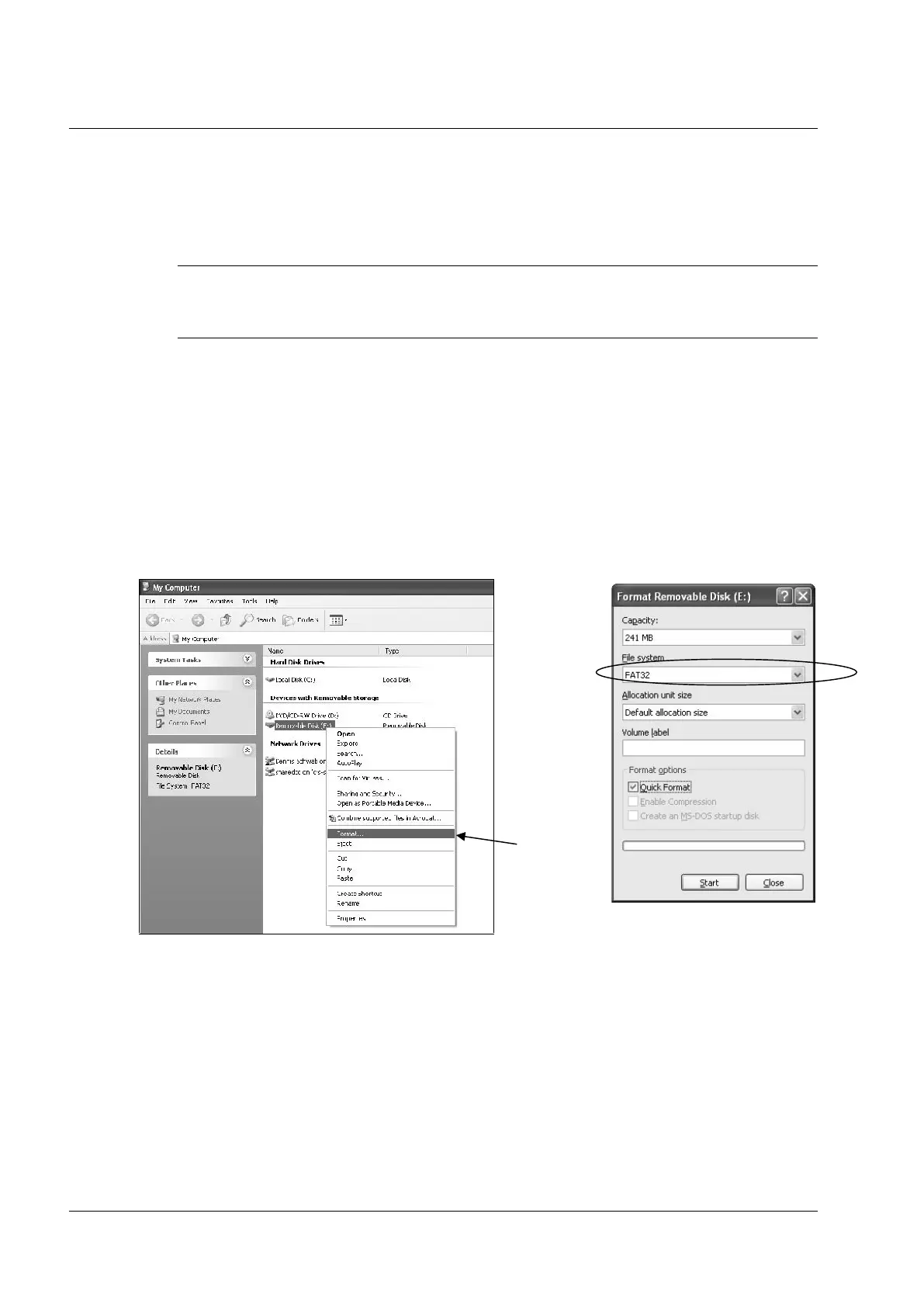
Formatting a card
NOTE: SD cards must be formatted as FAT 32.
(Caution: Formatting the SD card will clear all data on the SD card and prepare it for use.)
1. Start Windows Explorer.
2. Select the SD card drive, right click and select Format.
(Win XP screen shown; slightly different procedures are used with different operating systems.)
3. From the Format dialog select the File System: FAT32.



 To Next Page