56 • Operations SAM4S NR-500 Series Manual
Totaling a Charge Sale
Use the charge keys to track charge or credit card sales. See "Function Key Programming"
in the "Program Mode Programming" chapter to change the descriptors for the charge
tender functions. For example, you can use CHARGE 1 to track Visa card sales. The
descriptor "VISA" will display on the screen and print on the printer. You can also set
tendering options for the charge keys, i.e. whether to allow over tendering or to enforce
tendering.
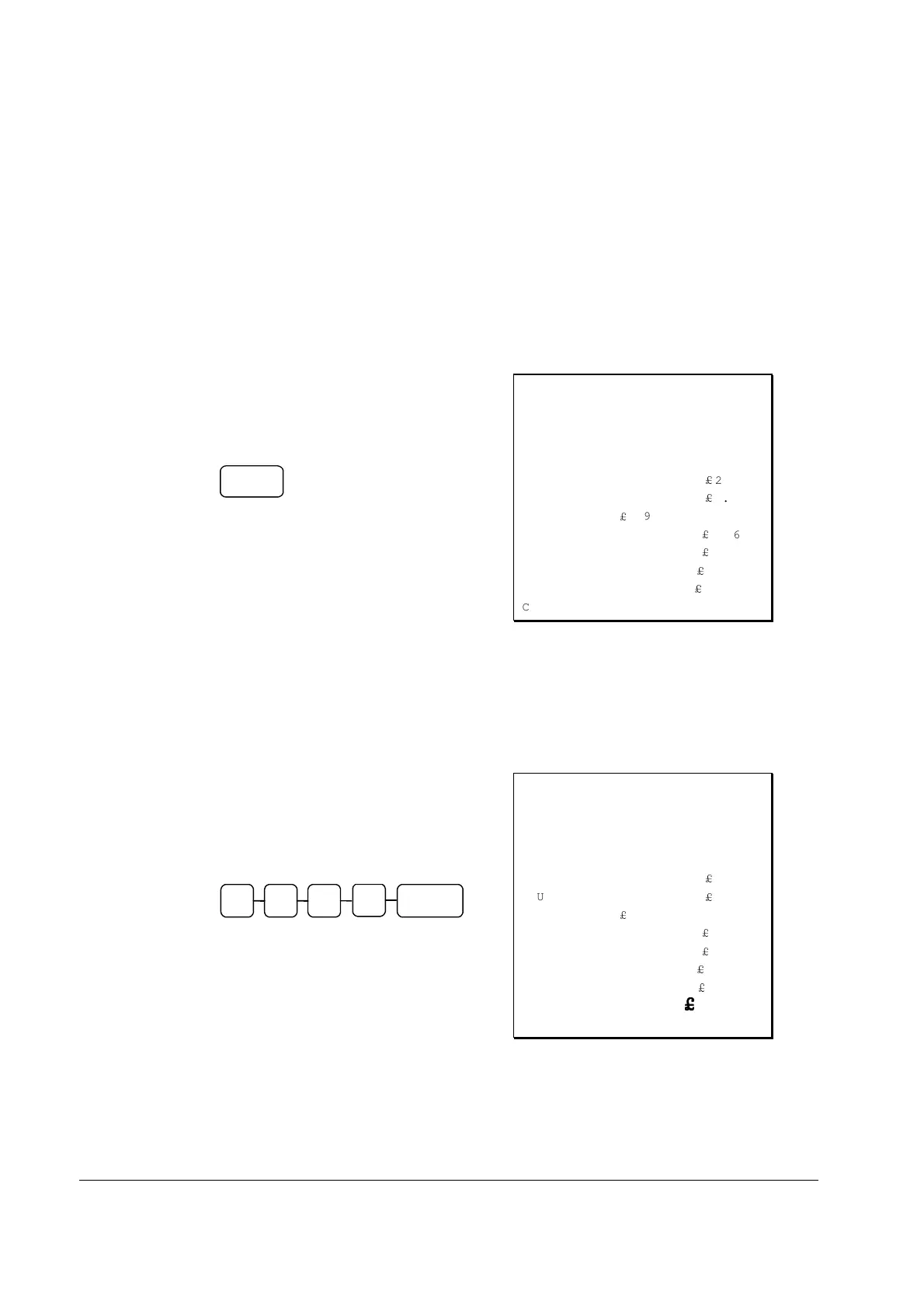
1. Register the items you wish to sell.
2. Press one of the charge key if it is
located on the keyboard:
CHARGE
THANK-YOU
CALL AGAIN
07/21/2014 MON 08:33
PLU1 T1
£
2.99
PLU1 T1
£
2.99
4X
£
1.99
PLU2
£
7.96
TAX1
£
0.36
TOTAL
£
14.30
CHARGE
£
14.30
CLERK 01 000011 00001
Tendering a Charge Sale
Tendering a charge sale may or may not be allowed. See "Function Key Programming" in
the "Program Mode Programming" chapter to set tendering options for the charge keys, i.e.
whether to allow over tendering or to enforce tendering.
1. Register the items you wish to sell.
2. Enter the amount of the charge and
press one of the charge keys if it is
located on the keyboard:
0
CHARGE
2
0
0
THANK-YOU
CALL AGAIN
07/21/2014 MON 08:33
PLU1 T1
£
2.99
PLU1 T1
£
2.99
4X
£
1.99
PLU2
£
7.96
TAX1
£
0.36
TOTAL
£
14.30
CHARGE
£
20.00
CHANGE
£
££
£
5.70
CLERK 01 000011 00001


 To Next Page