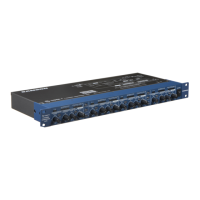
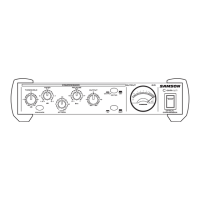
Controls and Functions
16 KEY SWITCH - Selects the key input so that an
external signal may trigger the compressor.
17 ATTACK - Adjusts the amount of time the com-
pressor takes to reach full gain reduction.
18 A U T O - Activates S •com plus’ AEG (Auto Envelope
Generator) which dynamically adjusts the attack
and release time based on signal content.
19 RELEASE - Adjusts the length of time the com-
pressor takes to return the signal to it’s original
level.
20 INPUT/ OUTPUT METER SELECT SWITCH -
Selects either Input or Output level to be dis-
played on the Input/Output Meter.
21 LEVEL - Controls the amount of Output level.
22 DE-ESSER LEVEL - Displays light indicating when
Limiter circuit is engaged.
23 DE-ESSER IN/OUT Switch - Activates DE-
ESSER circuit.
24 Limiter - Sets the level at which LIMITING
begins.
25 CHANNEL 1 IN/OUT - Activates S•com plus
Channel 1.
26 CHANNEL 2 IN/OUT - Activates S•com plus
Channel 2.
G CHANNEL 2 XLR OUTPUT - XLR Balanced line out-
put.
H CHANNEL 2 1/4” TRS OUTPUT - 1/4” TRS
Balanced line output.
I CHANNEL 1 - Same inputs and outputs as
Channel 1.
ENGLISH
7


 To Next Page
 Loading...