EasyManua.ls Logo

Samson Stage v266 - User Manual

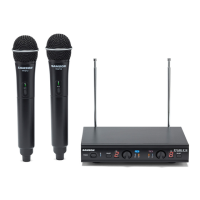
Samson Stage v266
64 pages
Print Icon
To Next Page IconTo Next Page
Loading...
Owners Manual
Stage v266:
Dual Vocal Wireless System

Questions and Answers

  • M
    michaelpowellJul 26, 2025
    How to fix a Samson Microphone system with no audio?
    • R
      Renee HamptonJul 26, 2025
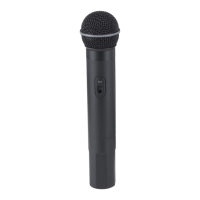
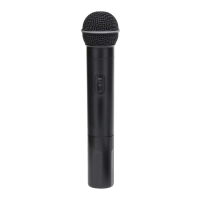
      If your Samson Microphone system has no audio, here are several things to check: * Ensure the HT6 transmitter is turned on using the Power ON/OFF switch. * Verify the HT6 transmitter’s batteries are correctly installed. * Make sure the HT6 Audio ON/OFF switch is in the ON position. * Confirm the SR266 adaptor is correctly connected to an electrical outlet. * Turn on the SR266 receiver. * Check that the SR266 output and audio input connections are securely connected. * Ensure the SR266 receiver and HT6 transmitters are within line of sight. * Check the receiver and audio input device level controls.
  • C
    Christopher GarrisonAug 6, 2025
    Why is my Samson Microphone system audio distorted?
    • S
      Scott BriggsAug 6, 2025
      Distorted audio in your Samson Microphone system can stem from several factors. You should check the receiver output level and the audio input device level. Low batteries in the HT6 can also cause distortion, so replace them if needed. Additionally, another transmitter might be interfering on the same channel; try turning off other transmitters to eliminate the interference.
  • L
    Laura ChavezAug 15, 2025
    What to do if my Samson Microphone system has audio dropout?
    • T
      teresamunozAug 15, 2025
      Audio dropout in your Samson Microphone system can occur if the transmitter is too far from the receiver. Try moving closer to the receiver or repositioning the antennas. Also, remove any nearby sources of RF interference, such as cell phones, cordless phones, lighting equipment, and computers.

Summary

Important Safety Information

Electrical Safety Precautions

Summarizes critical warnings regarding electric shock, fire hazards, and proper usage to prevent injury.

Regulatory Compliance Notices

Details FCC compliance for Class B digital devices and other regulatory statements.

Introduction

SR266 Receiver Controls and Features

Receiver Component Identification

Details and functions of the SR266 receiver's controls, indicators, and connectivity ports.

HT6 Transmitter Controls and Features

Transmitter Component Identification

Explains the operational features, controls, and battery compartment of the HT6 handheld transmitter.

Quick Start Guide

Specifications

System Specifications Overview

Provides overall system operating frequency, range, and response specifications.

Receiver and Transmitter Specifications

Lists detailed technical specifications for the SR266 receiver and HT6 transmitter, including dimensions and power.

Troubleshooting

Troubleshooting Audio Issues

Addresses common audio problems like no sound, distortion, or dropouts, with corresponding solutions.

Channel Configuration Troubleshooting

Provides guidance for resolving issues related to transmitters and receivers operating on different channels.

FCC Rules and Regulations

FCC Compliance Details

Information on FCC Part 15 compliance, testing limits, and measures to correct interference.

Industry Canada Compliance

Details compliance with Industry Canada standards, including conditions for operation.

Samson Stage v266 Specifications

General IconGeneral
BrandSamson
ModelStage v266
CategoryMicrophone system
LanguageEnglish

Related product manuals