7.1.2 Setting the system code number (Anl)
Use a pencil (or similar item) to press the changeover key. A triangle (parameter level)
starts to blink in the top left-hand corner of the display.
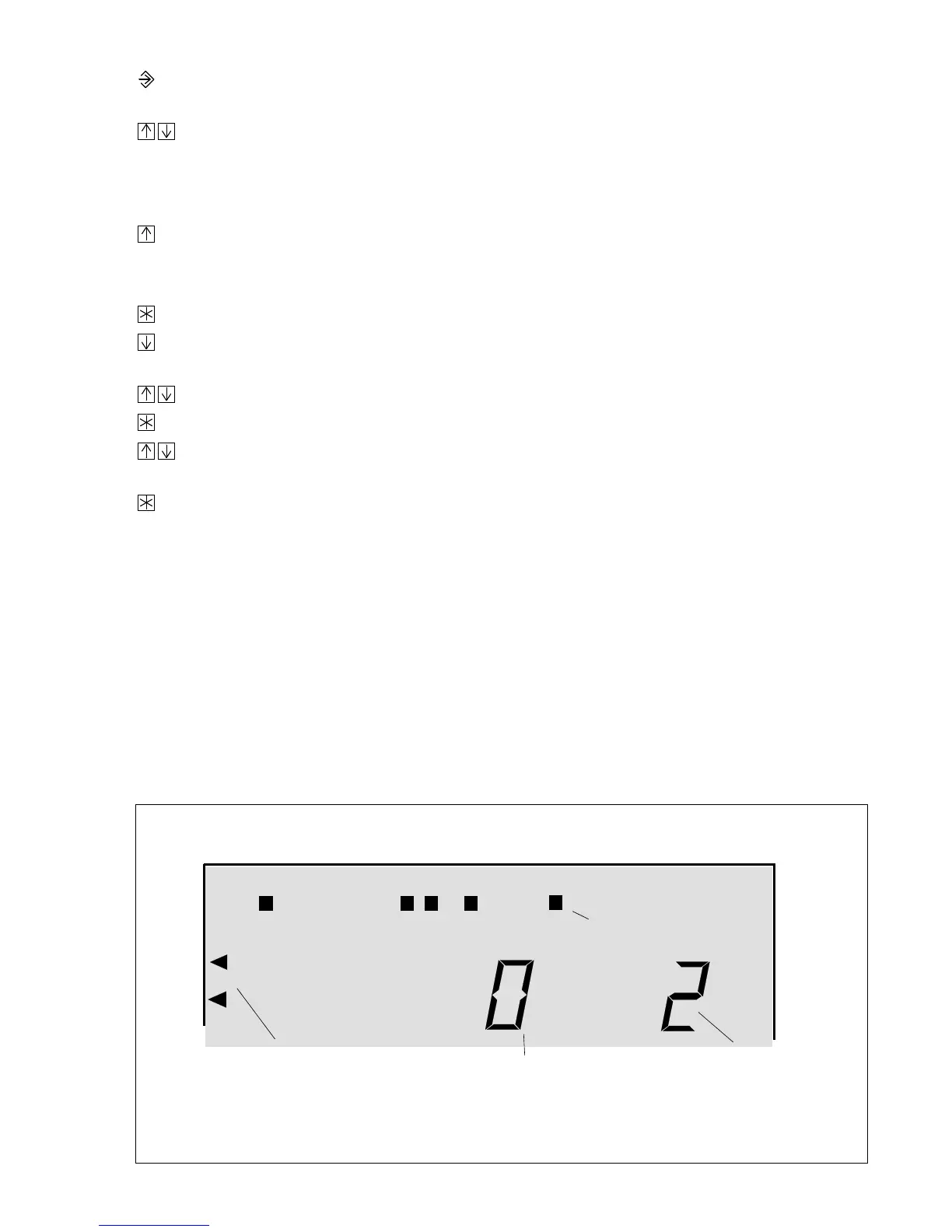
Press the arrow keys simultaneously; two triangles (configuration level) start to blink
and the currently active system code number is shown in the display.
If you want to keep the system code number shown in the display:
Press the arrow key. Bars indicating the associated function blocks appear in the display.
If you want to change the system code number shown in the display, you must first enter the code
number. See also chapter 7.1.1:
Press the enter key.
0 0 0 0
appears in the display.
Press the arrow key until you approximately reach the code number (the longer you
press the key, the faster the displayed number changes).
Use the arrow keys to set the code number.
Press the enter key to acknowledge the set code number.
Anl
blinks in the display.
Use the arrow keys to set the system code number of the selected system diagram
(Anl 1 to Anl 6, Figs. 11 to 21).
Press the enter key to acknowledge the system code number.
Bars indicating the associated function blocks for that system appear in the display.
7.1.2 Setting the function blocks
Directly after you have set and acknowledge the system code number, bars appear in the dis-
play together with the basic setting of the associated function blocks.
If you select additional sensors and/or functions that are not included in the basic setting, do not
forget to set the corresponding function blocks (ON or OFF). Refer to the following list for further
explanations about the function blocks.
The black bars under the numbers 1...24 at the top of the display mean the function blocks are
activated (ON). Blank areas under the numbers mean the function blocks are deactivated
(OFF).
Fig. 24
⋅
System code number and function block settings
10111213141516171819123456789 20212223240
e.g.
function block 14 ON
Configuration level
(blinks)
Current
function block number
System code number
39



 To Next Page