10
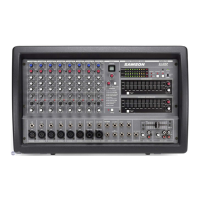
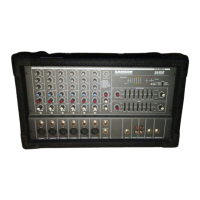
XM610 Input and Output Connections
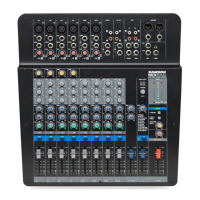
CHANNEL 1–6 MIC and LINE INPUTS
The XM610’s six input channels each have a LINE level, Hi-Z (High Impedance) input and a MIC level, Low-Z
(Low impedance) input. By using the PAD switches, you can connect a variety of signal sources from micro-
phones to line level devices such as synthesizers, drum machines and direct boxes. Both LINE and MIC inputs
are balanced, with MIC inputs compatible with microphones of output impedance 50-600 Ohms and LINE inputs
compatible with line level devices of 600 Ohms.
NOTE
: It is not possible to simultaneously use both the LINE and MIC inputs on the same channel. For each
channel, use only one
of the inputs as appropriate for the input source.
1
1
3
3
4
4
5
5
6
6
2
7
8
9
2
LINE - Line Level Input
Use these inputs to connect high impedance microphones, synthesizers and drum machines. The LINE
inputs have a nominal operating level of -40dBV through - 10dBV.
TRS phone jacks Connector pin-out - Sleeve: Ground, Tip: Hot (+), Ring: Cold (-)
MIC - Microphone Input
Use these inputs to connect Low Impedance microphones and low level signals from direct boxes. The MIC
inputs have a nominal operating level of –50dBV through -20dBV. The MIC inputs also feature +48V phan-
tom power, allowing you to use condenser microphones. The Phantom Power is switched on/off simultane-
ously for channels 1 through 6.
XLR Connector pin-out - Pin 1: Ground, Pin 2: Hot (+), Pin 3: Cold (-)
AUX 2 SEND - Effects Output
The AUX 2 SEND output is used to interface an external signal processor like a delay or reverb. The signal
present at the AUX 2 SEND output is sent from the EFFECTS bus, which is fed from the EFX send on the
input channels and the EFFECTS LEVEL send in the Master section.
EFX FOOTSWITCH - Footswitch Jack
With a foot switch connected to this jack, you can turn on and off the on-board digital effects by simply
pressing the switch with your foot.
AUX IN - Auxiliary Input
Used to connect monaural output devices such as external effects processors.
TAPE IN - Tape Input
Used to connect a stereo output device such as cassette recorder or CD player.
EXTERNAL INPUT JACKS (AUX IN/TAPE IN)
These are input jacks that allow the signal from an external device to be added to the MAIN output.


 To Next Page