107
Screen Adjustment
4
4 Screen Adjustment
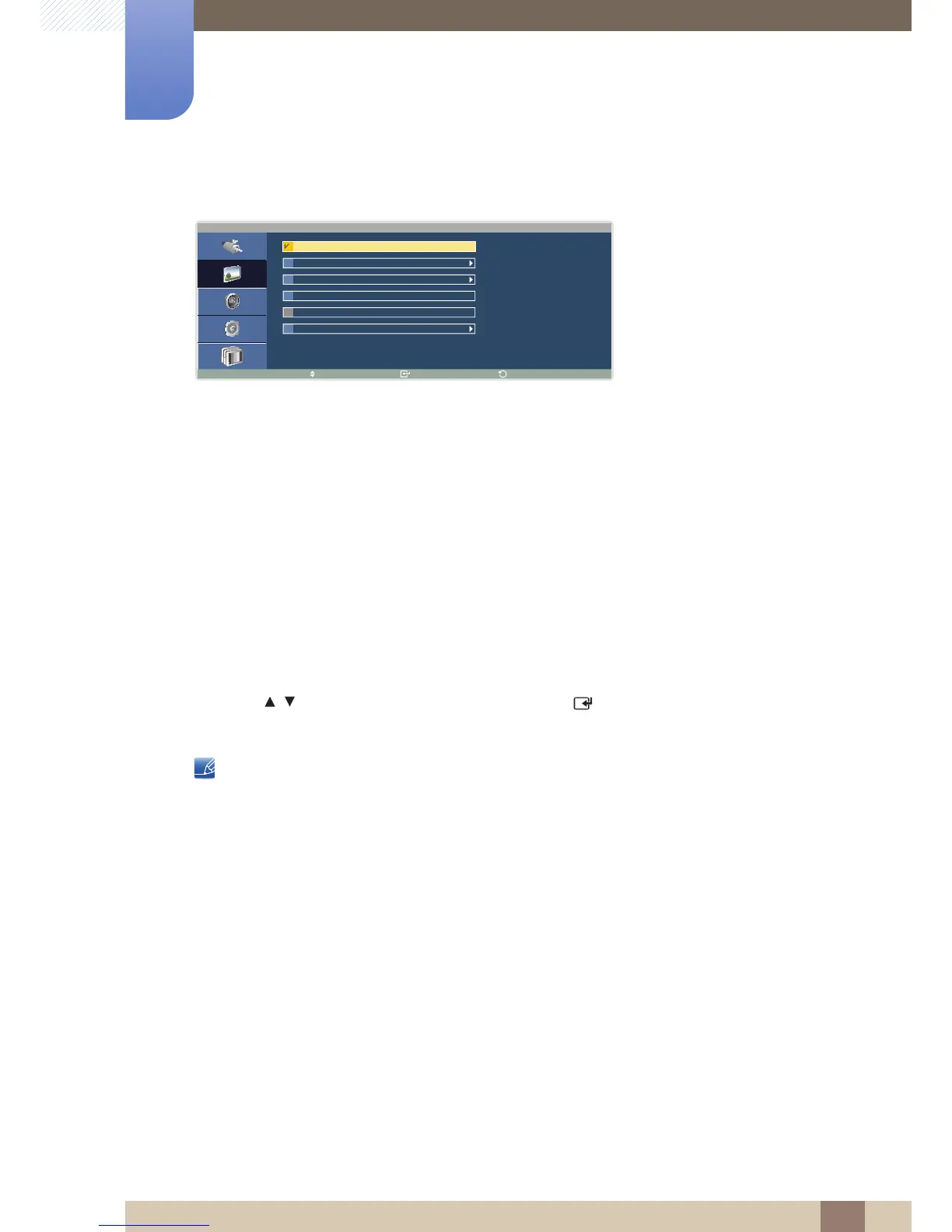
If the input source is AV or Component:
z 16:9: Display images with an aspect ratio of 16:9. Suitable for viewing DVD content or widescreen
broadcasts.
z Zoom1 : Enlarge the 16:9 aspect ratio vertically.
z Zoom2 : Enlarge the Zoom 1 screen vertically.
z 4:3: Display images with an aspect ratio of 4:3. Suitable for viewing video content or standard
broadcasts.
z Screen Fit
Display images in the original aspect ratio. This option is enabled when the input source is
Component and the video signal is 1080i/p.
z Custom: Customize the picture size.
1 Press / to move to the option you want and press [ ].
The selected option will be applied.
z If Screen Fit is selected, the picture may be cut off or a corrupted screen may be displayed
depending on the current input source.
z Zoom1 and Zoom2 are not enabled with HD signals (1080i/p, 720p, 768p).
z If Zoom1 or Zoom2 is selected, the H-Position/V-Position settings for the enlarged screen can
be initialized. (The original size would be restored.)





 To Next Page