115
Sound Adjustment
5
5 Sound Adjustment
5.2 Custom
You can customize the sound settings.
5.2.1 Configuring the Custom Settings
This product can only be controlled by using the remote control.
1 Press MENU on the remote control.
2 Press / to move to Sound and press [ ].
3 Press / to move to Custom and press [ ].
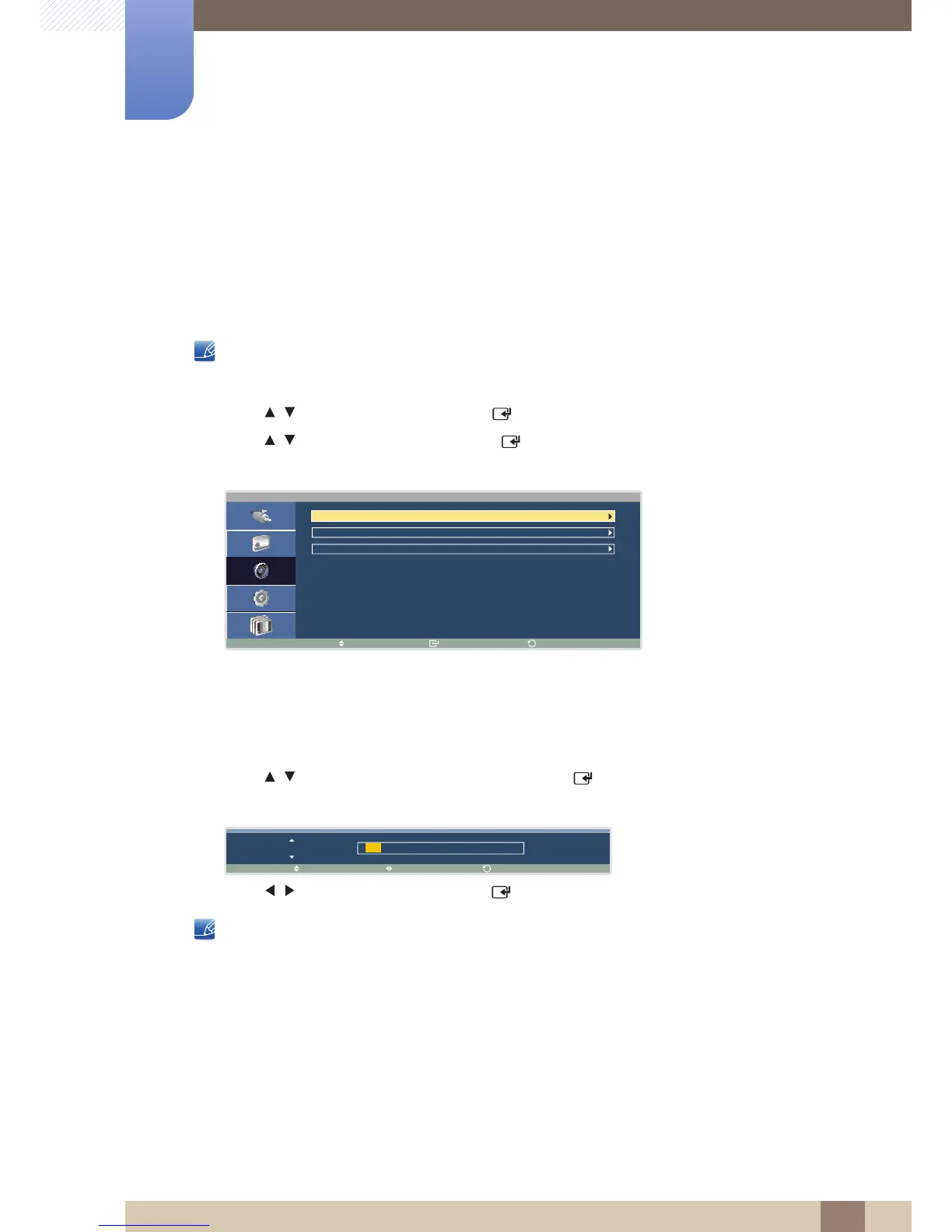
The following screen will appear.
z Bass: Adjust the bass level. (Range: 0~100)
z Treble: Adjust the treble level. (Range: 0~100)
z Balance : Balance the sound by adjusting the volume between the left and right speakers.
4 Press / to move to the option you want and press [ ].
A window will appear where you can adjust the value for the selected option.
5 Press / to adjust the value and press [ ]. The change will be applied.
z With some products, sound may be heard even when the volume is set to 0.
z Changing any setting under Custom will change the Mode settings to Custom.





 To Next Page