24
Preparations
1
1 Preparations
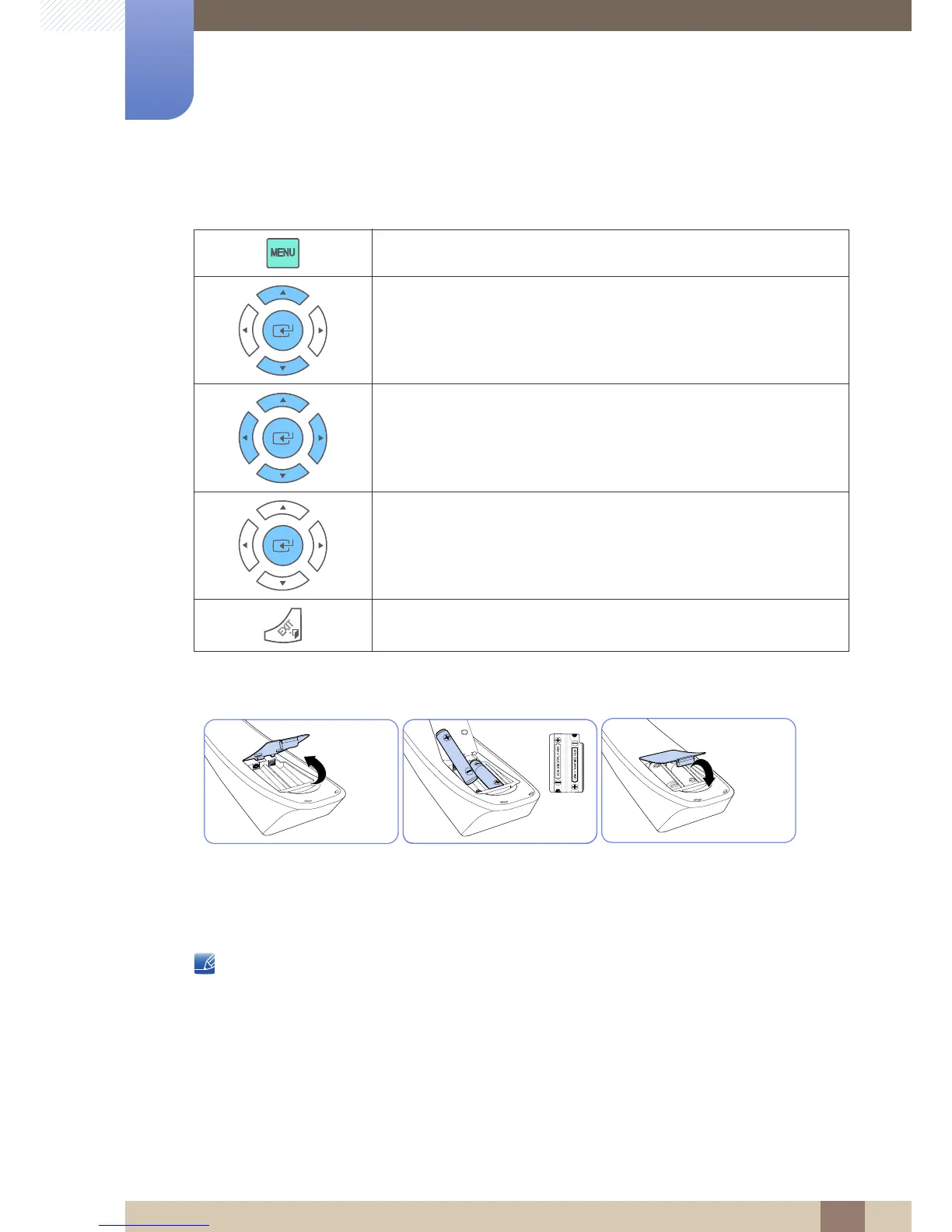
Adjusting the OSD with the Remote Control
To place batteries in the remote control:
1 Open the back lid of the remote control.
2 Place two AAA batteries (1.5V) in the right direction.
3 Close the lid.
Batteries are sold separately.
1. Open the OSD menu.
2. Select from Input, Picture, Sound, Setup or Multi Control in the
displayed OSD menu screen.
3. Change settings as desired.
4. Finish setting.
5. Close the onscreen display (OSD) menu.





 To Next Page