89
Using MDC
3
3 Using MDC
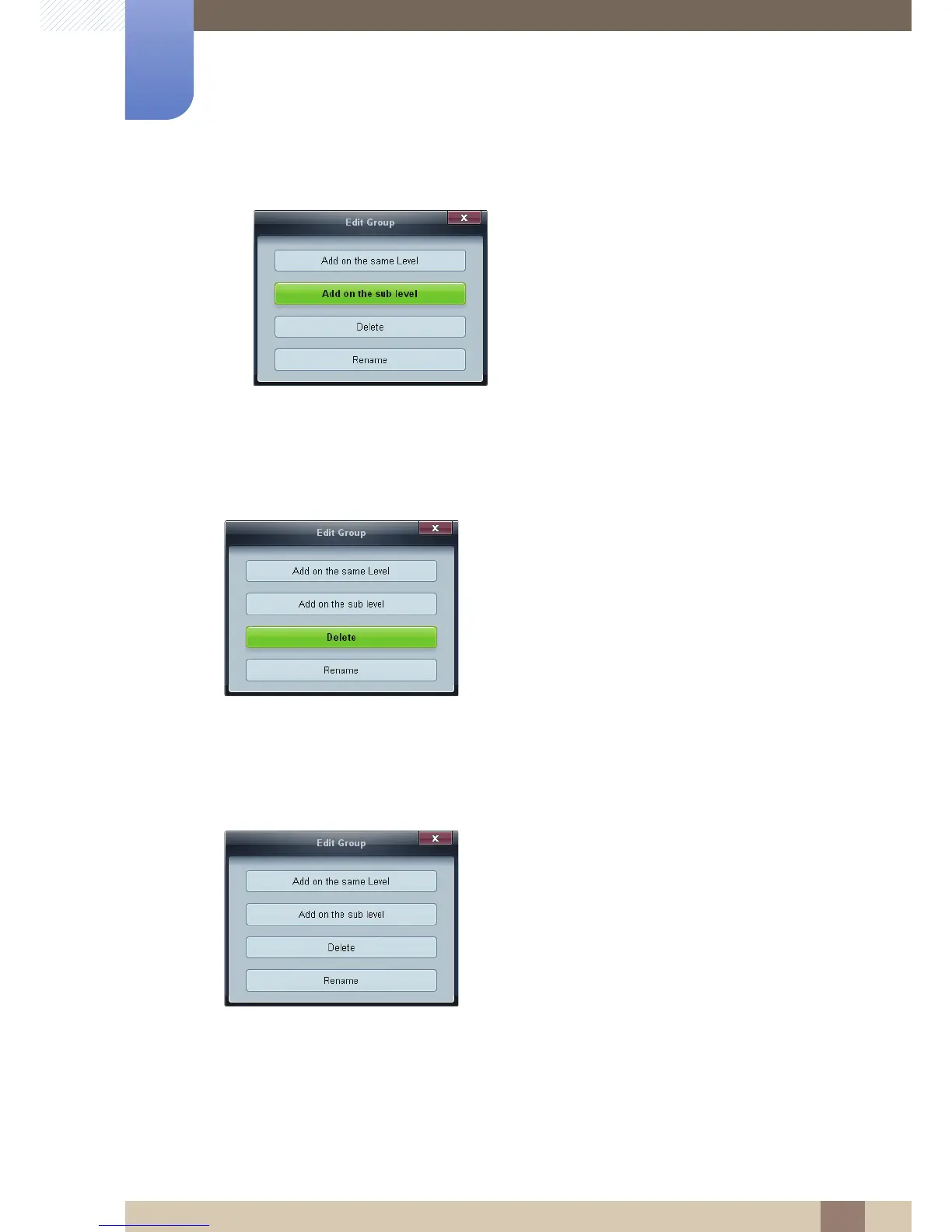
z Add on the sub level: Create a sub-group under the selected group.
3 Enter the group name.
Deleting Groups
1 Select a group name, and click Edit.
2 In the Edit Group window displayed, click Delete.
3 Click Yes. The group will be deleted.
Renaming Groups
1 Select a group name, and click Edit.
2 In the Edit Group window displayed, click Rename.
3 If a cursor appears in the old group name, enter a new group name.





 To Next Page