4
English
Getting Started
List of Features
y Excellent Digital Interface & Networking: With a built-in HD digital tuner, nonsubscription HD broadcasts can be viewed
without a cable box / STB (Set-Top-Box) satellite receiver.
y SRS TruSurround HD: provides a virtual surround system (p 17).
y Media Play: Allows you to play music files, pictures saved on a USB device (p 22).
y Self Diagnosis: You can check to make sure picture and sound operate normally (p. 21).
Accessories
✎
Please make sure the following items are included with your PDP TV. If any items are missing, contact your dealer.
✎
The items’ colors and shapes may vary depending on the models.
y Remote Control & Batteries
y Owner’s Instructions
y Warranty Card / Safety Guide
y Cleaning Cloth
y Power Cord
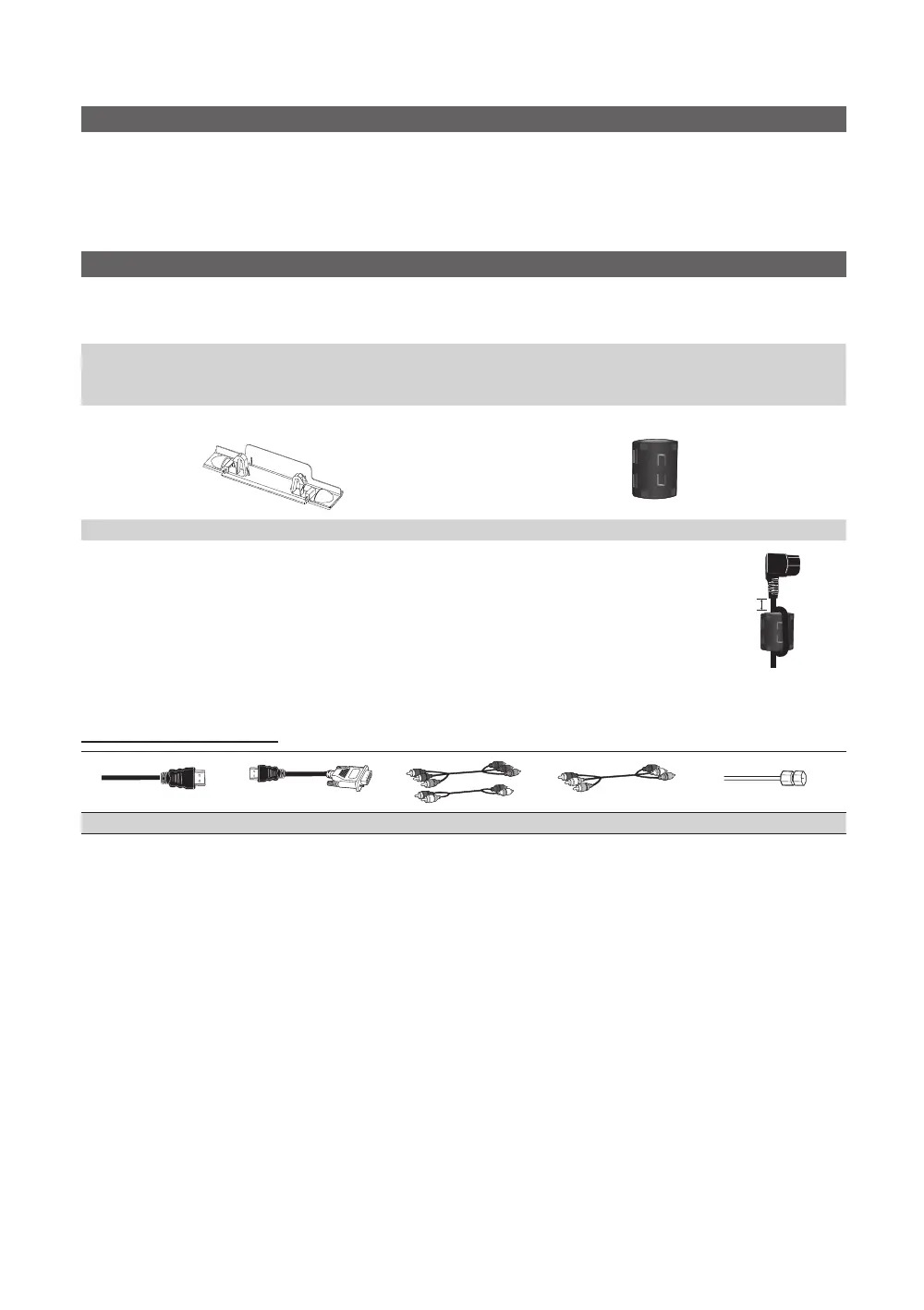
Blanking Bracket Ferrite Core for Power Cord (1EA)
✎
Ferrite Core for Power Cord: The ferrite cores are used to shield the cables from interference.
When connecting a cable, open the ferrite core and clip it around the cable near the plug as
shown in the figure.
x
A Maximum distance between the ferrite core and the end of the cord inserted in the TV:
2 inches
A
Power Cord
Input Cables (Sold Separately)
HDMI HDMI-DVI Component Composite (AV) Coaxial (RF)
[PC430_Mexico]BN68-02642A-05L02.indb 4 2010-07-23 오후 1:57:21


 To Next Page