English - 9
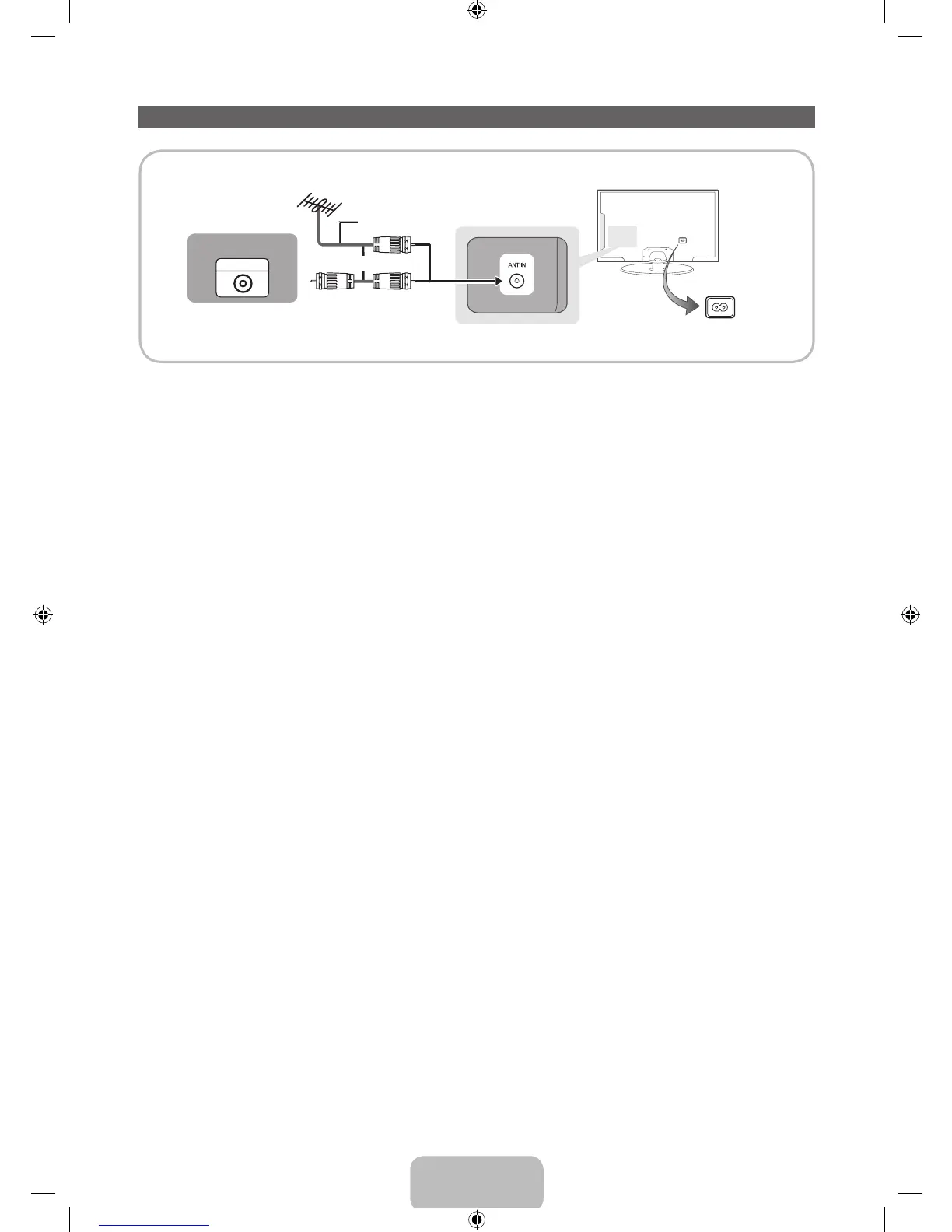
Connecting the Power Cord and the Antenna or Cable Connection
ANT OUT
VHF/UHF Antenna
Power Input
or
Antenna Cable (Not Supplied)
Cable
✎
Plug the power cord into a wall outlet only after you have made all other connections.
✎
If you are connecting your TV to a cable or satellite box using HDMI, Component, or Composite
connections, you do not need to connect the ANT IN jack to an antenna or a cable connection.
✎
Use caution when you move or swivel the TV if the antenna cable is tightly connected. You could
break the antenna jack off the TV.
[UE5300-ZA]BN68-04075A-00Eng.indb 9 2012-04-13 �� 3:16:18





 To Next Page