EasyManua.ls Logo

Samsung AS18A2QC - User Manual

Samsung AS18A2QC
42 pages
Print Icon
To Next Page IconTo Next Page
Loading...
OWNER’S
INSTRUCTIONS &
INSTALLATION
MANUAL
DUCTLESS MINI-SPLIT
(Cool)
E
S
DB68-00271A(2)
AS18A1QC
AS18A2QC
AS18B1QC
AS18B2QC
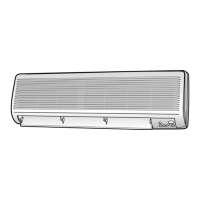
Indoor Unit
Indoor Unit
AS24A1QC
AS24A2QC
AS24B1QC
AS24B2QC

Table of Contents

Other manuals for Samsung AS18A2QC

Questions and Answers

  • K
    kathleen95Aug 13, 2025
    How to stop the COOL LED from blinking on my Samsung AS18A2QC?
    • M
      martha95Aug 13, 2025
      When you first plug in your Samsung Air Conditioner, the green COOL operation LED will blink to indicate that power is on. Press the ON/OFF button on the remote to stop the blinking.
  • R
    Randall PruittAug 17, 2025
    What does it mean if the TIMER LED is blinking on my Samsung Air Conditioner?
    • K
      Kenneth GlennAug 17, 2025
      If the TIMER LED is blinking (1Hz) on your Samsung Air Conditioner, it indicates an indoor unit room sensor error (open or short).
  • N
    neil44Aug 21, 2025
    What does it mean if the OPERATING and TIMER LEDs are blinking on my Samsung AS18A2QC Air Conditioner?
    • S
      schavezAug 21, 2025
      If the OPERATING and TIMER LEDs are blinking (1Hz) on your Samsung Air Conditioner, this indicates an error with the indoor unit heat exchanger temperature sensor (open or short).
  • T
    Travis MurphyAug 25, 2025
    What does it mean if the FAN LED is blinking on my Samsung AS18A2QC Air Conditioner?
    • K
      Kathleen HarrisAug 26, 2025
      If the FAN LED is blinking (1Hz) on your Samsung Air Conditioner, it means the indoor fan is malfunctioning because its speed is below 380 rpm.
  • V
    Virginia OwensAug 28, 2025
    Why Samsung AS18A2QC Air Conditioner does not operate when the Timer LED is on?
    • S
      smithlisaAug 28, 2025
      If your Samsung Air Conditioner doesn't turn on and only the Timer LED is lit, the timer function is likely activated, and the unit is in standby mode. Cancel the timer operation to restore normal operation.
  • J
    Jenna CurtisSep 1, 2025
    Why does the compressor stop and fan speed decrease on my Samsung Air Conditioner?
    • A
      Angela LaneSep 1, 2025
      In COOL or DRY mode, the compressor in your Samsung Air Conditioner may intermittently stop, and the fan speed may decrease to prevent the air from freezing inside or outside, depending on the ambient temperature.
  • M
    Mercedes BrownSep 5, 2025
    Why can't I set the fan speed on my Samsung Air Conditioner in AUTO or DRY mode?
    • B
      Brianna AndersonSep 5, 2025
      When your Samsung Air Conditioner is in DRY mode, the indoor fan speed is automatically set to LL (Low). In AUTO mode, the fan speed is automatically selected from 5 steps.
  • C
    Christopher GarciaSep 9, 2025
    Why does the compressor stop intermittently in DRY mode on my Samsung Air Conditioner?
    • B
      Beth MunozSep 9, 2025
      In DRY mode, the compressor in your Samsung Air Conditioner is automatically controlled based on the room temperature and humidity.

Summary

Preparing Your Air Conditioner

Safety Precautions

Essential safety guidelines before using the air conditioner.

Unit Component Identification

Illustrations and labels identifying indoor and outdoor unit parts.

Remote Control Functions

Explanation of remote control buttons and display icons for operation.

Getting Started

An introduction to the manual's structure and basic usage advice.

Remote Control Holder and Batteries

Instructions for installing the remote holder and inserting batteries.

Setting and Resetting Unit Time

Steps to set and correct the clock on the remote control.

Operating Your Air Conditioner

Automatic Operating Mode

Starting the unit in automatic mode and adjusting standard temperature.

Cooling Operation

Instructions for operating in cooling mode and setting fan speed.

Turbo Cooling Function

Using the Turbo function for rapid room cooling.

Dry Mode Operation

How to use the Dry mode to reduce room humidity effectively.

Fan Mode Operation

Using the Fan mode for air circulation without cooling.

Air Flow Direction Control

Adjusting vertical and horizontal airflow for optimal comfort.

Programming Your Air Conditioner

Setting Automatic On;Off Timers

Setting timers for automatic unit activation and deactivation.

Sleep and Quick Timer Functions

Setting Sleep Timer for auto-shutdown and Quick Timer for timed operation.

Cancelling Timer Settings

Procedures to cancel the set On/Off, Sleep, and Quick timers.

Recommendations for Use

General Operating Advice

Key recommendations for optimal air conditioner operation and power failure.

Operating Conditions and Cleaning

Recommended operating ranges and instructions for cleaning the air filter and unit.

Troubleshooting Common Issues

Guide to diagnose and resolve common issues encountered with the unit.

Manual Unit Operation

How to operate the unit directly from the indoor unit controls.

Technical Specifications

Technical Specifications

Detailed technical data and performance ratings for the air conditioner models.

Method Of Installation

Installation Location Selection

Guidelines for selecting the optimal location for indoor and outdoor units.

Installation Accessories List

List of accessories supplied with the air conditioner for installation.

Indoor Unit Mounting Plate

Instructions for mounting the indoor unit's installation plate securely.

Connecting Cables and Purging Unit

Connecting power/communication cables and purging the indoor unit.

Indoor Unit Drain Hose Setup

Proper installation of the drain hose for condensation water removal.

Indoor Unit Piping Installation

Connecting the refrigerant piping to the indoor unit.

Refrigerant Piping Modification

Procedures for cutting or extending refrigerant piping.

Outdoor Unit Wiring

Wiring the outdoor unit to the indoor unit and power supply.

Electrical Work and Circuit Breakers

Guidance on circuit breakers and electrical work for the unit.

Grounding Connection Check

Procedures to ensure proper grounding connection for safety.

Outdoor Unit Mounting

Securing the outdoor unit to its base or support for stability.

Connecting Circuit and Purging

Connecting refrigerant lines, purging air, and checking pressure.

Leak Testing and Indoor Unit Placement

Checking for leaks and final mounting of the indoor unit.

Final Installation Checks

Ensuring correct operation through final checks and tests.

Explaining Unit Operations to Owner

Guiding the owner on unit functions and basic operation.

Samsung AS18A2QC Specifications

General IconGeneral
BrandSamsung
ModelAS18A2QC
CategoryAir Conditioner
LanguageEnglish

Related product manuals