EasyManua.ls Logo

Samsung AS18A0RCF - User Manual

Samsung AS18A0RCF
42 pages
Print Icon
To Next Page IconTo Next Page
Loading...
SERVICE
Manual
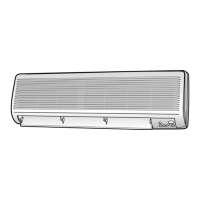
SPLIT TYPE AIR CONDITIONER
AS18A9(0)RCF
AS18A9(0)RCFD
AS24A1(2)RC
AS24A1(2)RCD
Indoor Unit
US18A9(0)RCF
US18A9(0)RCFD
US24A1(2)RC
US24A1(2)RCD
Outdoor Unit
E DB98-15775A(4)
AS18A9(0)RCF SM_E_15775 3/10/05 7:16 PM Page 43

Questions and Answers

  • D
    dskinnerAug 2, 2025
    What to do if my Samsung AS18A0RCF compressor stops intermittently in Cool or Dry mode?
    • T
      Tiffany CruzAug 2, 2025
      The compressor might stop intermittently, or the indoor unit's fan speed might decrease to prevent the inside/outside air from freezing, depending on the inside/outside air temperature. This is normal operation.
  • M
    michelle74Aug 8, 2025
    Why is my Samsung AS18A0RCF fan speed not working in Auto or Dry mode?
    • J
      Jeremy BairdAug 8, 2025
      In Dry mode, the indoor fan speed is automatically set to LL (Low-Low). In Auto mode, the fan speed is automatically selected from five available steps.
  • A
    Amanda RojasAug 15, 2025
    Why does my Samsung AS18A0RCF compressor stop intermittently in Dry mode?
    • D
      Dennis FoxAug 15, 2025
      In Dry mode, the compressor is automatically controlled based on the room temperature and humidity. This intermittent stopping is a normal part of the Dry mode operation.
  • E
    Erik Taylor DDSAug 20, 2025
    What to do if my Samsung AS18A0RCF Air Conditioner STD operation indicator LED blinks?
    • R
      raymond20Aug 20, 2025
      The blinking LED indicates that power is on. To stop the blinking, press the On/Off button on the remote control.
  • W
    warejohnAug 27, 2025
    What to do if the compressor of my Samsung AS18A0RCF doesn't operate in Cool mode?
    • M
      Matthew SotoAug 27, 2025
      If you are in Cool mode and the room temperature is higher than the set temperature, the compressor will reoperate after three minutes.

Summary

SAFETY PRECAUTIONS

Installing the Unit Safely

Safety guidelines for installing the air conditioner unit, including power supply considerations.

DISASSEMBLE AND REASSEMBLE

SET UP THE OPTION CODE

Remote Control Option Code Setup

Procedure for setting model options using the remote control after PCB replacement.

TROUBLESHOOTING

Initial Troubleshooting Checks

Initial checks for voltage, cable connections, and common operating phenomena.

PCB Module Replacement Procedure

Procedure for replacing the PCB module and setting up option codes.

WIRING DIAGRAM

SCHEMATIC DIAGRAM

Samsung AS18A0RCF Specifications

General IconGeneral
Cooling Capacity1.5 Ton
RefrigerantR32
Capacity1.5 Ton
Cooling Capacity (W)5275 W
Energy Efficiency Ratio (EER)3.51
TypeSplit
Star Rating3
Power Supply230 V, 50 Hz

Related product manuals