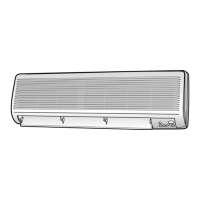
This document is a service manual for Samsung Room Air Conditioners, covering both indoor and outdoor units for models AS24A2RC, US24A2RC, AS18A6RC, and US18A6RC. It provides detailed instructions for installation, disassembly, reassembly, troubleshooting, and includes exploded views, parts lists, refrigerating cycle block diagrams, PCB diagrams, wiring diagrams, and schematic diagrams.
Function Description:
The manual describes the service procedures for Samsung room air conditioners, which are designed to provide cooling. It covers the essential steps for maintaining, repairing, and troubleshooting these units, ensuring proper operation and longevity. The air conditioner system consists of an indoor unit (evaporator) and an outdoor unit (condenser), connected by refrigerant piping and electrical wiring.
Important Technical Specifications:
Indoor Unit (AS24A2RC / AS18A6RC):
- Refrigerant Refill Procedure: Standard pressure for low-pressure side should be 4.5~5.5kg/cm² in regular, high operation mode.
- Input Voltage: Rating voltage ±10% range.
- DC Regulator IC KA7805 (IC02):
- Input voltage: 11VDC-12.5VDC
- Output voltage: 4.5VDC-5.5VDC
- Micom Voltages (Troubleshooting):
- #8 (compressor) and #6 (outdoor fan): 5VDC
- #60 (indoor fan): 5VDC
- #33 terminal: 0VDC
- #18 terminal: 5VDC
- #52 terminal: 10ms pulse
- #48 and #49: 100ns pulse
- Solid State Relay (SS71): 12V operation.
- Fan Motor Supply Voltage: Approximately AC 180V (between pin3 and pin5 of PCB CN73).
- Room Sensor Normal Resistance (25°C): 10kΩ.
- 50°F: 17.96kΩ
- 68°F: 12.09kΩ
- 86°F: 8.3kΩ
- Power Relay RY71: DC 4.8V (between IC06 Pin #6 and GND when RY71 ON).
- Remote Control Unit Battery Voltage: Should be greater than 2.5V.
- Main PCB (PD-TQ24A1R-01):
- Fuse F701: T3.15A 250V
- Fuse F702: 1A 250V
- Capacitor C701, C702: 6.8µF 450V
- Resonator X501: 4MHz
- Relays RY71, RY72, RY74: FTR-F3AA012E
- Relay RY73: FTR-F3AA012S
- IC04 (MCU): uPD780024CW
- IC02 (Voltage Regulator): KA7805
- IC01 (PWM Controller): TNY255P
- IC05, IC06 (Driver IC): KID65003AP
- Refrigerating Cycle (AS24A2RC Cooling):
- STD Pressure (3-Way Valve): 57-71 psi
- Piping Temp T1/T2: 46-54°F (Standard)
- Use Temp. Condition Indoor DB/WB: 80/67°F (Standard)
- Use Temp. Condition Outdoor DB/WB: 95/75°F (Standard)
- Refrigerating Cycle (AS18A6RC Cooling):
- STD Pressure (3-Way Valve): 64-78 psi
- Piping Temp T1/T2: 50-54°F (Standard)
- Use Temp. Condition Indoor DB/WB: 80/67°F (Standard)
- Use Temp. Condition Outdoor DB/WB: 95/75°F (Standard)
Outdoor Unit (US24A2RC / US18A6RC):
- Compressor (US24A2RC): H29B26UABCA
- Compressor (US18A6RC): 48B190JV1EH
- Compressor Capacitor (US24A2RC): 35µF x 450VAC
- Compressor Capacitor (US18A6RC): 40µF x 450VAC
- Motor Capacitor (US24A2RC): 4µF x 450VAC
- Motor Capacitor (US18A6RC): 2.5µF x 450VAC
- Fuse: 2A, 250V
Usage Features:
- Cool Operation Mode: The unit can be set to cool operation mode for refrigerant refilling and "pump down" procedures.
- Remote Control Operation: The unit is controlled via a remote control unit, with an ON/OFF button and swing button for louver control.
- Self-Diagnosis Display: The indoor unit features an LED display panel that shows self-diagnosis details through blinking patterns for various errors (e.g., room sensor error, fan malfunction, EEPROM error, option error).
- Automatic Fan Speed: In DRY mode, fan speed is set to LL (Low Low). In AUTO mode, fan speed is automatically selected in 5 steps.
- Compressor Operation Control: Compressor operation is automatically controlled in DRY mode based on room temperature and humidity. In COOL/DRY modes, the compressor may stop intermittently, and fan speed may decrease to prevent freezing.
- Power-On Indication: The STD operation LED blinks when the power plug is first inserted, indicating power is on. It stops blinking when the ON/OFF button on the remote control is pushed.
- Compressor Reoperation Delay: After a power-on or intermittent stop, the compressor reoperates after a 3-minute delay.
Maintenance Features:
- Refrigerant Refill Procedure: Detailed steps for purging air, connecting pressure gauges, refilling refrigerant, and checking pressure. Emphasizes gradual refilling.
- "Pump Down" Procedure: Instructions for recovering refrigerant when replacing an evaporator or relocating the unit. Includes steps for closing valves, operating in cool mode, and disconnecting pipes while preventing foreign material entry.
- Disassembly and Reassembly: Comprehensive guides for both indoor and outdoor units, including:
- Indoor Unit: Front grille, drain tray, electrical parts (Main PCB), heat exchanger, fan motor, and cross fan. Instructions include screw locations, connector disconnections, and cautions for reassembly.
- Outdoor Unit: Cabinet, fan motor, and propeller fan. Instructions cover removing covers, unplugging cables, and removing the fan.
- Troubleshooting Guide:
- Initial Checks: Verifying input voltage, link cable connections between indoor and outdoor units, and understanding normal operational phenomena (e.g., LED blinking, compressor delays).
- Fault Diagnosis by Symptom:
- No Power (completely dead): Flowchart for checking PCB display voltage, rating voltage, power cord linkage, fuse, DC regulator IC voltages, micom voltages, and relay operations.
- Indoor Unit Fan Does Not Operate: Flowchart for checking operating lamp, solid state relay, fan motor supply voltage, and identifying issues with MFC (Motor Fan Control) or the fan motor itself.
- Outdoor Unit Does Not Operate: Flowchart for checking operating lamp, timer lamp, power relay, room sensor resistance, and power relay functionality.
- UP/DOWN Louver Motor Does Not Operate: Flowchart for checking operating lamp, swing button operation, micom voltage, and driver IC voltage.
- Operation by Remote Control Unit Is Impossible: Flowchart for checking operating lamp, "beep" sound, battery voltage, LCD display status, transmission display lamp, micom voltage, Q601/Q602 collector voltage, and IR LED/receiver module.
- Replace PCB Module: Instructions for replacing the PCB module and checking for display lamp blinking to confirm proper setup.
- Exploded Views and Parts Lists: Detailed diagrams and lists of components for both indoor and outdoor units, including part numbers, descriptions, specifications, and quantities, facilitating easy identification and ordering of replacement parts.
- Diagrams: Refrigerating cycle block diagrams, PCB diagrams, wiring diagrams, and schematic diagrams provide visual aids for understanding the system's internal workings and electrical connections, crucial for advanced troubleshooting and repair.



 To Next Page
 General