Disassembly and Reassembly
4-56Samsung Electronics
No Parts Procedure Remark
5
6
Stepping Motor
Display PCB
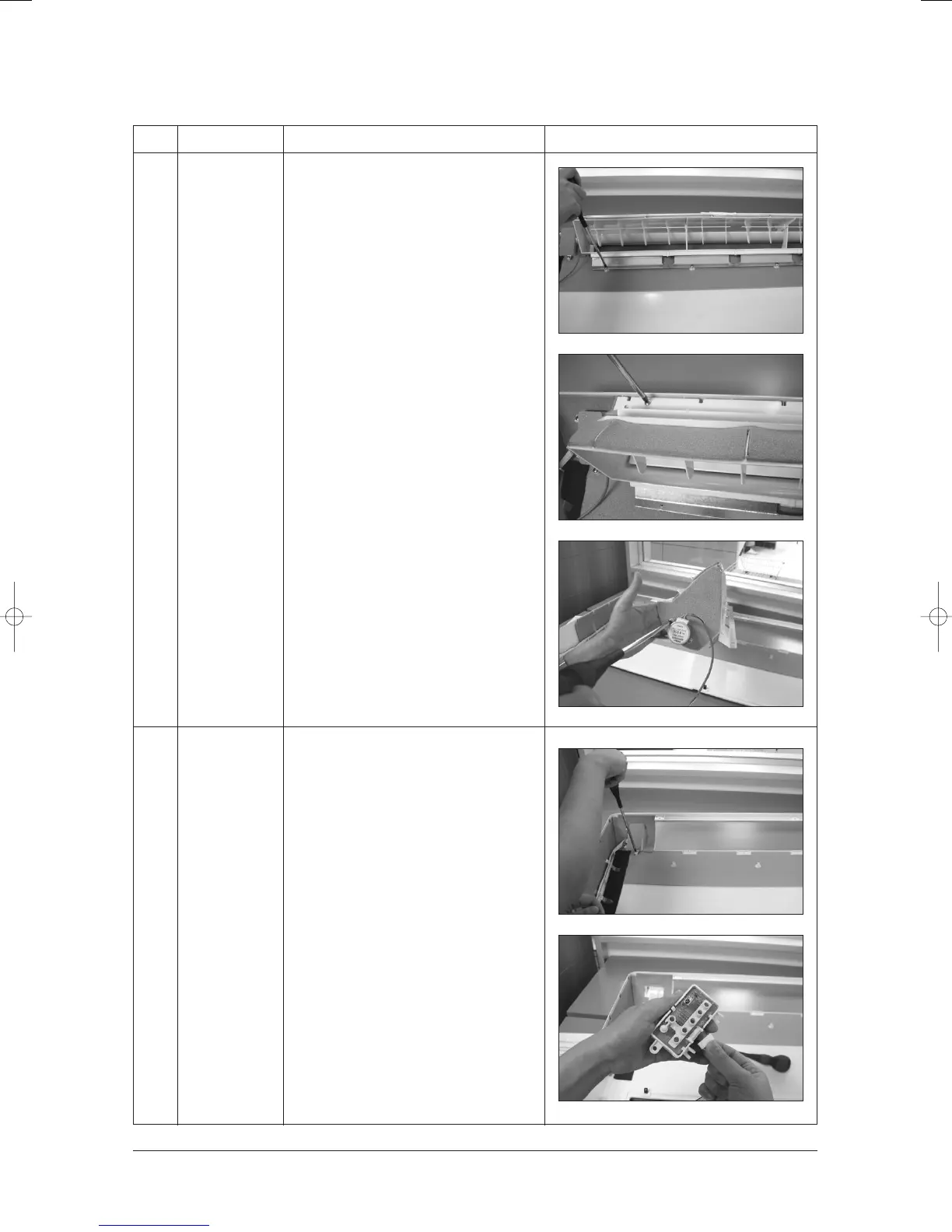
1) Remove the screws in rear side of Front
Cover assembly as shown in picture.
2) Remove the screws as shown in picture.
3) Disassemble the Blade and Stepping
Motor assembly and remove the screws
Stepping Motor.
1) Remove the screws in rear side of Front
Cover assembly as shown in picture.
2) Disassemble Display PCB assembly
and disconnect wire.
3) Disassemble the Display PCB.
24103A(1)_1 12/23/05 12:01 PM Page 3-65



 To Next Page