EasyManua.ls Logo

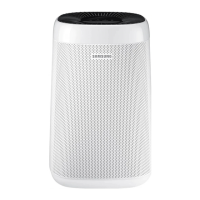
Samsung AX34R3020WW - User Manual

Samsung AX34R3020WW
25 pages
Print Icon
To Next Page IconTo Next Page
Loading...
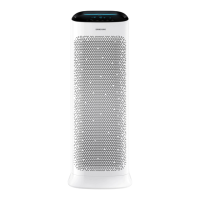
Air purier
User manual
AX34R3020WW
Thank you for purchasing this Samsung air purier.
Before operating this unit, please read this user manual carefully and retain it for future reference.

Questions and Answers

Summary

Safety Precautions

General Safety Definitions

Explains WARNING and CAUTION levels for potential hazards, defining severe vs. minor injury risks.

Electrical and Installation Safety

Details proper power cord plugging, socket usage, and safe installation locations to prevent electric shock or fire.

Appliance Placement and Power Supply Safety

Covers installing on level floors, ensuring adequate space, correct plug orientation, and cleaning terminals.

Safe Power Plug Usage and Emergency Procedures

Guides on firm plugging, proper unplugging, cord care, storm safety, and emergency responses for gas leaks or flooding.

Operational Safety and Child Protection

Addresses safe operation, repair, wet hands, packaging, and preventing children from accessing small parts.

Product Stability and Foreign Material Safety

Warns against child climbing hazards, product tipping, water ingress, metal objects, and unauthorized self-repair.

Appliance Placement and Airflow Requirements

Specifies keeping distance from other appliances and ensuring clear airflow paths for optimal performance.

Product Handling and Cleaning Safety

Outlines safe handling, avoiding sprays, water contact, wet hands, and correct cleaning agent usage.

User Capabilities and Supervision

Defines intended users, including children, and emphasizes the need for supervision during operation and maintenance.

Confirmations Before Use

Included Accessories

Lists items included with the air purifier, such as pre-filter, 2-in-1 filter, and user manual.

Product Specifications

Provides key technical details like model number, product dimensions (W*H*D), and effective air purification area.

Checking the Air Purifier

Main Body Components

Identifies and describes the primary parts of the air purifier, including outlets, inlets, sensors, and filters.

Display and Control Buttons

Explains the functions of the air purifier's display indicators and control buttons for operation.

Disassembling Air Filters

Step-by-step instructions for safely removing the pre-filter and the 2-in-1 filter from the unit.

Assembling Air Filters

Step-by-step instructions for installing the pre-filter and 2-in-1 filter, including filter reset.

Filter Usage and Maintenance

Details filter types, initial smell, ventilation advice, CO, lifespan, and replacement indicator function.

Using the Air Purifier

Power and Fan Speed Control

Guides on turning the air purifier on/off and selecting various fan speed modes, including Auto.

Sleep Mode and Filter Reset

Explains how to use the Sleep Mode for quiet operation and how to reset the filter replacement indicator.

Lock Function and Air Quality Check

Covers using the child lock feature and understanding the comprehensive air quality indicator levels.

Cleaning and Maintenance

Cleaning and Drying the Pre-filter

Provides instructions for cleaning and drying the pre-filter using warm water and a neutral washing agent.

Cleaning the Exterior and Sensors

Details how to safely clean the air purifier's exterior surfaces and its dust and gas sensors.

Air Outlet and Grille Maintenance

Explains how to clean the air outlet and the process for removing and reassembling the grille.

Troubleshooting

Product Not Working and Abnormal Noise

Offers solutions for common issues like the product not turning on or producing abnormal operating sounds.

Odor and Air Quality Indicator Issues

Addresses problems related to strange odors and the air quality indicator remaining fixed on red.

Fan Speed and Indicator Troubleshooting

Provides solutions for fan speed not changing automatically and the filter replacement indicator not turning off.

Display Indications and Airflow Issues

Helps resolve strange display indications and explains airflow perception from different sides of the unit.

Samsung AX34R3020WW Specifications

General IconGeneral
TimerNo
Night modeYes
Noise level45 dB
Air purify rate264 m³/h
Number of speeds-
Noise level (night mode)20 dB
Suitable for room area up to34 m²
PlacementFloor
Control typeTouch
Display typeLED
Product colorWhite
Power consumption (max)30 W
Number of filter stages3
Package width407 mm
Package height647 mm
Package weight10400 g
Weight and Dimensions IconWeight and Dimensions
Width350 mm
Height540 mm
Weight8200 g

Related product manuals