
 Need help?
Do you have a question about the Samsung AX60T5080WD and is the answer not in the manual?
Covers general warnings, cautions, and basic safety directions for product use.
Details safety precautions and warnings specifically related to installing the air purifier.
Covers safe distances, power plug handling, cord care, and electrical safety.
Provides warnings and guidelines for safe operation, including exposure to water, smoke, and gas.
Covers safe physical handling, product placement, and restrictions on repair or modification.
Addresses safety regarding product placement, child supervision, and cleaning procedures.
Lists the included accessories: 2-in-1 filter, pre-filter, and user manual.
Details the model's dimensions, area coverage, and design specifications.
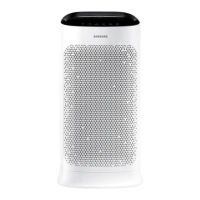
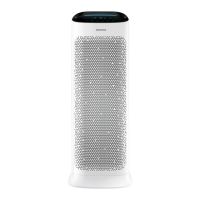
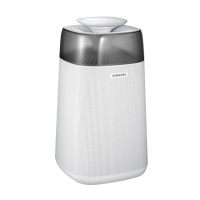
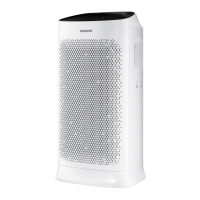
Identifies and describes the main external components and overall design of the air purifier.
Explains the functions of the display panel, buttons, and indicators for operation.
Step-by-step guide on how to remove the air purifier filters.
Step-by-step guide on how to install the air purifier filters.
Instructions on how to reset the filter replacement reminder after filter change.
Details the lifespan, replacement indicators, and basic usage tips for the 2-in-1 filter.
Guides on how to turn the air purifier on/off and adjust fan speed settings.
Explains how to use the Sleep mode for quiet and comfortable operation.
Details how to set the automatic timer for turning the air purifier on or off.
Information on adjusting the display lighting and its interaction with other modes.
Instructions on enabling, disabling, and connecting the Wi-Fi feature.
Procedure for clearing the filter replacement indicator and its associated beep.
How to activate and deactivate the button lock feature to prevent unintended operation.
Explains how to check current air quality levels (PM10, PM2.5, PM1.0, Gas) and their indicators.
Instructions on how to clean the outer surface of the air purifier.
Guidance on cleaning the air quality sensors to ensure accurate readings.
Steps for cleaning the pre-filter and drying it properly.
Guides on checking connections, setting up Wi-Fi, and downloading the SmartThings app.
Steps to connect the SmartThings app to the air purifier via manual or auto detection.
Provides details on network protocols and potential connectivity issues for the app.
Information regarding open-source software used in the product and how to obtain the source code.
Details on controlling indoor/outdoor air quality, power, fan speed, and settings via the app.
Addresses common problems like the air purifier not operating or making strange noises.
Provides solutions for issues related to strange odors from the air purifier or its filter.
Troubleshooting for the cleanliness color indicator, including sensor issues and temporary readings.
Addresses problems with PM concentration display and uneven air circulation.
 General
| Brand | Samsung |
|---|---|
| Model | AX60T5080WD |
| Category | Air Cleaner |
| Language | English |




 To Next Page