
 Need help?
Do you have a question about the Samsung AX90 and is the answer not in the manual?
Steps to unbox the air purifier and prepare filters, including removing tape and the filter cover.
Advice on positioning the air purifier, ensuring it faces forward and has adequate space around it.
Instructions for turning on the unit and adjusting the fan speed to auto or high.
Guide on how to activate the child lock feature by holding the PM Digit button.
Step-by-step instructions to connect the air purifier to your mobile device via the SmartThings app.
Instructions for cleaning washable filters fortnightly and wiping down air sensors.
How to find setup guides, user manuals, and FAQs using provided QR codes.
Details on how to contact Samsung Air Purifier support via phone for assistance.
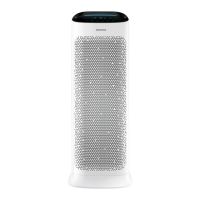
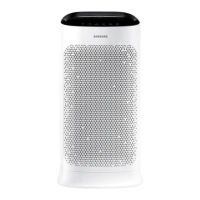
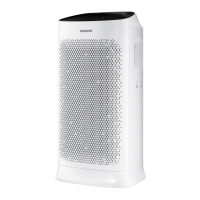
The Samsung AX90 Air Purifier is a sophisticated device designed to enhance indoor air quality, offering a range of features for effective purification, ease of use, and convenient maintenance. This air purifier is suitable for various indoor environments, providing a cleaner and healthier atmosphere.
The primary function of the Samsung AX90 Air Purifier is to filter and purify the air by removing various airborne contaminants. It employs a multi-stage filtration system to capture particles, allergens, and odors, ensuring that the air you breathe is significantly cleaner. The device is equipped with sensors that monitor air quality, allowing it to adjust its operation automatically to maintain optimal purification levels. This intelligent design ensures that the air purifier works efficiently to address current air quality conditions, providing continuous protection against pollutants.
The Samsung AX90 Air Purifier is designed for straightforward setup and operation, making it accessible for all users.
Upon receiving the air purifier, the first step involves unboxing and removing all packaging materials. This includes taking off any tape, plastic, and film from the exterior of the unit. Crucially, the filter cover must be unclipped, and the washable filter and HEPA filter unwrapped from the inside before initial use. This ensures that the filtration system is ready to function correctly.
Proper placement is essential for the air purifier's optimal performance. It should be positioned in a corner or against a wall, ideally near a power outlet. To ensure efficient air circulation, it is recommended to leave 20-30cm of space around all sides and the back of the unit. Additionally, for aesthetic and functional purposes, the air purifier should be front-facing, with the Samsung logo visible.
Operating the AX90 is simple. To turn it on, users need to tap the power button. The fan speed can then be adjusted by tapping the fan button until the desired setting, such as "auto" or "high," is selected. This allows users to customize the purification intensity based on their needs or let the device intelligently manage it.
For households with children, the AX90 includes a child lock feature to prevent accidental changes to settings. To activate the child lock, users need to hold the PM Digit button for three seconds. This action locks the display, ensuring that the air purifier operates continuously without interruption.
One of the most advanced features of the Samsung AX90 Air Purifier is its compatibility with the SmartThings App, available for both Android and iOS devices. This integration allows users to set up and control multiple Samsung Air Purifiers remotely, offering enhanced convenience and monitoring capabilities.
To set up Wi-Fi connectivity:
The SmartThings App enables users to turn on the air purifier, monitor air quality, adjust settings, and even self-diagnose machine issues from a single, intuitive interface. If any difficulties arise during Wi-Fi connection, users are advised to consult their IT department for assistance.
Regular maintenance is crucial for ensuring the long-term efficiency and performance of the Samsung AX90 Air Purifier. The device is designed for easy upkeep, focusing on two key areas: filter cleaning and sensor wiping. It is recommended to perform these maintenance tasks fortnightly.
The washable filters are a vital component of the AX90's purification system. To clean them, users need to remove them from the unit by unclicking them. The filters can then be either washed with water or vacuumed to remove accumulated dust and debris. If washed, it is imperative to ensure that the filters are completely dry before being reinserted into the unit. This prevents mold growth and maintains filtration effectiveness.
The air sensors, located on the side of the air purifier, play a critical role in monitoring air quality. These sensors should be wiped down regularly with a dry cloth to ensure accurate readings. Keeping the sensors clean prevents dust buildup from interfering with their ability to detect airborne particles and gases, thus maintaining the device's intelligent air quality management.
For any further questions or assistance, Samsung provides various resources. Users can scan QR codes to access the user manual, learn how to change the filter, or find answers to frequently asked questions (FAQs) about the air purifier.
For direct support, the Samsung Air Purifier Expert team is available during operation hours: Monday to Friday, 8 am to 5 pm. After-hours calls are routed to the main call center, which operates seven days a week from 8 am to 8 pm. To reach an expert, users can call 1300 362 603, then press 9 to listen to other options, and finally press 6 for Air Purifier Experts. This comprehensive support system ensures that users can easily get help with any issues or queries they may have regarding their AX90 Air Purifier.
 General
| Model | AX90 |
|---|---|
| Auto Mode | Yes |
| Child Lock | Yes |
| Timer | Yes |
| Filtration System | Pre-filter |
| Sensor | Gas, Odor |
| Smart Features | Wi-Fi, SmartThings App |




 To Next Page