
 Need help?
Do you have a question about the Samsung AX90A7080WD and is the answer not in the manual?
Precautions for installing the unit safely to prevent hazards.
Guidelines for safe use of the power cord and plug.
Safety instructions for operating the air purifier and handling potential issues.
Warnings and cautions related to cleaning the product safely.
Lists the included accessories such as filters and user manual.
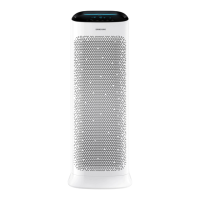
Details the model name, dimensions, and area coverage of the air purifier.
Overview of the air purifier's main components and features with numbered labels.
Explains the function of each button and indicator on the display panel.
Step-by-step guide on how to remove the air purifier's filters.
Step-by-step instructions for installing the air purifier's filters.
Advice and best practices for using and maintaining the air purifier's filters.
Instructions on how to power the air purifier on and off.
How to adjust the airflow intensity for optimal purification.
Details on activating Sleep mode for quiet and comfortable operation.
How to set the timer for automatic operation duration.
Information on how the air quality is indicated by dimmed colour lighting.
Instructions for enabling or disabling the Wi-Fi connectivity.
How to reset the reminder after replacing the filters.
How to activate and deactivate the button lock feature.
How to interpret the air quality indicators and pollution levels.
Steps for cleaning the outer surfaces of the air purifier.
How to clean the air quality sensors to ensure accuracy.
Instructions for cleaning and properly drying the pre-filters.
Ensure the product and access point are powered correctly.
Steps to connect the product to a Wi-Fi network using a smartphone.
Instructions to get the SmartThings app and set up your Samsung account.
Guide to select and connect the air purifier to the app.
Information regarding the open-source software used in the product.
Overview of how to control the air purifier using the SmartThings app features.
Details on controlling operation functions, settings, help, and device information.
Troubleshooting steps for when the air purifier does not operate.
Guidance on dealing with strange noises from the air purifier.
Solutions for strange smells from the air purifier and its filters.
Troubleshooting for the cleanliness indicator showing incorrect readings.
Reasons why the fan speed might not adjust according to air quality.
Explains why PM values might remain constant, even in clean air.
Troubleshooting for continuous PM values and the filter replacement indicator.
Explains uneven air circulation and its design.
 General
| Model | AX90A7080WD |
|---|---|
| Display | LED Display |
| Power Consumption | 60W |
| Color | White |
| Type | Air Purifier |
| CADR (Smoke) | 600 m³/h |
| Filtration System | Multi-layer Filtration |
| Filter Type | HEPA Filter |
| Sensor | Gas |
| Smart Features | Wi-Fi |
| Noise Level | 24 ~ 50 dB(A) |




 To Next Page