Use the HDMI cable to connect the product to an
Anynet+(HDMI-CEC)-compliant Samsung TV.
If the TV uses a language supported by the product,
that language will be set to a preferred language
automatically.
For this to work, the Anynet+(HDMI-CEC) feature
should be set to On in both the TV and the product.
If the product is left in the stop mode more than 5
minutes without being used, a screen saver appears
on your TV. If the product is left in the screen
saver mode for more than 25 minutes, the power
automatically turns off.
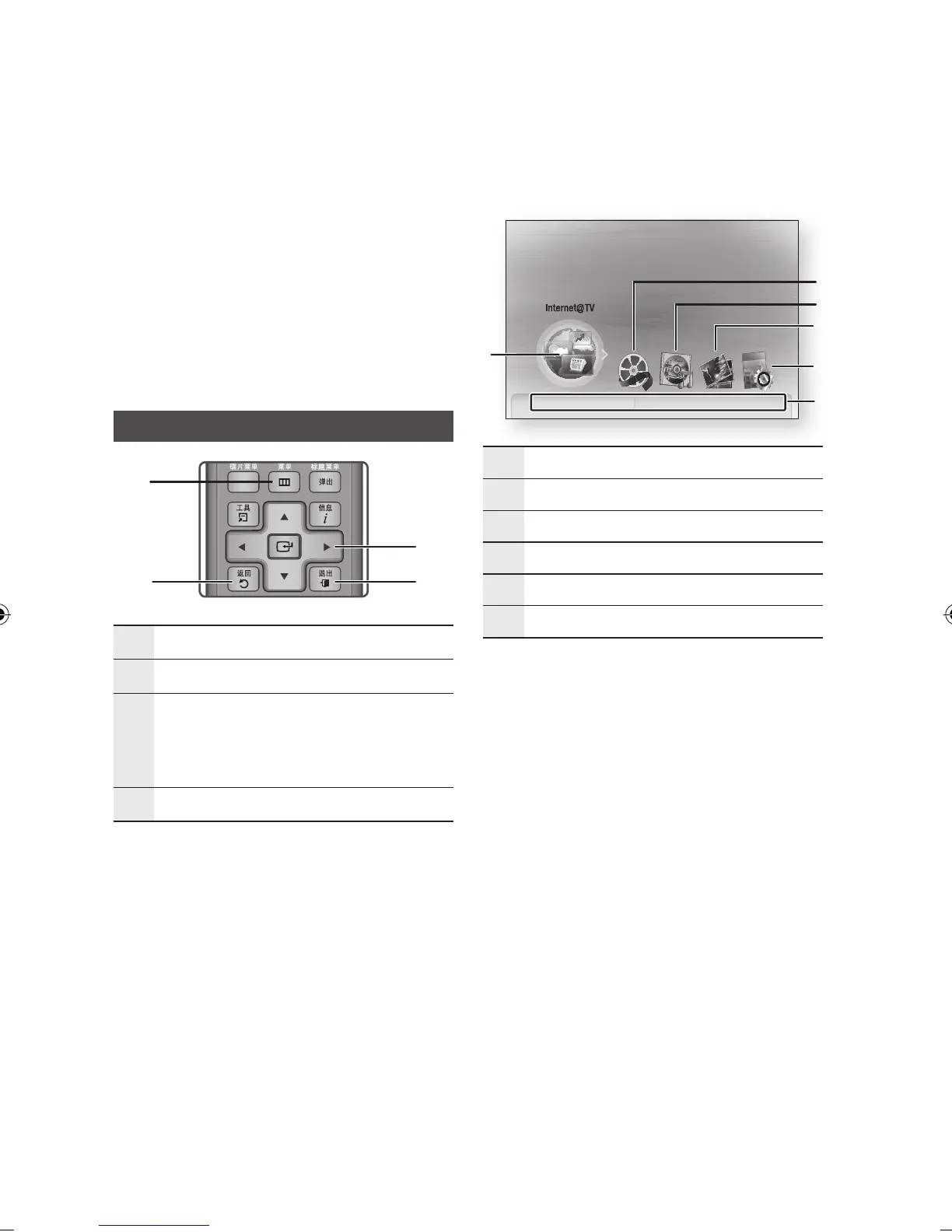
Setting the Menu
1
菜单
Button :
Press this to move to the Home menu.
2
返回
Button : Return to the previous menu.
3
确认/方向
Button :
Move the cursor or select an item.
Select the currently selected item.
Confirm the setting.
4
退出
Button :
Press this to exit the menu.
▪
▪
Press the
电源
button.
The Home Menu will appear.
Home Menu
1
Selects Internet@TV.
2
Selects Videos.
3
Selects Music.
4
Selects Photos.
5
Selects Settings.
6
Displays the buttons available.
Press the ◄► buttons to select Settings,
then press the
确认
button.
Press the ▲▼ buttons to select the desired
submenu, then press the
确认
button.
Press the ▲▼ buttons to select the desired
item, then press the
确认
button.
Press the
退出
button to exit the menu.
NOTE
When the product is connected to the network,
select Internet@TV from the Home menu.
Download desired content from Samsung Apps.
(See page 56)
The access steps may differ depending on the
selected menu.
The OSD (On Screen Display) may change in this
product after you upgrade the software version.
1.
•
2.
3.
4.
5.
✎
▪
▪
▪












 To Next Page