EasyManua.ls Logo

Samsung BD-ES6000 - User Manual

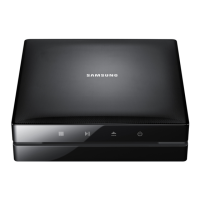
Samsung BD-ES6000
121 pages
Print Icon
To Next Page IconTo Next Page
Loading...
imagine the possibilities
Thank you for purchasing this Samsung product.
To receive more complete service,
please register your product at
www.samsung.com/register
Blu-ray
Disc Player
user manual
BD-ES6000

Table of Contents

Other manuals for Samsung BD-ES6000

Questions and Answers

  • K
    ktownsendAug 19, 2025
    How to fix Samsung Blu-ray disc player remote control not working?
    • C
      chelseaestesAug 20, 2025
      If no operation can be performed with the remote control of your Samsung Blu-ray disc player, first check the batteries and replace them if necessary. Then, ensure that you are operating the remote control within 20 feet of the player. As a last resort, you can remove the batteries and hold down one or more buttons for several minutes to drain the microprocessor inside the remote control to reset it. Reinstall the batteries and try again.
  • K
    Karen HamiltonAug 21, 2025
    Why is there no HDMI output from my Samsung Blu-ray disc player?
    • A
      Amanda JenningsAug 21, 2025
      If your Samsung Blu-ray disc player shows no HDMI output, check the connection between the TV and the HDMI jack on the player. Also, verify that your TV supports the HDMI input resolution (480p, 720p, 1080i, or 1080p).
  • J
    Jeffrey LyonsAug 23, 2025
    What to do if Samsung Blu-ray disc player does not play disc?
    • L
      Lorraine PattersonAug 25, 2025
      If the disc does not play on your Samsung Blu-ray disc player, make sure the disc is installed with the label side facing up. Also, check the region number of the Blu-ray Disc/DVD to ensure it is compatible with your player.
  • M
    Ms. Heather Le MDAug 26, 2025
    Why can't I see files in AllShare on my Samsung Blu-ray disc player?
    • N
      nicholasgreenAug 26, 2025
      If you see folders shared through AllShare but cannot see the files on your Samsung Blu-ray disc player, it is because AllShare only displays Video, Photo, and Music files. Other file types are not shown.
  • C
    Cynthia PhamAug 28, 2025
    Why is the AllShare connection unstable between my Samsung Blu-ray disc player and PC?
    • D
      Danielle KellyAug 28, 2025
      If the AllShare connection between your Samsung Blu-ray disc player and PC is unstable, ensure that IP addresses within the same subnetwork are unique to avoid IP interference. Also, check if a firewall is enabled and, if so, disable it.
  • J
    Janet BeckerAug 29, 2025
    Why is there no audio from my Samsung Blu-ray disc player?
    • A
      anthonyhughesAug 29, 2025
      If you are not getting any audio from your Samsung Blu-ray disc player, ensure that you have selected the correct Digital Output in the Audio Options Menu.
  • U
    ujohnsAug 31, 2025
    Why does the disc menu not appear on my Samsung Blu-ray disc player?
    • M
      Mario DixonSep 1, 2025
      If the disc menu does not appear on your Samsung Blu-ray disc player, ensure that the disc actually has disc menus.
  • S
    smooreSep 2, 2025
    What to do if the screen is blank on my Samsung Blu-ray disc player?
    • J
      Jay FloresSep 3, 2025
      If the screen is blank, and the HDMI output is set to a resolution your TV cannot support, you may not see a picture on your TV. Alternatively, you can press the @ button (on front panel) for more than 5 seconds with no disc inside to revert all settings to the factory settings.
  • M
    michaelthompsonSep 4, 2025
    How to reset password on Samsung Blu-ray disc player?
    • A
      Alicia WallerSep 4, 2025
      If you forgot the password for your Samsung Blu-ray disc player, you can press the @ button (on front panel) for more than 5 seconds with no disc inside. This will revert all settings, including the password, to the factory settings. Use this method only when absolutely necessary.
  • C
    Cody WongSep 7, 2025
    Why does the video play intermittently on my Samsung Blu-ray disc player?
    • M
      Michelle BatesSep 7, 2025
      If the video plays intermittently on your Samsung Blu-ray disc player, check if the network is stable. Ensure the network cable is properly connected and that the network is not overloaded. If you're using a wireless connection between a DLNA compatible device and the player, check the connection for stability.

Samsung BD-ES6000 Specifications

General IconGeneral
BrandSamsung
ModelBD-ES6000
CategoryBlu-ray Player
LanguageEnglish

Related product manuals