EasyManua.ls Logo

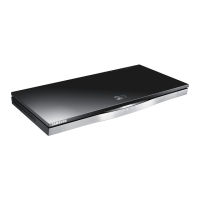
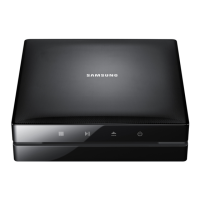
Samsung BD-ES6000 - User Manual

Samsung BD-ES6000
121 pages
Print Icon
To Next Page IconTo Next Page
Loading...
imagine the possibilities
Thank you for purchasing this Samsung product.
To receive more complete service,
please register your product at
www.samsung.com/register
Blu-ray
™
Disc Player
user manual
BD-ES6000

Table of Contents

Other manuals for Samsung BD-ES6000

Questions and Answers

  • B
    baileytamaraSep 8, 2025
    What causes an abnormal HDMI output screen on Samsung Blu-ray disc player?
    • D
      Daniel CookSep 8, 2025
      If you experience an abnormal HDMI output screen with random noise appearing on your Samsung Blu-ray disc player, it indicates that your TV does not support HDCP (High-bandwidth Digital Content Protection).
  • B
    brian20Sep 12, 2025
    Why is the picture noisy or distorted on my Samsung Blu-ray disc player?
    • M
      mooregarrettSep 12, 2025
      If you are experiencing a noisy or distorted picture on your Samsung Blu-ray disc player, check if the disc is dirty or scratched. If it is, clean the disc.
  • R
    Regina BrennanSep 13, 2025
    What does the prohibition message on my Samsung Blu-ray disc player mean?
    • K
      Kelly ClarkSep 13, 2025
      If the prohibition message appears on the screen of your Samsung Blu-ray disc player, it means you pressed an invalid button, the Blu-ray Disc/DVD's software doesn't support the feature (e.g., angles), or you've requested a title or chapter number or search time that is out of range.
  • L
    leblanctimSep 14, 2025
    Why does the play mode differ from the setup menu selection on my Samsung Blu-ray disc player?
    • S
      Samantha SmithSep 15, 2025
      If the play mode differs from the Setup Menu selection on your Samsung Blu-ray disc player, it may be because the disc is not encoded with the corresponding function selected in the Setup Menu.
  • A
    Aaron BuchananSep 16, 2025
    Why the screen ratio cannot be changed on my Samsung Blu-ray disc player?
    • D
      Daniel SmithSep 16, 2025
      The screen ratio is fixed on your Blu-ray Disc/DVD. This is not a problem with the player.

Samsung BD-ES6000 Specifications

General IconGeneral
BrandSamsung
ModelBD-ES6000
CategoryBlu-ray Player
LanguageEnglish

Related product manuals