15
EN
Hob Use (Continued)
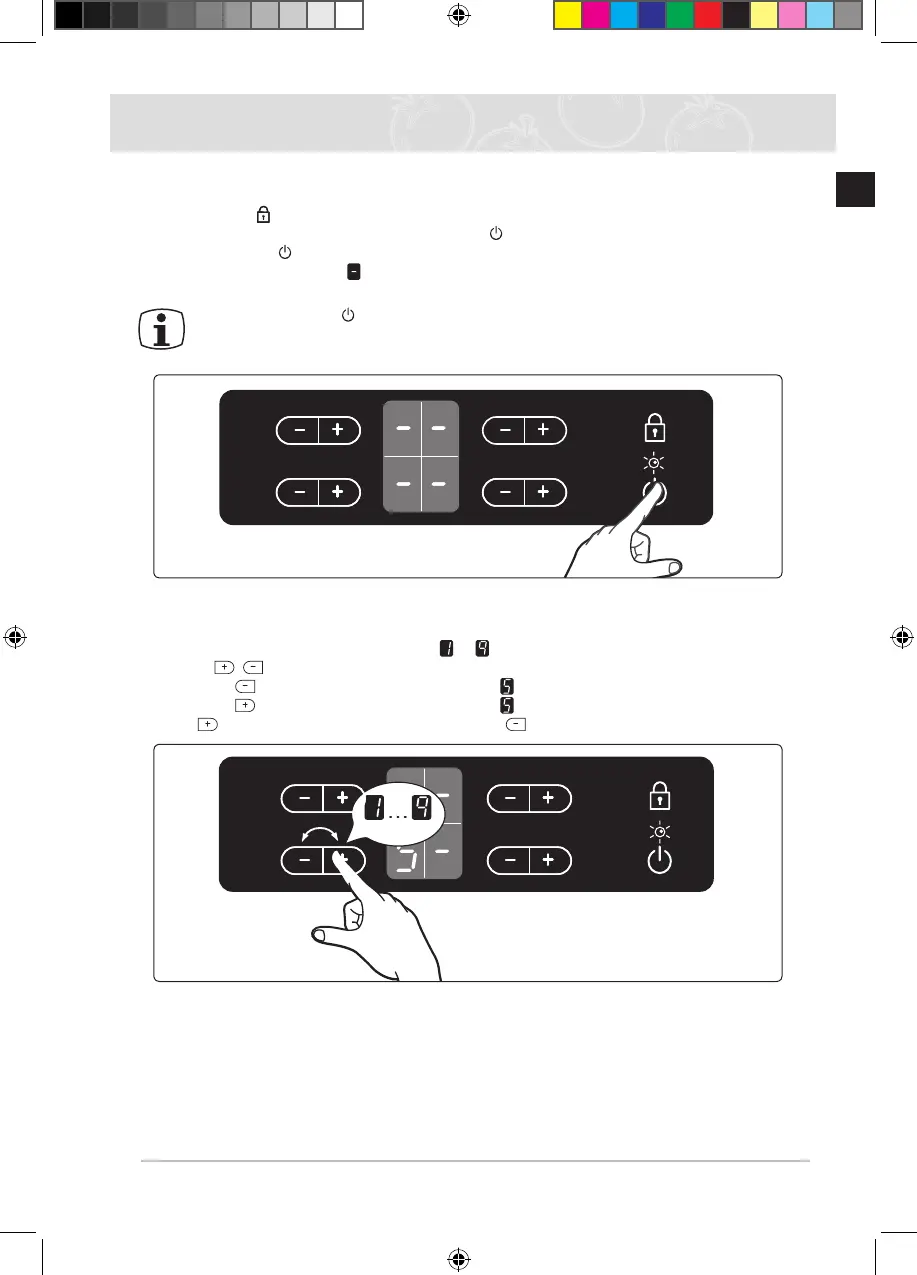
Switching the appliance on
Touch the “Lock ” sensor for approximately 3 seconds.
The appliance is switched on using the “On / Off ” control sensor.
Touch the “On / Off ” sensor.
The digital displays will show .
After the “On / Off ” sensor has been actuated to switch on your appliance, a heat
setting must be selected within approximately 10 seconds. Otherwise, the appliance
will switch itself off for safety reasons.
Temperature control
For setting and adjusting the power level ( to ) for cooking, touch the corresponding cook-
ing zone’s ,
keys.
The rst time
is pressed, the heat level is set to .
The rst time
is pressed, the heat level is set to .
Use the key to increase the heat setting and the
key to decrease.
C Top_MID] C61RAAST_XFA-00131A-05_EN.indd 15 1/11/2555 11:17:18



 To Next Page