16
EN
Hob Use (Continued)
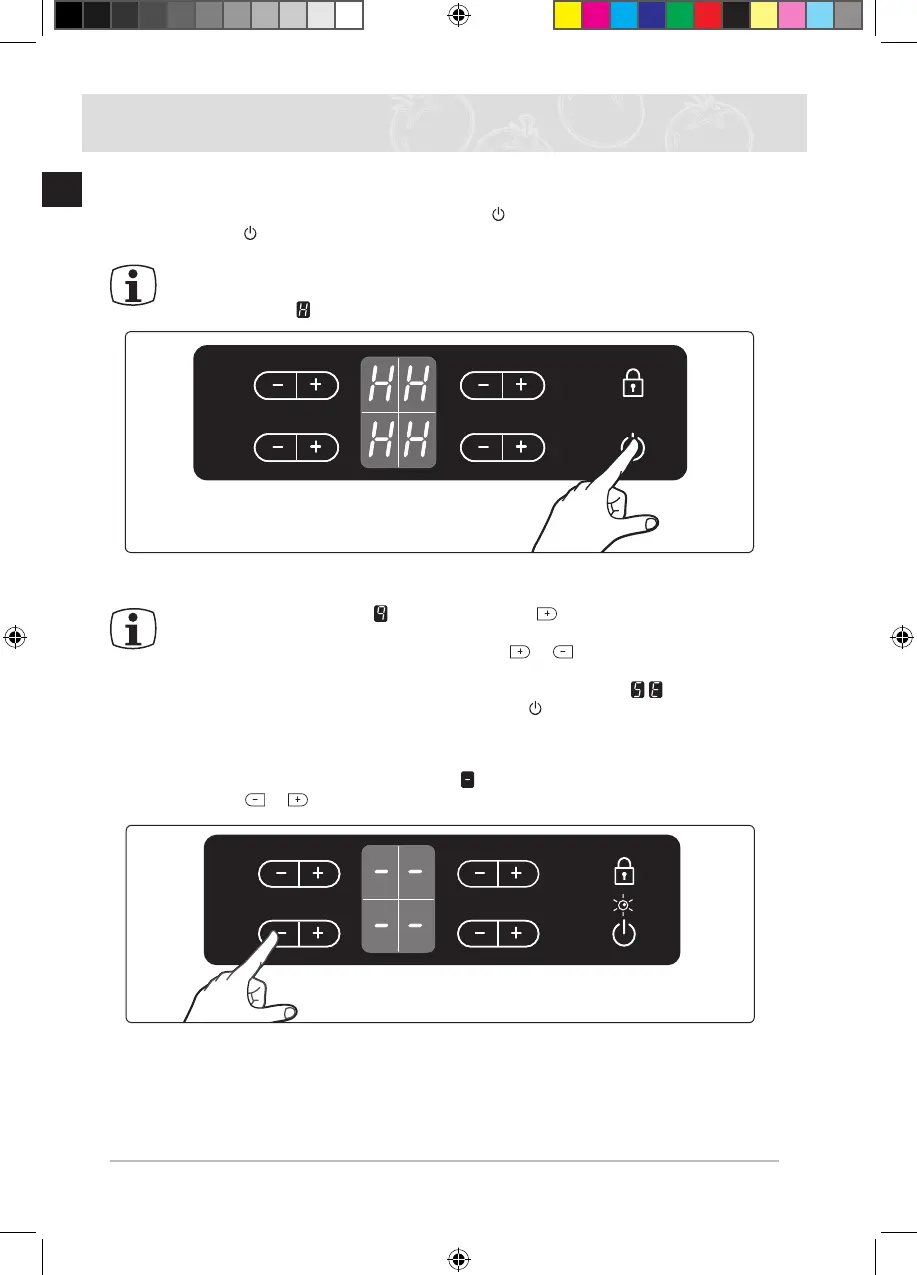
Switching the appliance off
To completely switch off the appliance, use the “On / Off ” control sensor.
Touch the “On / Off ” sensor.
After switching off a single cooking zone or the entire cooking surface, the presence of
residual heat will be indicated in the digital displays of the corresponding cooking zones
in the form of an (for “hot”).
If the heat setting is at and
you want to turn the
burner off, the sensor can be
touched one additional time, and the heat setting will go to zero.
For faster adjustment, keep your nger on the
or sensor until the required
value is obtained.
If more than one sensor is pressed for longer than 10 seconds,
will show in the
heat setting display. To reset, touch the “On / Off ” sensor.
Switching a cooking zone off
To switch off a cooking zone, return the setting to by using the control panel’s heat setting
and touch sensors or .
C Top_MID] C61RAAST_XFA-00131A-05_EN.indd 16 1/11/2555 11:17:18



 To Next Page