24
ENG
Adjusting the Sound Settings (depending on the model)
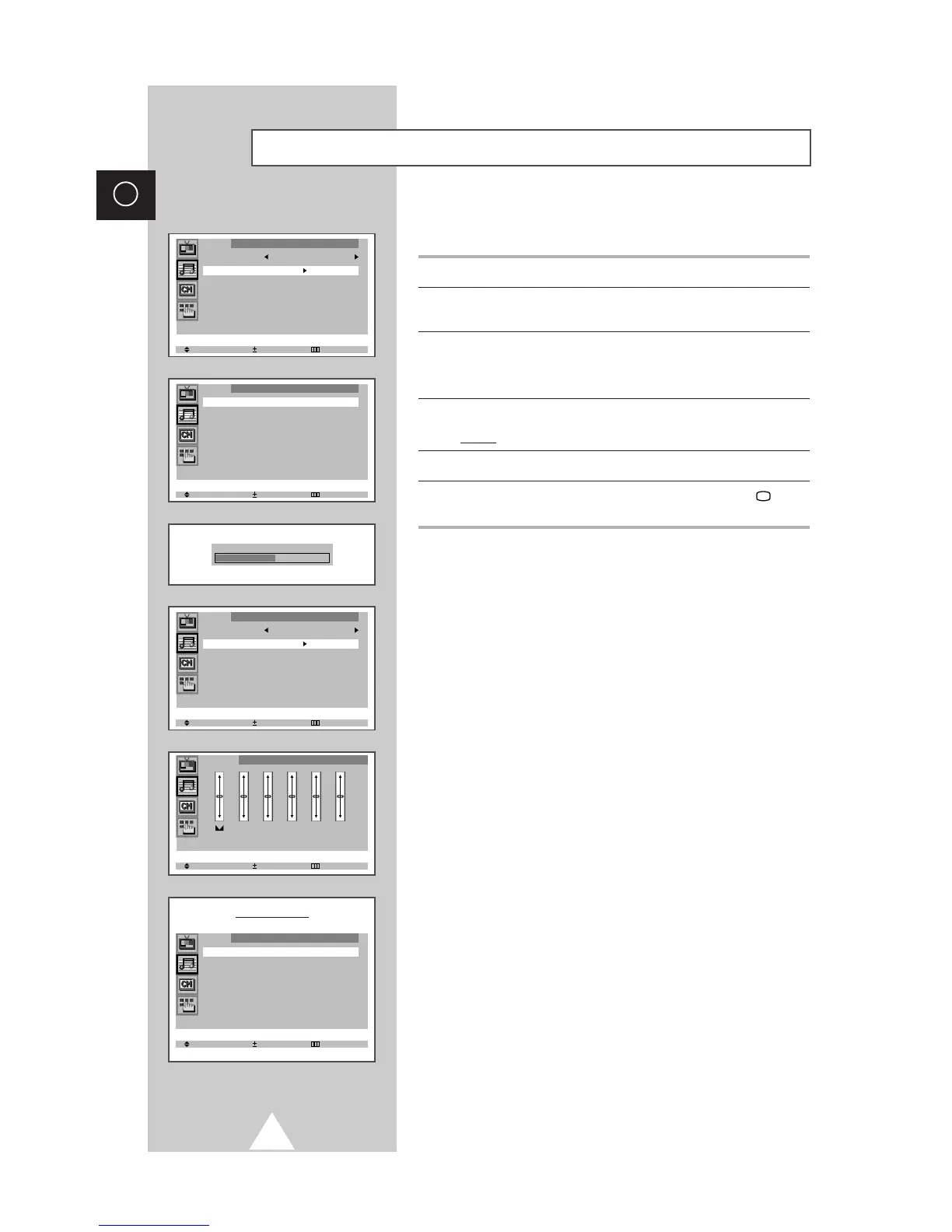
The sound settings can be adjusted to suit your personal preferences.
1 Press the MENU button.
2 Press the ▲ or ▼ button to select the “Sound” and press the + or –
button.
3 Press the ▲ or ▼ button to select the “Adjust” (or “Equalizer”).
➣
When select the “Mode” to “Custom”, the “Adjust” (or
“Equalizer”) menu is displayed.
4 Press the + or – button.
Result:
The “Adjust” (or “Equalizer”) menu is displayed.
5 Select the required option and adjust to satisfy your preference.
6 When you are satisfied with the settings, press the TV button
or, press the MENU button repeatedly to return to normal viewing.







 To Next Page