EasyManua.ls Logo

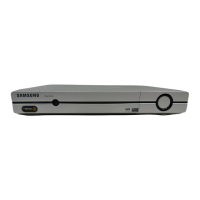
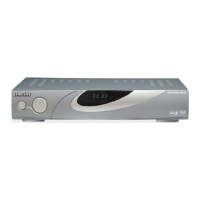
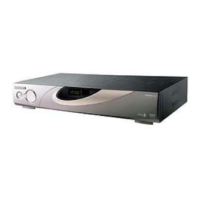
Samsung DSR 9500A - User Manual

Samsung DSR 9500A
38 pages
Print Icon
To Next Page IconTo Next Page
Loading...
èêàÖåçàä ëèìíçàäéÇéÉé íÖãÖÇàÑÖçàüèêàÖåçàä ëèìíçàäéÇéÉé íÖãÖÇàÑÖçàü
FTA, CI, EM VIA, VIA CI
DSR 9500A
MF68-00314A REV. 1.0
FTA, CI, EM VIA, VIA CI
êÛÍÓ‚Ó‰ÒÚ‚Ó ÔÓ ˝ÍÒÔÎÛ‡Ú‡ˆËË
RUS
GB
êÛÍÓ‚Ó‰ÒÚ‚Ó ÔÓ ˝ÍÒÔÎÛ‡Ú‡ˆËË . . . . RUS
Instructions for use . . . . . . . . . . . . . . GB
DSR 9500A
DSR 9500A Cover 12/8/03 11:58 AM Page 1

Table of Contents

Questions and Answers

  • V
    Valerie LynnJul 31, 2025
    What to do if there is no sound from my Samsung Receiver?
    • G
      Garrett MoonJul 31, 2025
      If you are not getting any sound from your Samsung Receiver, check the audio cord connections to ensure they are correctly connected. Also, verify the loudness level on your television set and increase it if necessary. Lastly, ensure that muting is not active by pressing the MUTE key.
  • N
    Nicole Russell MDAug 6, 2025
    What to do if the signal strength is too low on my Samsung DSR 9500A?
    • L
      lisaharrisAug 6, 2025
      If your Samsung Receiver displays a low signal strength, access the "Auto Scan" menu to check the signal strength and adjust your antenna's alignment as needed.
  • N
    Nathan KingAug 13, 2025
    What to do if my Samsung DSR 9500A Receiver is in Standby mode?
    • S
      Sandra DiazAug 13, 2025
      To resolve this issue, ensure the receiver is set to the "On" position. Verify the SCART connection to the video output of your television and correct it if necessary. Check the channel and video output selected on your television, referring to your TV's instruction manual for the correct settings.
  • K
    Kimberly CrawfordAug 18, 2025
    How to set a satellite on my Samsung DSR 9500A Receiver?
    • M
      Mrs. Sandra MurphyAug 18, 2025
      To resolve the issue where a satellite is not yet set on your Samsung Receiver, perform a scan in either the "Automatic scanning" or "Manual scanning" menu.
  • B
    bmckinneyAug 25, 2025
    What to do if my Samsung DSR 9500A Receiver smartcard is not plugged in correctly?
    • M
      Michelle JohnsonAug 25, 2025
      To fix smartcard issues with your Samsung Receiver, check the smartcard and ensure it is properly inserted, depending on your specific model.

Summary

Safety Instructions

Power and Electrical Safety

Guidelines for safe use of mains supply, overload prevention, cleaning, and ventilation.

Connection and Servicing Safety

Precautions for connecting LNB cables and servicing the receiver.

Environmental Safety

Recommendations for protection against lightning and proper disposal of batteries.

Connecting Your DSR 9500 A

Receiver and Dish System Connection

Instructions for connecting the receiver to the satellite dish LNB system.

TV and External Device Connections

Guidance on connecting the receiver to televisions, VCRs, and audio systems.

Smartcard and CAM Insertion

Steps for inserting Smartcards for Viaccess and Common Interface CAM modules.

Basic Functions

Program Information and Subtitle Settings

Operating the Receiver

Main Menu and Installation

Accessing the main menu and initiating the receiver installation process.

Installation Steps

Guidance on customizing settings, adding services, and displaying receiver status.

LNB and Positioner Settings

Scanning Functions

Channel Management

Parental Lock and PIN Management

Parental Lock

Setting up viewing restrictions using a PIN for channel access.

Change PIN Code

Instructions for changing the receiver's PIN code for security.

System Setup and Configuration

Troubleshooting

Samsung DSR 9500A Specifications

General IconGeneral
Aspect Ratio4:3, 16:9
Sampling Rate32, 44.1, 48 KHz
Data PortRS-232
TypeDigital Satellite Receiver
Satellite Input Frequency950-2150 MHz
Input ConnectorF-type
Input Impedance75 Ohm
FEC Decoder1/2, 2/3, 3/4, 5/6, 7/8
LNB Power13/18 VDC (+/-5%), max. 500mA
DiSEqC1.0, 1.2
DemodulationQPSK
Video DecodingMPEG-2
Audio DecodingMPEG-1 Layer I & II
Audio ModeMono, Stereo
OutputsComponent
FeaturesEPG, Multi-language support
Power Supply100-240V AC, 50/60Hz

Related product manuals