Disassembly and reassembly
3-4
Copyright© 1995-2012 SAMSUNG. All rights reserved.
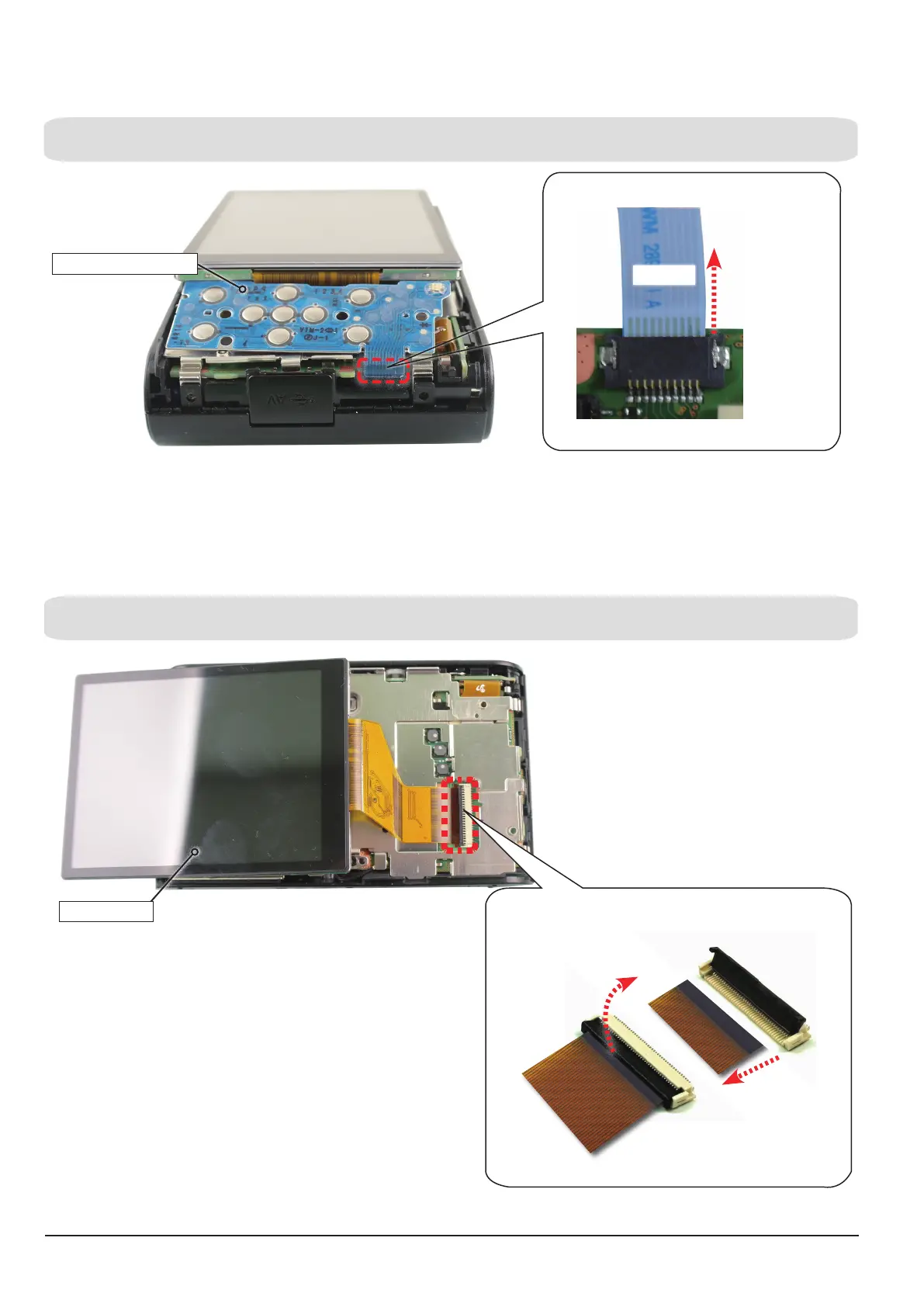
2. Disassembly of KEY PCB ASSY.v
Fig 3-6
(a) Remove the CONNECTOR as indicated " Fig. A" below and Then remove the LCD ASSY.
(a) Remove the FPCB as "Fig. A" and then lift up the KEY PCB ASSY in the direction of the arrow and remove it.
3. Disassembly of LCD ASSY.
Fig 3-7
KEY PCB ASSY
LCD ASSY
CONNECTOR
FPCB
FPCB
1. Open.
2.
Remove
.
Remove the FPCB from the connector.
Fig. A
Remove the FPCB from the connector.
Fig. A
FPCB







 To Next Page