Copyright© 1995-2012 SAMSUNG. All rights reserved.
6-5
Firmware update
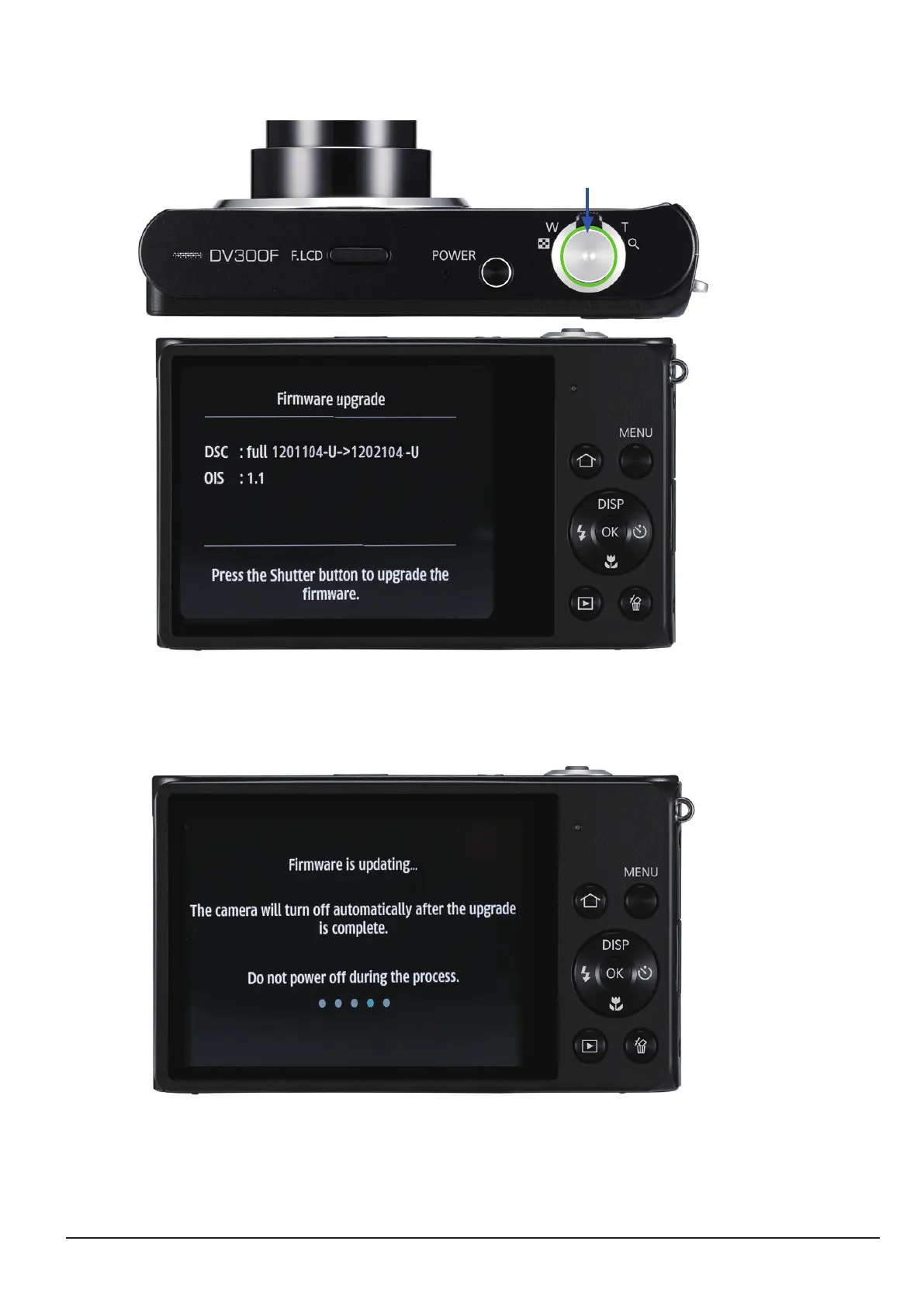
4. The version of the rmware to upgrade will be displayed on the LCD screen. When you press the
SHUTTER button, the rmware upgrade will start.
Fig. 6-8
5. The progress of the rmware upgrade will be displayed on the LCD and the upgrade will proceed.
Shutter button
Fig. 6-7
6. When the upgrade is completed, the camera will automatically be turned off.






 To Next Page