EasyManua.ls Logo

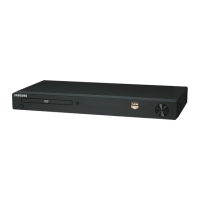
Samsung DVD-1080PR - User Manual

Samsung DVD-1080PR
132 pages
Print Icon
To Next Page IconTo Next Page
Loading...
imagine the possibilities
Thank you for purchasing this Samsung product.
To receive more complete service, please register
your product at
www.samsung.com/global/register
DVD Player
user manual
DVD-1080P9
DVD-1080PR
AK68-01750B(01)

Table of Contents

Questions and Answers

  • C
    carolloweAug 15, 2025
    How to fix a Samsung DVD-1080PR remote control that is not working?
    • D
      dgordonAug 15, 2025
      If your Samsung DVD Player remote control isn't working, try these steps: * Check and replace the batteries in the remote. * Ensure you're within 20 feet of the DVD player. * Reset the remote by removing the batteries, holding down one or more buttons for several minutes, then reinstalling the batteries.
  • M
    Mrs. Brittney StephensAug 18, 2025
    Why won't my Samsung DVD Player play the disc?
    • L
      Leah WilsonAug 18, 2025
      If your Samsung DVD Player isn't playing discs, ensure the disc is inserted with the label side facing up. Also, verify the region code of the DVD to ensure it is compatible.
  • J
    Joshua KennedyAug 21, 2025
    Why is there no audio from my Samsung DVD Player?
    • A
      Ashley GatesAug 21, 2025
      If there is no audio from your Samsung DVD Player, ensure that you have selected the correct Digital Output in the Audio Options Menu.
  • S
    Steven WhiteAug 25, 2025
    What to do if the picture on my Samsung DVD-1080PR is noisy or distorted?
    • H
      Heather HuffmanAug 25, 2025
      If the screen on your Samsung DVD Player is noisy or distorted, ensure the disc isn't dirty or scratched. Clean the disc to resolve this issue.
  • B
    Benjamin GreenAug 27, 2025
    How to unblock the screen on a Samsung DVD-1080PR?
    • M
      Marie PaulAug 27, 2025
      If the screen is blocked on your Samsung DVD Player, press and hold the button on the front panel for more than 5 seconds when there is no disc inside. This action will revert all settings to the factory defaults.
  • A
    Alyssa HallAug 30, 2025
    Why is there no HDMI output from my Samsung DVD Player?
    • B
      brandoncastanedaAug 30, 2025
      If your Samsung DVD Player shows no HDMI output, verify that the Video output setting is configured for HDMI. Inspect the connection linking your TV and the HDMI port on the DVD player. Confirm that your TV is compatible with the 480p/720p/1080i/1080p resolution supported by the DVD player.
  • P
    Perry BooneSep 2, 2025
    What causes an abnormal HDMI output screen on a Samsung DVD-1080PR?
    • T
      triciatownsendSep 2, 2025
      If you're seeing snow noise on the screen with your Samsung DVD Player, it indicates that your TV does not support HDCP (High-bandwidth Digital Content Protection).
  • E
    Elizabeth FernandezSep 5, 2025
    Why is my Samsung DVD-1080PR DVD Player HDMI output jittering?
    • L
      Laura MelendezSep 5, 2025
      If you experience HDMI output jitter with your Samsung DVD Player, first check if your TV is set up correctly. Screen jitter can occur when the frame rate is converted from 50Hz to 60Hz for 720P/1080i/1080p HDMI Output. Please refer to your TV's user manual for setup instructions.
  • M
    Melanie MillerSep 8, 2025
    Why does the play mode differ from the Setup Menu selection on my Samsung DVD Player?
    • J
      Jessica ArcherSep 8, 2025
      If the play mode on your Samsung DVD Player differs from the Setup Menu selection, it could be because the disc isn't encoded with the corresponding function. Some functions selected in the Setup Menu may not work properly if the disc does not support them.
  • M
    Matthew HammondSep 12, 2025
    Why can't I change the screen ratio on my Samsung DVD Player?
    • J
      Jacqueline MclaughlinSep 12, 2025
      The screen ratio on your Samsung DVD Player cannot be changed because it is fixed on your DVDs.

Samsung DVD-1080PR Specifications

General IconGeneral
TypeDVD Player
Video OutputHDMI, Component, Composite
Audio OutputStereo, Dolby Digital, DTS
Progressive ScanYes
Video UpconversionUp to 1080p
ConnectivityComponent, Composite
Disc Formats SupportedDVD, CD, CD-R, CD-RW
Playable File TypesJPEG, MP3
Playback FormatsMP3, JPEG

Related product manuals