EasyManua.ls Logo

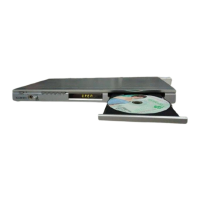
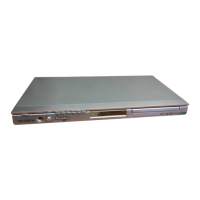
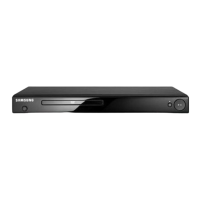
Samsung DVD-P191 - User Manual

Samsung DVD-P191
66 pages
Print Icon
To Next Page IconTo Next Page
Loading...
imagine the possibilities
Thanks you for purchasing this Samsung product.
To receive more complete service, please register
your product at
www.samsung.com/global/register
DVD Player
user manual
DVD-P191
AK68-01762Q(01)

Other manuals for Samsung DVD-P191

Questions and Answers

  • S
    Shannon VillegasAug 19, 2025
    What to do if the Samsung DVD-P191 DVD Player remote control is not working?
    • K
      Kevin ScottAug 20, 2025
      If your Samsung DVD Player's remote control isn't working, try these steps: * First, check and replace the batteries. * Ensure you're within 20 feet of the DVD player. * If the issue persists, remove the batteries, press and hold any button(s) for several minutes to reset the remote's microprocessor, then reinstall the batteries and try again.
  • S
    scottlopezAug 22, 2025
    Why is my Samsung DVD Player not playing discs?
    • C
      Christina GoodwinAug 22, 2025
      If your Samsung DVD player isn't playing discs, make sure the disc is placed with the label side facing up. Also, verify that the DVD's region code is compatible with your player.
  • R
    Rhonda IngramAug 23, 2025
    How to fix Samsung DVD Player remote control not working?
    • J
      Jennifer FloresAug 25, 2025
      If your Samsung DVD Player's remote control isn't working, first check and replace the batteries if needed. Ensure you're within 20 feet of the DVD player. If it still fails, try resetting the remote by removing the batteries, holding down one or more buttons for a few minutes, then reinstalling the batteries.
  • J
    Jesse WilliamsAug 26, 2025
    What to do if my Samsung DVD-P191 DVD Player disc does not play?
    • N
      nburnsAug 26, 2025
      If your Samsung DVD Player isn't playing a disc, make sure the disc is placed with the label side facing up. Also, verify that the DVD's region code is compatible with your player.
  • M
    Maureen AllisonAug 27, 2025
    What to do if Samsung DVD-P191 picture is noisy or distorted?
    • S
      Stephanie AlvarezAug 27, 2025
      If the picture on your Samsung DVD player is noisy or distorted, check the disc for dirt or scratches. If necessary, clean the disc thoroughly.
  • A
    Alison SimsAug 29, 2025
    How to reset forgotten password on Samsung DVD-P191?
    • K
      Kimberly WilsonAug 29, 2025
      To reset a forgotten password on your Samsung DVD Player, press and hold the button on the front panel for more than 5 seconds when there is no disc inside. Be aware that this will revert all settings to factory defaults, so use this method only when absolutely necessary.
  • L
    Lori ForbesAug 31, 2025
    Why is 5.1 channel sound not working on my Samsung DVD-P191?
    • J
      Jason ByrdAug 31, 2025
      5.1 channel sound will only work if your Samsung DVD player is correctly connected to a compatible amplifier and the disc is recorded with 5.1 channel audio. Check that the disc has the '5.1 ch' mark. Also, verify that your audio system is properly connected and functioning. Finally, confirm in the SETUP Menu that the Audio Output is set to Bitstream.
  • C
    Cody MitchellSep 2, 2025
    Why is there no audio on my Samsung DVD Player?
    • L
      Laura FieldsSep 3, 2025
      If there is no audio from your Samsung DVD Player, ensure that you have selected the correct Digital Output in the Audio Options Menu.
  • R
    Rachel WolfSep 4, 2025
    Why does the play mode differ from the Setup Menu selection on my Samsung DVD-P191?
    • A
      april57Sep 4, 2025
      Some functions selected in the Setup Menu may not work properly if the disc is not encoded with the corresponding function.
  • A
    Amy PowellSep 6, 2025
    How to unblock the screen on Samsung DVD-P191?
    • S
      Summer MillerSep 6, 2025
      To unblock the screen on your Samsung DVD player, press and hold the button on the front panel for more than 5 seconds when no disc is inserted. This will revert all settings to the factory defaults.

Summary

Precautions

For Your Safety

Important safety information regarding laser and self-repair.

Setup

Remote Control Overview

Identification and function of all buttons on the remote control.

Connections

Basic Functions

Playing a Disc

Step-by-step guide for inserting, playing, pausing, and stopping discs.

Search and Skip Functions

How to navigate within tracks, chapters, or titles.

Disc and Title Menu Navigation

Accessing and navigating disc or title menus.

Advanced Functions

Adjusting Aspect Ratio (EZ View)

Changing picture aspect ratio to match TV screen size.

Selecting Audio Language

Choosing the desired audio track language for playback.

Selecting Subtitle Language

Choosing the desired subtitle language for the movie.

Changing Setup Menu

Language Setup Features

Customizing player, disc, audio, and subtitle languages.

Using the Audio Language

Setting the preferred audio language for playback.

Using the Subtitle Language

Choosing the desired subtitle language for DVDs.

Setting Up Display Options

Adjusting video settings like TV aspect ratio and screen messages.

Parental Control Setup

Configuring parental lock levels and rating levels.

Reference

Troubleshooting

Solutions for common problems encountered with the player.

Samsung DVD-P191 Specifications

General IconGeneral
TypeDVD Player
Remote ControlYes
Weight1.5 kg
Progressive ScanNo
Disc Formats SupportedCD-R, CD-RW
Playback FormatsDVD, CD
Video OutputComposite Video
Audio OutputStereo
Video D/A Converter10-bit
Audio D/A Converter24-bit
ConnectorsComposite, S-Video

Related product manuals