Before You Start
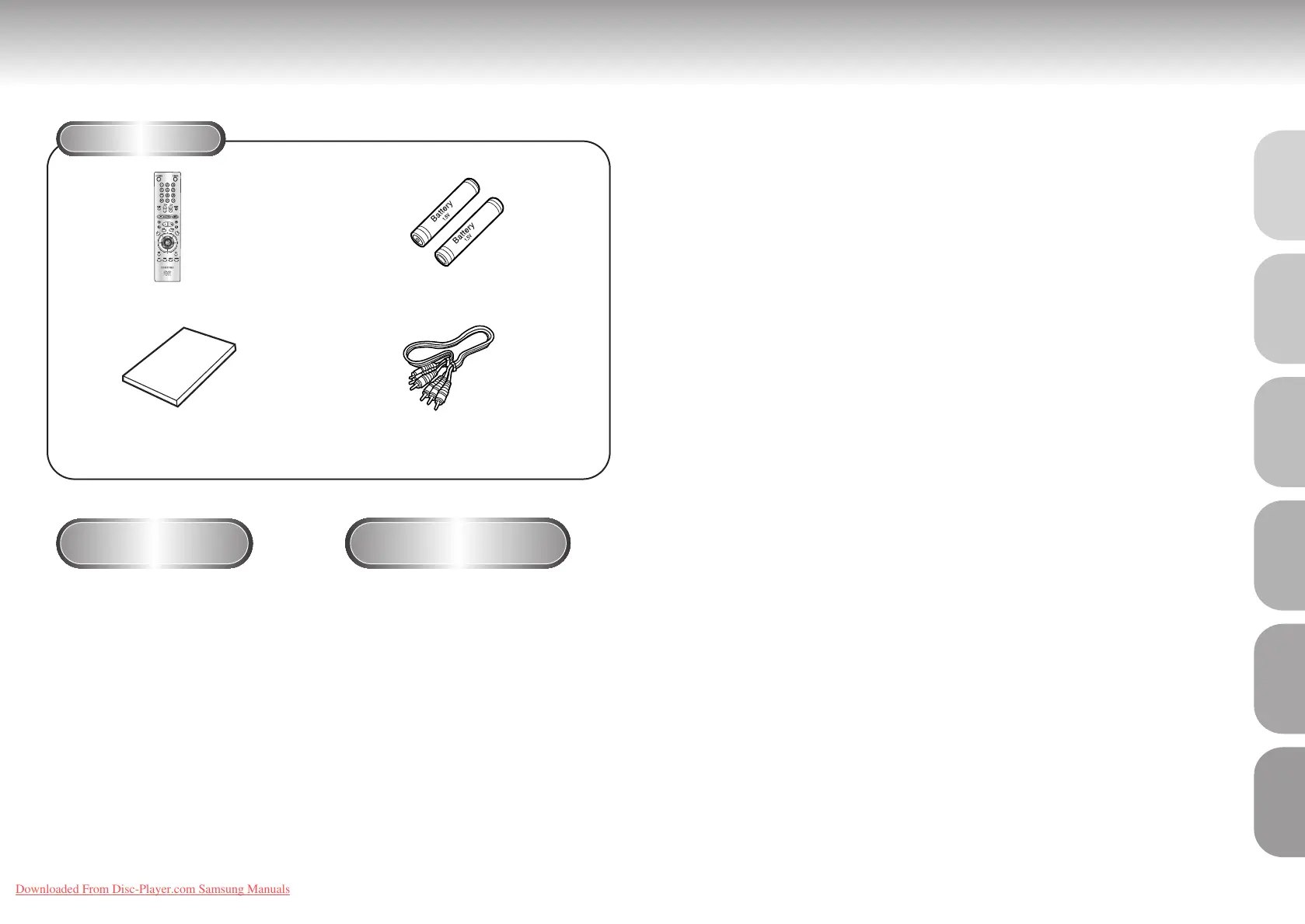
Accessories
Install Batteries in the
Remote
If remote doesn’t operate
properly:
1
1
Open the battery cover on the
back of the remote.
2
2
Insert two AA batteries. Make
sure that the polarities (+ and -)
are aligned correctly.
3
3
Replace the battery cover.
• Check the polarity + - of the batteries
(Dry-Cell)
• Check if the batteries are drained.
• Check if remote sensor is blocked by
obstacles.
• Check if there is any fluorescent
lighting nearby.
TABLE OF CONTENTS
General Features
............................................................................................................
8
Disc Type and Characteristics ........................................................................................ 9
Description-Front Panel ................................................................................................10
Description-Rear Panel..................................................................................................11
Tour of the Remote Control ............................................................................................12
Choosing a Connection ................................................................................................14
Playing a Disc ..............................................................................................................16
Operating the Disc Changer..........................................................................................18
Using the Search & Skip Functions..........................................................................
19
Using the Display Function ............................................................................................20
Repeat Play..................................................................................................................21
Program Play & Random Play........................................................................................22
S.FIT Play ....................................................................................................................23
Digest Play ..................................................................................................................24
Using the Disc View Function ........................................................................................25
Slow Repeat play..........................................................................................................26
Selecting the Audio Language ......................................................................................27
Selecting the Subtitle Language......................................................................................28
Changing the Camera Angle ........................................................................................29
Using the Instant Replay Function ..................................................................................30
Using the Bookmark Function ........................................................................................31
Using the Zoom & 3D Sound Functions............................................................................................32
MP3 Play ....................................................................................................................33
Using the Setup Menu ..................................................................................................35
Setting Up the Language Features..................................................................................36
Setting Up the Parental Control......................................................................................38
Setting Up the Audio Options........................................................................................39
Setting Up the Display Options......................................................................................40
Controlling a TV with the Remote ..................................................................................41
Troubleshooting ............................................................................................................42
Specifications ..............................................................................................................43
Warranty ....................................................................................................................44
6 7
SETUP
CONNECTIONS
BASIC
FUNCTIONS
ADVANCED
FUNCTIONS
CHANGING
SETUP MENU
REFERENCE
Remote Control (AH59-00093R)
User’s Manual (AK68-00029A)
Batteries for Remote Control
(AA Size) (4301-000117)
Video/Audio Cable
(AC39-42001R)
DVD-C621 7/19/02 10:44 AM Page 6
Downloaded From Disc-Player.com Samsung Manuals



 To Next Page